GO TO 1 - UP DISPLAY
LANGUAGES
STORED CODES
ENGINE CONF
SETUP 1 - UP DISPLAY
SETUP 4 - UP DISPLAY
SELECT UNITS
396014
396117
ENG RPM
COOL TEMP
2000 RPM
1100
0
2200
2 1
GO TO 4 - UP DISPLAY
LANGUAGES
STORED CODES
ENGINE CONF
SETUP 1 - UP DISPLAY
SETUP 4 - UP DISPLAY
SELECT UNITS
396046
GO TO 1 - UP DISPLAY
LANGUAGES
STORED CODES
ENGINE CONF
SETUP 1 - UP DISPLAY
SETUP 4 - UP DISPLAY
SELECT UNITS
396015
2.6. Actuators and dashboard instruments
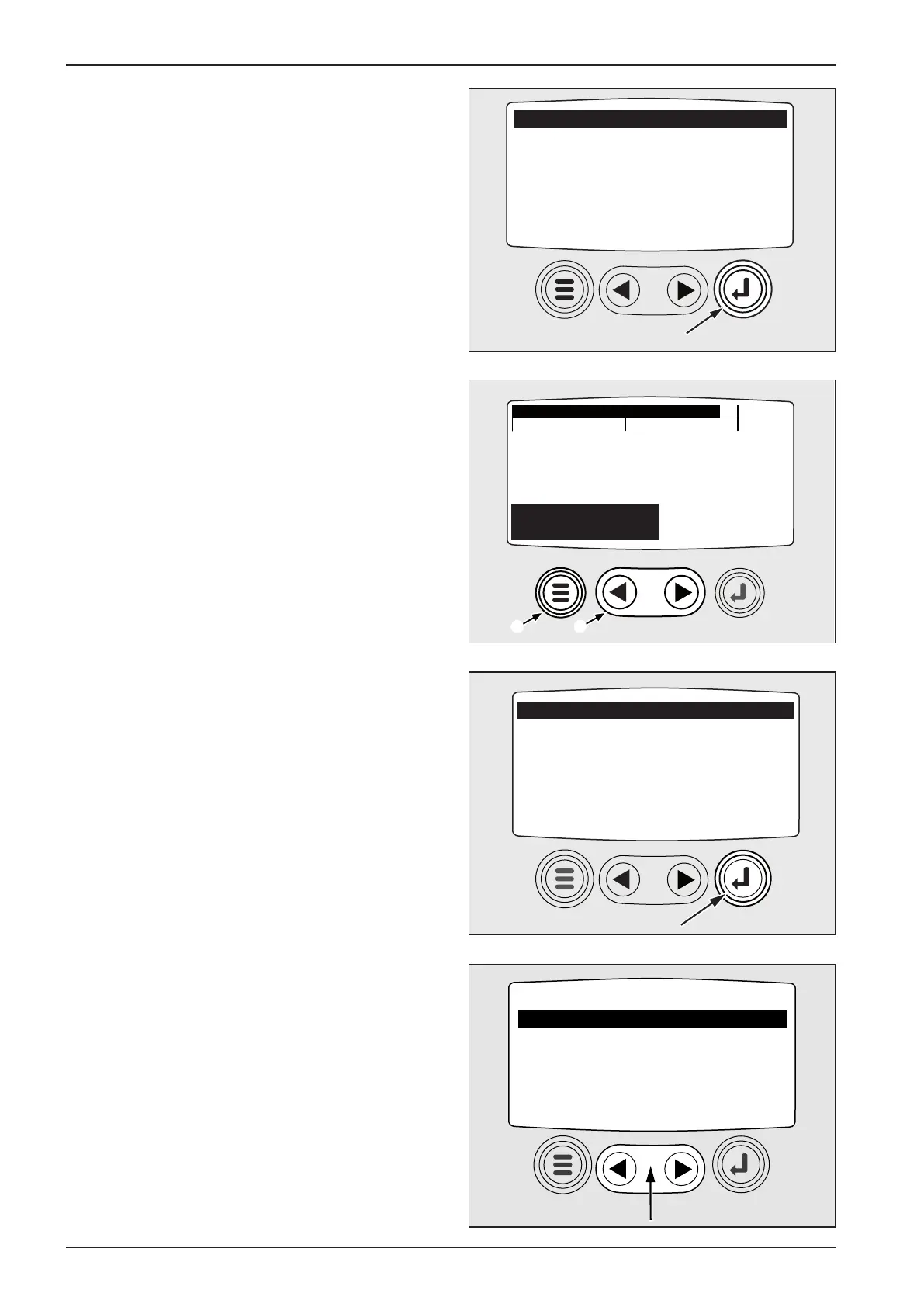
Press ENTER button to move to GO TO 1 - UP DISPLAY menu
where parameters are displayed one by one.
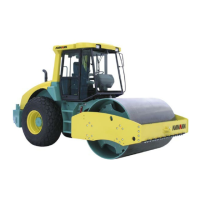
Use cursor 1 to display step by step eight parameters set
(Number of engine operating hours, engine rpm, el. system
voltage, engine load in % during actual engine speed, cooling
liquid temperature, engine oil pressure, fuel level, instantaneous
consumption). Press MENU 2 button.
Note
If the engine is at rest, the battery voltage is indicated. If the en-
gine is running, then roller’s el. system voltage is indicated.
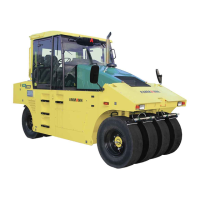
Main menu is displayed again. Press ENTER button to move back
to four-parameter display.
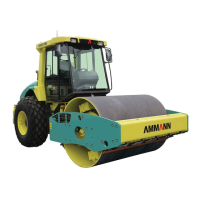
Use cursor in main menu to move to next item, i.e. LANGUAGES
– to select language.


 To Next Page