ink has dried within the tubbing, or motor flag is no longer working.
It is very important that the Maintenace station is kept clean on a regular basis. Improper care of
the Maintenance station will result in poor ink flow and bad printing.
Removing Maintenance Station.
Begin by releasing your carriage (Menu>Maintenance Functions>Print Carriage Controller >
Release Carriage).
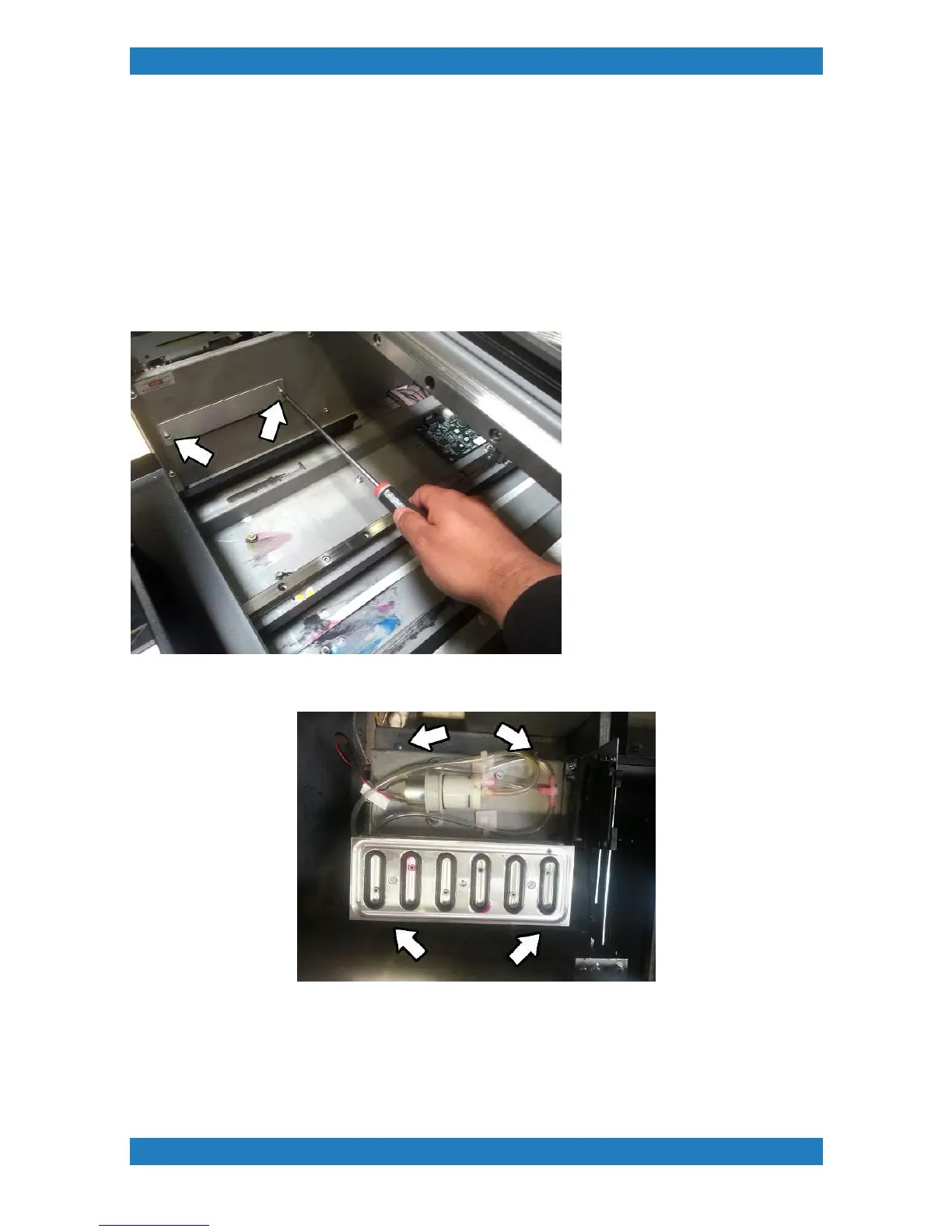
1. Remove the Drip tray from underneath. Remove 2 phillip screws to release the tray. See photo
3.3.1
2.The maintenance station is held by 4 Phillip screws. One on each corner See photo 3.3.2
Photo 3.3.2
3. Before pulling the station out carefully pull it up and disconnect the 4 cables connected to the
Maintenance station board. See photo 3.3.3



 To Next Page