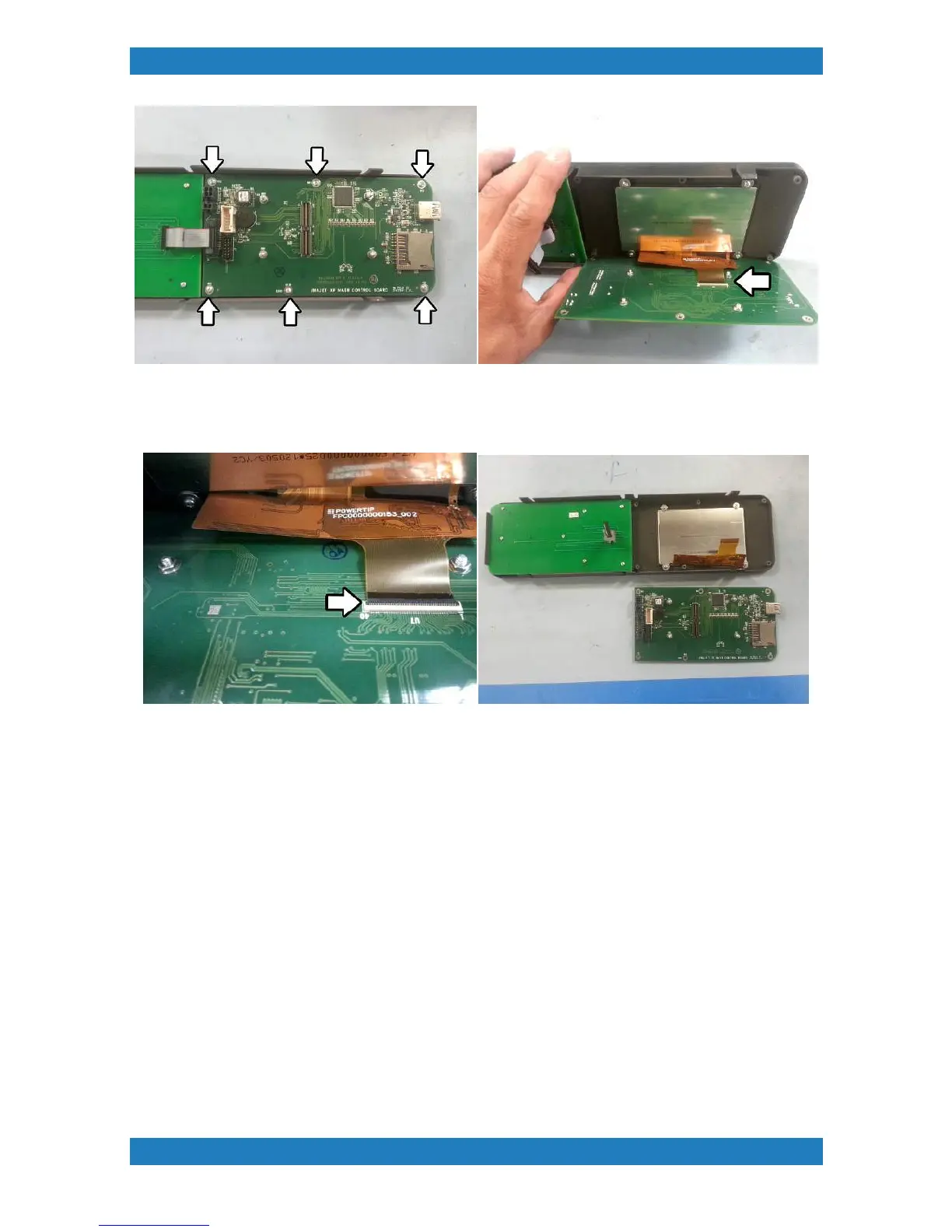
Photo 3.13.2-2
4. There will be a small black tab on the connector, move the tab upwards to release the cable. See photo
3.13.2-3
Photo 3.13.2-3
3.13.3 Replacing LCD Screen
Tools Needed
Phillips Screwdriver
LCD Screen (P/N: 150828-001)
Pixels can be damaged from over heating or physical damage to the LCD will require a replacement.
1. Begin by removing the control panel see section 3.13 and remove the I-O board see section 3.13.2
2. The LCD is held by 4 small phillip screws. Remove the screws to release the LCD. See photo 3.13.3-1



 To Next Page