3.10 Table Motion Control Board Replacement
Tools Needed
o
Phillip Screwdriver
o
Table Motion Control Board (P/N: 51-20007-001)
Ink or moisture can damage the board resulting in no movement of the table or bad and rough movement. The
board will show a red or no light if the board is damaged or if there is an error. Always check the cable
connection before replacing the board. The table Motion Control board will be located in the far end of the
table railing.
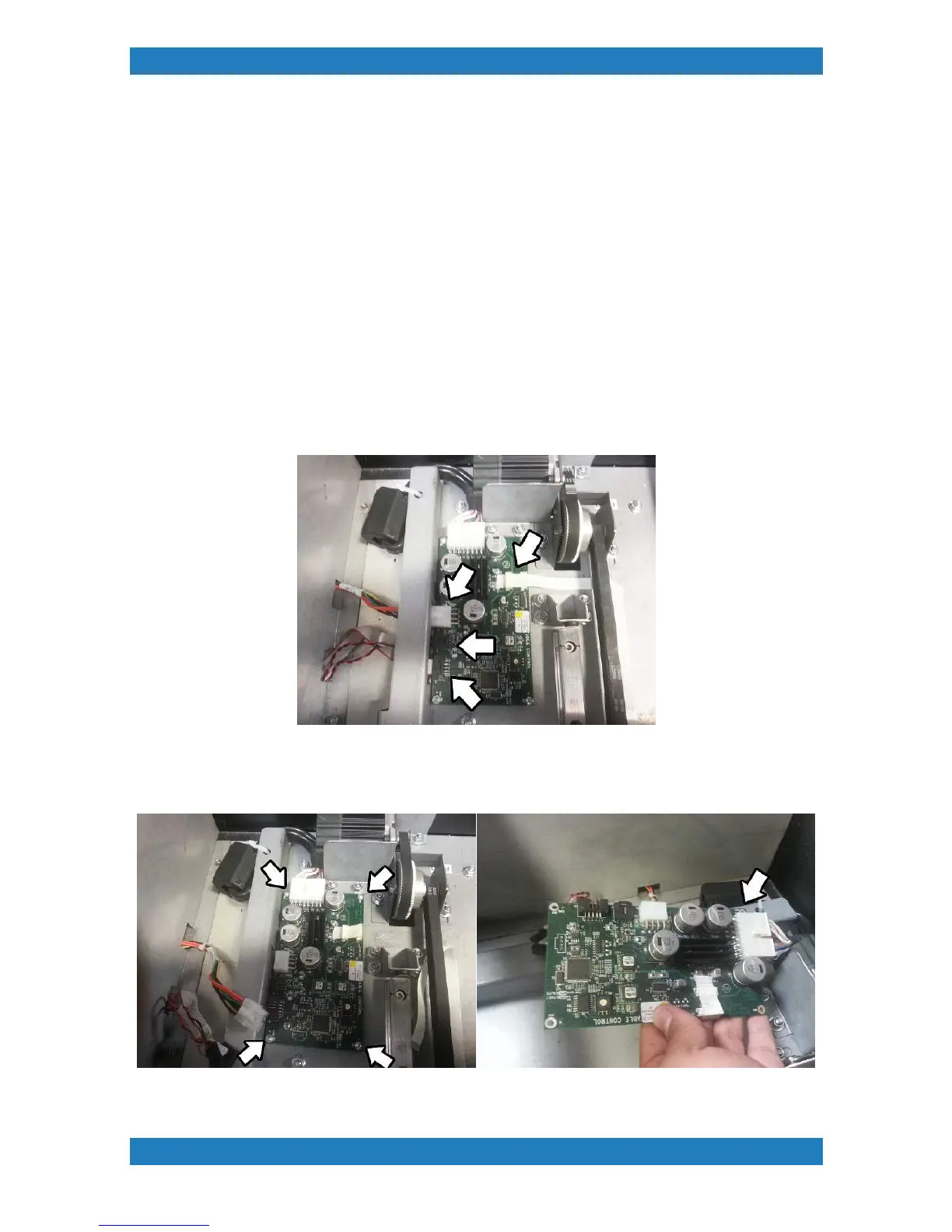
1. Begin the disconnecting the 4 cables below. The last cable is easier to disconnect once the board is
removed. See photo 3.10.1
Photo 3.10.1
2. Remove the 4 screws one on each corner to remove the board, this will now give you easier access to
unplug the remaining cable. See photo 3.10.2



 To Next Page