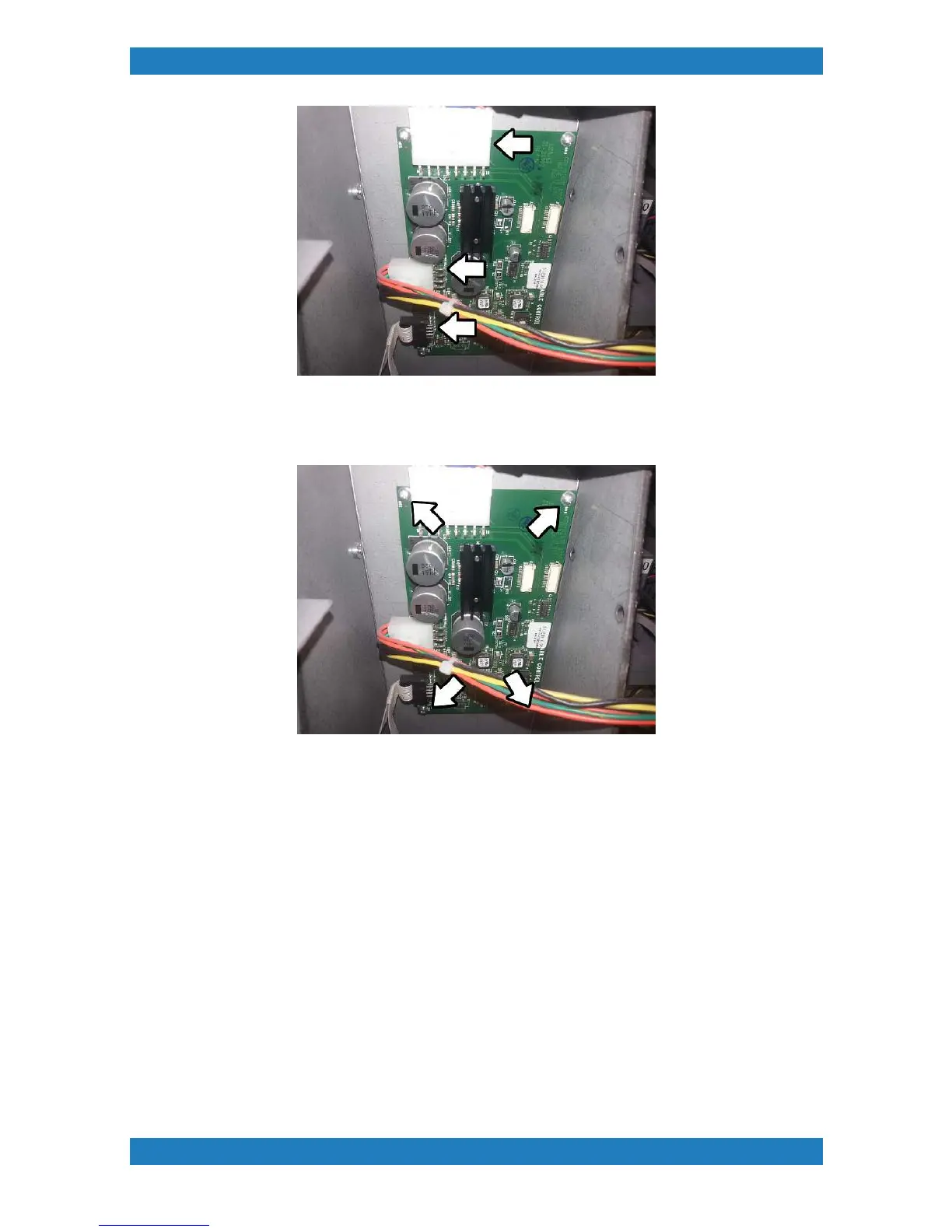
Photo 3.11.2
2. Use a small screw driver to remove the board. The board will have 4 phillip screws 1 on each corner. See
photo 3.11.3
Photo 3.11.3
Replace your board and follow these steps backwards.
3.12 Power Supply Replacement
Tools Needed
o
3/32 hex key/Allen Key
o
Power supply box (P/N: ANA-A-223)
The power supply can be damaged from excessive moisture or ink over spray build up. Power spikes can
damage the power supply we always recommend having a UPC (uninterruptible power supply) or a surge
protector connected to the printer. A red light inside power supply will indicate an error. If the machine is
receiving no power and cannot be turned on we must replace the power supply. The power supply box will be
located in the far left corner of the printer. see image below.
1.Begin by unplugging all the cables connected to the power supply box. See photo 3.12.1



 To Next Page