3.4 Ricoh Gen 4 Print Head Controller Replacement
Tools Needed
o
Phillips screwdriver
o
Ricoh Gen 4 Print Head Controller(P/N:51-20004-001)
Print head boards can be damaged if ink or moisture gets on the board. Improper cable connections can also
damage the board resulting in print head errors.
To replace the board begin by releasing your print head and powering down the printer. Remove the print head
cage.
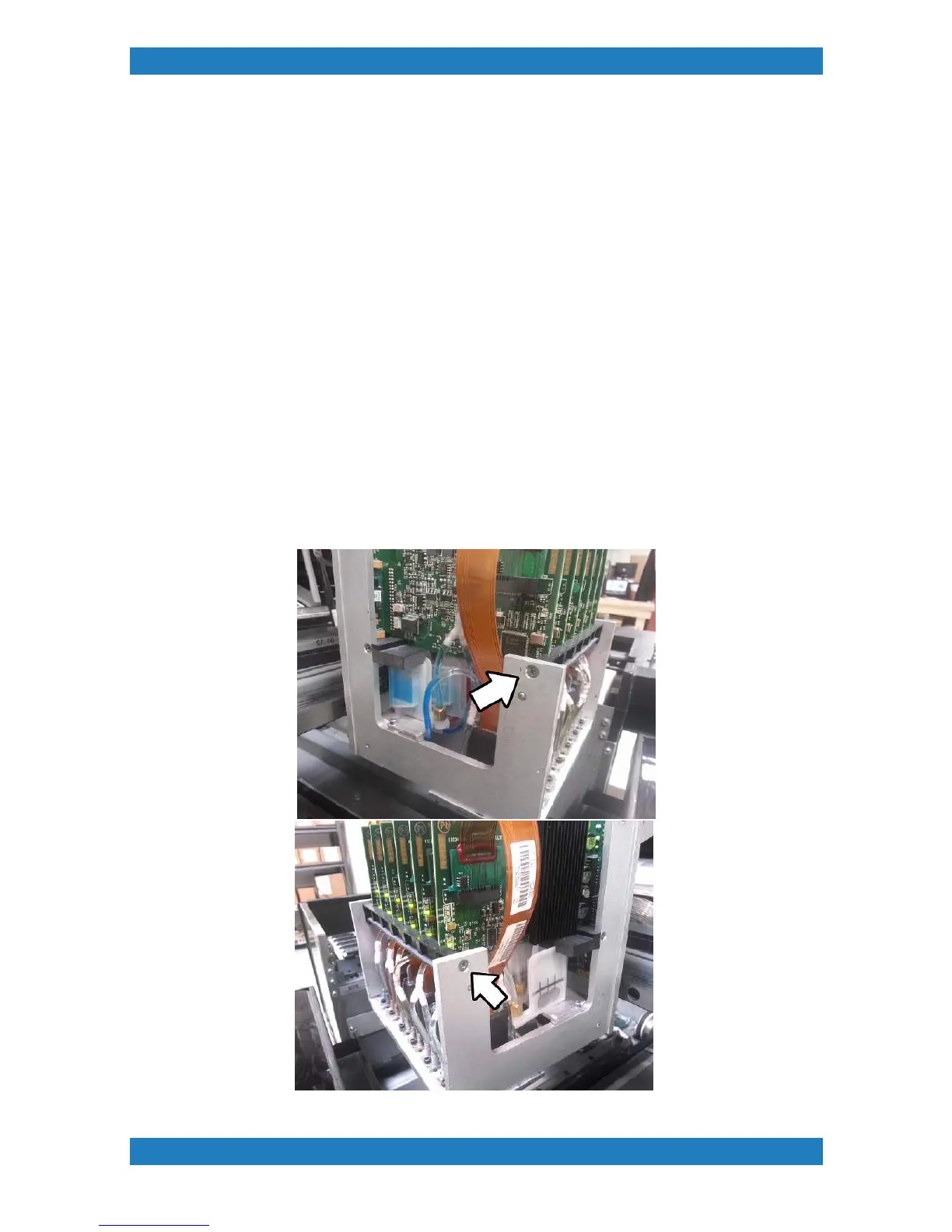
Remove the 2 phillip screws holding the print head board retainer and swing the retainer downwards. See
photo 3.4.1
\
Photo 3.4.1



 To Next Page