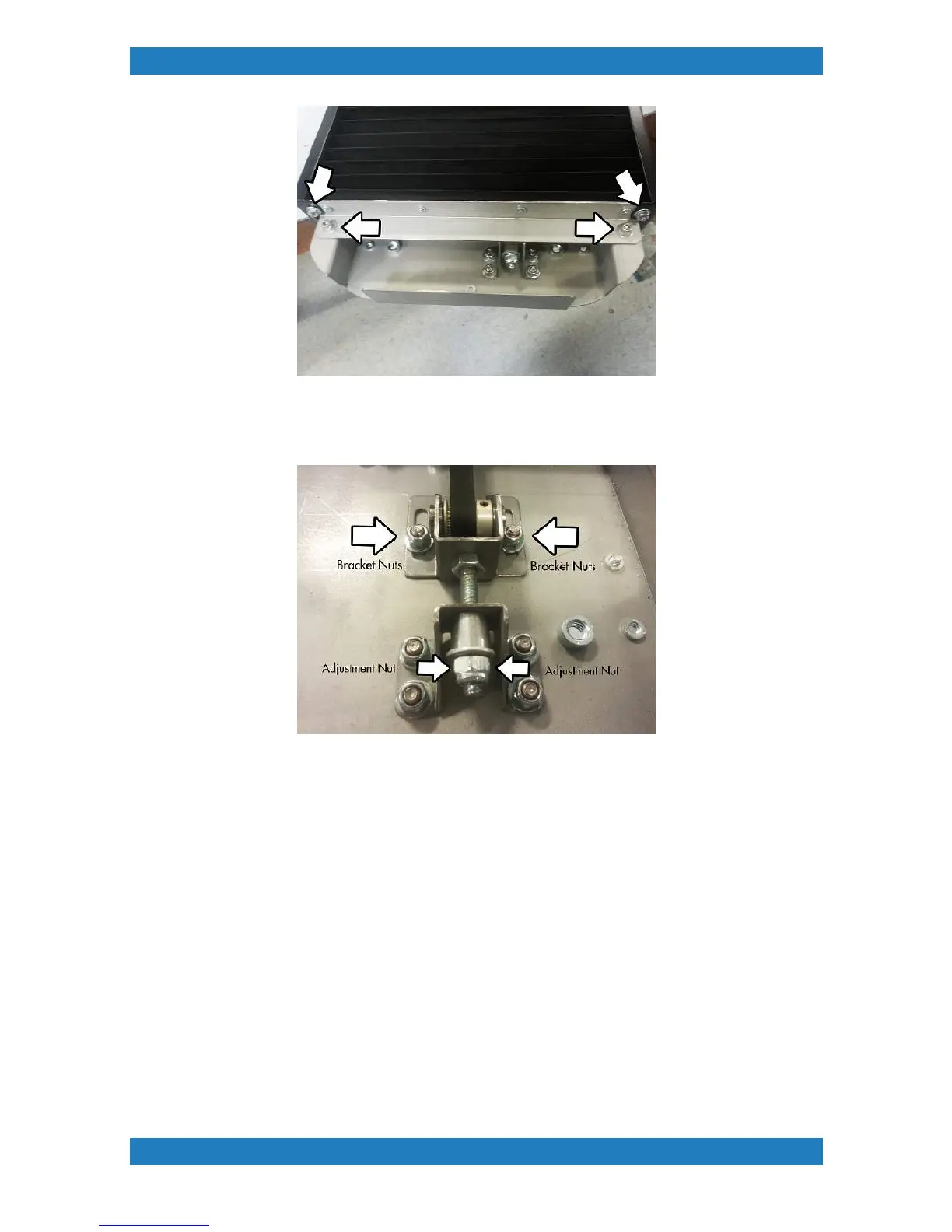
Photo 2.2-2
3. Loosen the table belt bracket nuts(use a 3/8 ratchet wrench). See photo 2.2-3. Adjust the belt tension by
tightening or loosening the adjustment nut on the threaded rod (use a 7/16 ratchet wrench). See Photo 2.2-3
Photo 2.2-3
4. Check the belt tension using a Gates belt tension meter or equivalent. Below are the belt specifications
needed for the tension meter.
Mass (M) - 001.4 g/m
With (W) - 009.0 mm/r
Span (S) - 0790 mm
Belt tension should be set to 25 to 30 N (90 to 108 ozf). Measurements should be made on the middle portion
of the belt with the table at the home position.
5. Once we reached the desired tension, we can now tighten the table bracket nuts and reassemble the
pleated screen mount and skirt by reversing the above steps.
2.3 Table Motor Belt Tension Adjustment
Tools Needed
o
3/8th ratchet wrench



 To Next Page