Page 52
3.6.9.3 SMS screen
The SMS screen is where you can set up SMS alarm functionality.
Aranet PRO+ TDSBOB03, TDSBOBU3, TDSBOBC3: SMS functionality can be enabled if SIM-
card with valid Mobile Internet contract is inserted in Aranet PRO+ LTE modem. Refer to p.3.6.4.3
LTE menu of this document for configuration.
Aranet PRO: SMS functionality is enabled if you have a USB GSM modem with an active SIM card
connected to Aranet PRO. Please find actual information about the supported (tested) GSM modems here:
https://forum.aranet.com/aranet-solutions/what-cellular-usb-modems-are-compatible-with-aranet-pro-
base-station/
Please note that other modems not listed here might be used as well. To determine if your modem function
properly, user can perform a simple test using “TEST SENDING” button described in previous chapter.
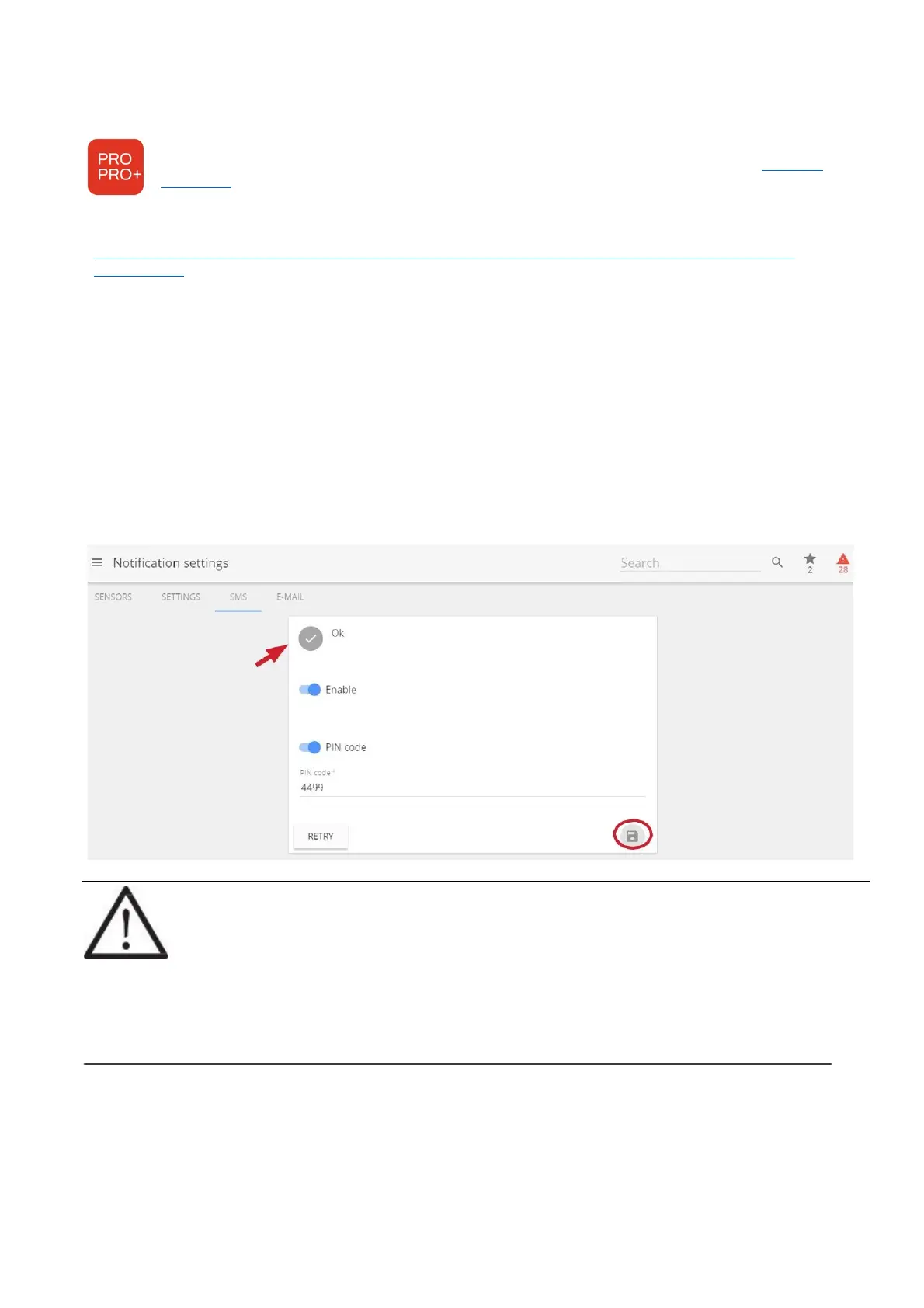
In some cases, modem requires PIN entered even PIN security is disabled on the SIM card. When inserting
modem for first time, allow up to 3 minutes for modem to stabilize. Status “OK” indicates that modem is
ready. During initializing the status might change several times. Following messages will indicate status of
modem:
GSM modem not connected – GSM modem is not connected or is not recognized. Re-insert the modem
and allow it to stabilize.
Modem did not accept this PIN – indicates that entered PIN code is incorrect. Enter correct PIN code.
Fault description – indicated additional information about the fault modem is experiencing. Ok – modem is
ready.
Using button RETRY can help modem to initialize again in case of fault situation.
!NOTE! The SIM card cannot be activated through Aranet PRO/PRO+ software, the card can
only be unlocked with the PIN code, so it must be pre-activated.
Keep in mind maximal current of 500mA Aranet PRO can supply over USB-connection. In
case of current draw exceeding 500mA (i.e., due to low cellular reception levels) the base
station may be unable to supply sufficient current to the modem thus causing unstable
behavior. This can be remedied using an external power supply and “Y-type” USB cable with
DATA+POWER and POWER jacks to supplement the power. Make sure to connect the cable
correctly!



 To Next Page