6161
6161
61
20323163en_ba_a0
Ascending ringing volumeAscending ringing volume
Ascending ringing volumeAscending ringing volume
Ascending ringing volume
Every user can choose whether to have the ringing tone volume constant (default) or ascending –
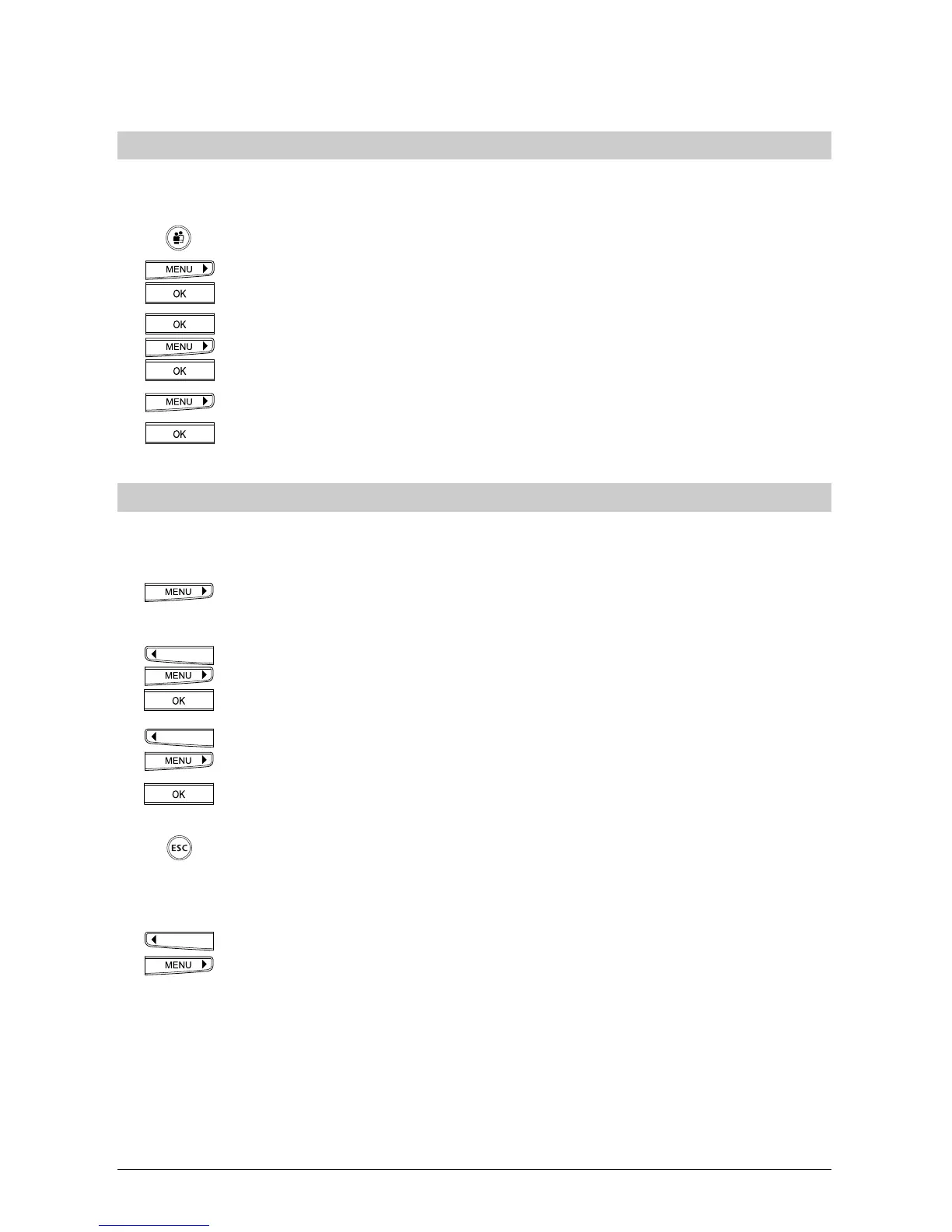
i.e. from soft to loud. To set an ascending ringing volume:
Select the user.
Press the menu key. Press the right arrow key (>) until »Settings« appears. Press
the OK key to confirm. »Ringing Tone« appears in the display.
Press the OK key. »Melody« appears in the display. Press the menu key until
»Ascending« is displayed.
Press the OK key.
Press the menu key until »ON« is displayed.
Press the OK key. Ascending ringing volume is activated.
Setting the languageSetting the language
Setting the languageSetting the language
Setting the language
You can set the display language (the languages offered are country-specific). Your set is
delivered with German as the default. This setting is user-independent.
To change the language: Press the menu key. Press the right arrow key (>) until
»Installation« appears. Press the OK key to confirm.
Press the arrow keys (<) or (>) until »Language« is shown. Press the OK key.
The display shows »DEUTSCH« i.e. the current setting
Use the arrow keys (<) or (>) to change the display language.
Press the OK key. The setting is confirmed by a brief signal tone.
The display again shows »Language«. If you do not wish to make another
entry, hold down the ESCAPE key.
Or...
Press the arrow keys (<) or (>) to scroll through this menu.
Additional settings



 To Next Page