2929
2929
29
20323163en_ba_a0
Telephoning
Parking a callParking a call
Parking a callParking a call
Parking a call
You can park a call for up to 3 minutes and retrieve it on another phone during this time. It is
also possible to unplug the phone, reconnect it at another phone socket on the same ISDN
connection, and continue your call.
You can park a call automatically or manually:
➭
After plugging the phone into another socket on the ISDN bus, lift the handset and
replace it again.
Automatic call parkingAutomatic call parking
Automatic call parkingAutomatic call parking
Automatic call parking
The connection is automatically parked. The programmed park code is used (see »Entering the
park code«).
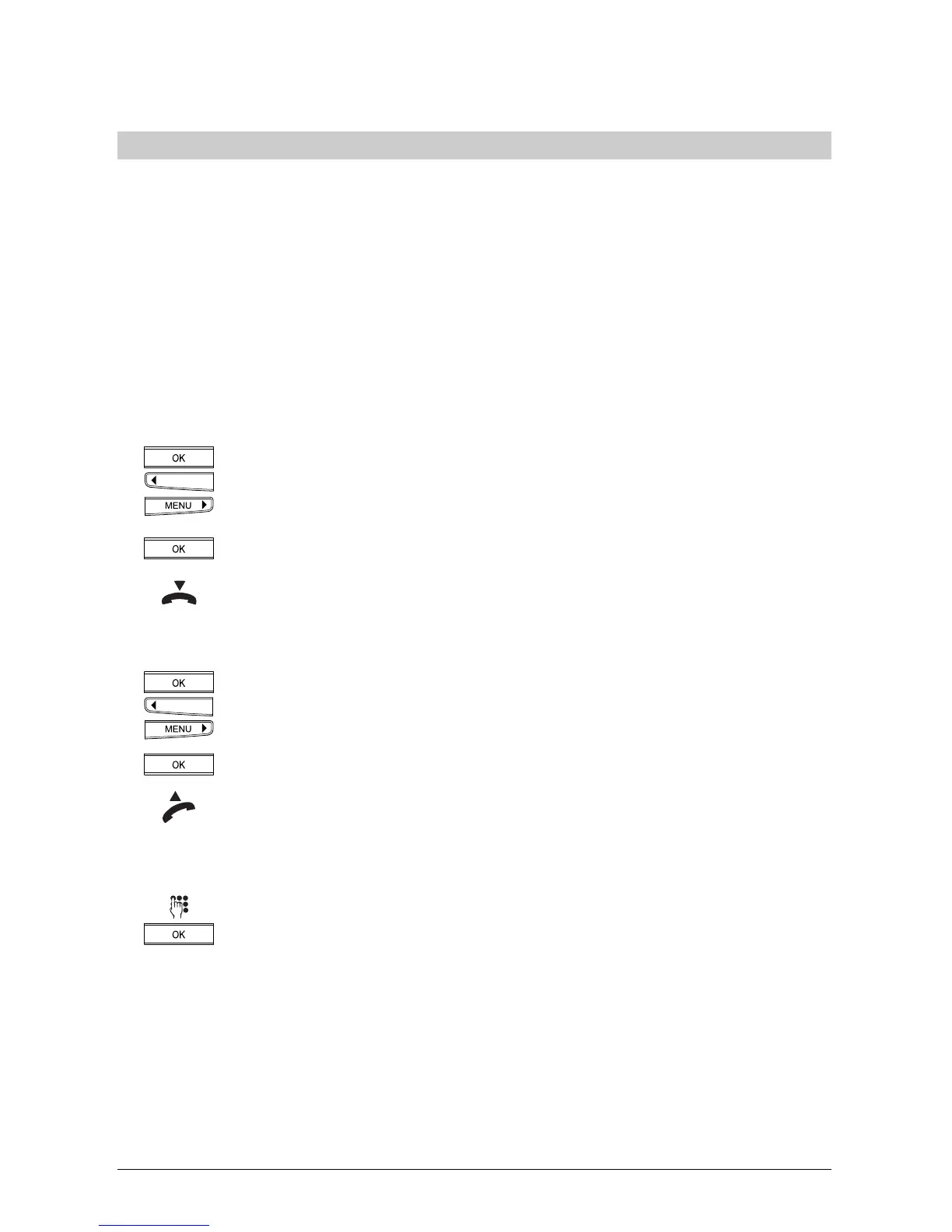
Press the OK key and the arrow keys (<) or (>) until »Park/Unpark« is displayed.
Press the OK key.
Replace the handset.
Continue your callContinue your call
Continue your callContinue your call
Continue your call
Press the OK key and the arrow keys (<) or (>) until »Park/Unpark« is displayed.
Press the OK key.
Lift the handset.
a) The call is automatically retrieved.
or:
b) Enter the programmed park code and press the OK key to confirm.
➭
A call can be parked for up to three minutes. After this time the connection is terminated.
➭
You can also park a call using speed dialling (see »Additional settings«, »Programming
speed dial keys«).



 To Next Page