Page 19
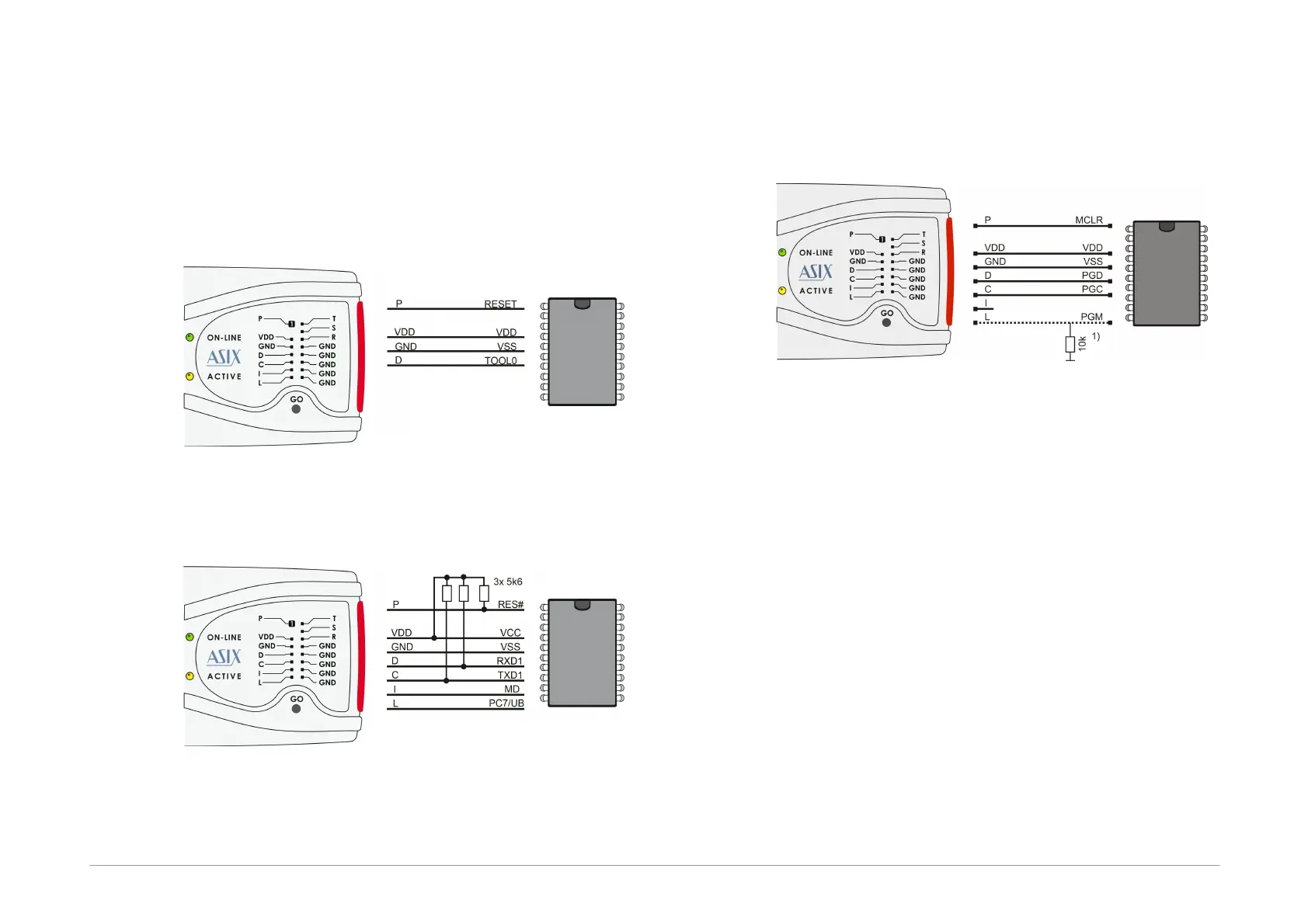
2.6.4 Connection Examples
The following text presents examples of connections
between FORTE and the device being programmed. We
use a notation according to the manufacturer datasheet
of each particular device.
RL78 Microcontrollers
Fig.7: Renesas RL78 microcontroller
RX600 Microcontrollers
Fig.8: Renesas RX600 Microcontroller
1) The RX600 MCUs are programmed in Boot mode.
2) For programming of OSIS(ID) and device locking the
settings in the "FORTE programmer settings" window
have to be used.
PIC Microcontrollers
Fig.9: PIC microcontroller
1) Not all devices have the PGM pin. The PGM pin can
be connected to programmer’s L pin, to VSS via a
pull-down resistor (for HVP programming) or to VDD
via a pull-up resistor (for LVP programming).
2) The whole device must be erased before
programming if code/main memory protection (CP) or
data memory protection (CPD) is active.
3) Some devices cannot be erased when CP or CPD is
active if the power-supply voltage is less than 5V.
4) If a microcontroller has more than one power-supply
VDD or VSS pin, all of them must be connected
including the AVDD and AVSS pins.
5) If the LVP mode is used, it is recommended to check
whether the LVP fuse is still set after erasing the part.
6) Programming of PIC32 devices is supported by
means of the ICSP interface.
7) Devices with an ICPORT fuse must have the
dedicated ICSP port off for LVP programming.



 To Next Page