CHAPTER 5 CUSTOMIZING THE EVOLUTION BACKUP DISPLAY
Page 5-12
091-00027-001 REV A Evolution Backup Display Pilot’s Guide
Page 5-13
091-00027-001 REV A
Evolution Backup Display Pilot’s Guide
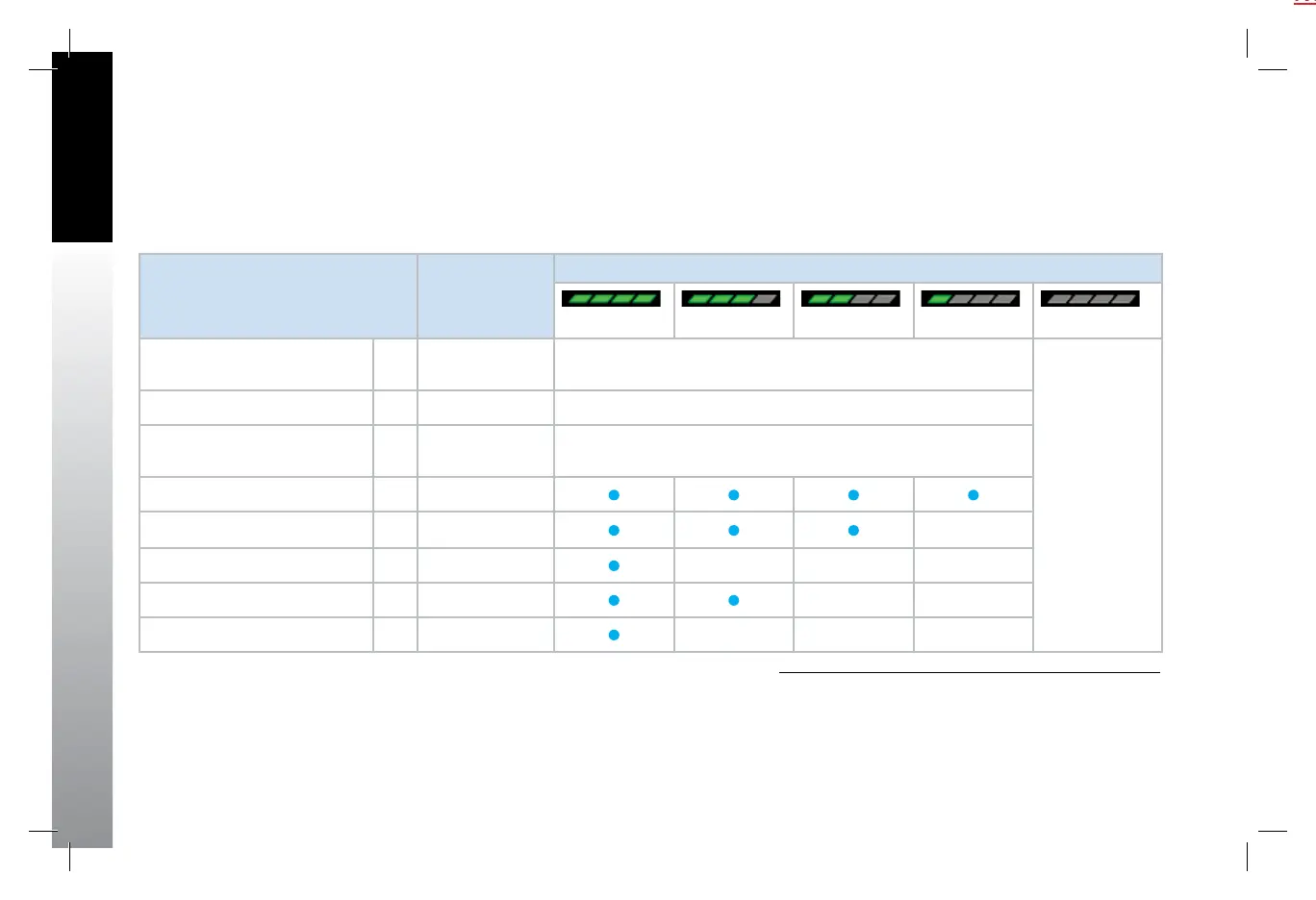
As described in Table 5-5 and Table 5-7, the selected declutter level and range
determine which Basemap symbols are displayed. Basemap symbol identiers may also
be shown next to their symbol.
See Chapter 4, Section 4.4.1. for more details about Compass Mode options.
1. e.g., VSI, Direction Indicator, TO/FROM.
2. e.g., NAV INFO Block, Range.
3. Shown only when data is provided by a compatible and connected GPS
system.
4. Removed at ranges less than 20nm.
No Table Reference
Feature Group and Layer Order
(from Top to Bottom)
Max Range Declutter Setting
Figure 5-16 Level 4 Figure 5-17 Level 3 Figure 5-18 Level 2 Figure 5-19 Level 1 Figure 5-20 Level 0 (O)
Trac Overlay Symbols 1
Overlay – enabled
via Hot Key
Always ON, regardless of declutter level
No symbols, legs,
or waypoints —
regardless
of selected
range — are
displayed.
When selected,
the basemap
declutter and
range display
for two seconds
and then are
removed from
view. The MAP
Hot Key legend
is shown in gray.
Ownship Symbol 2 Always ON, regardless of declutter level
Instruments
1
and Annunciations
2
3 Always ON, regardless of declutter level
Flight Plan Legs and Waypoints
3
4 200
Airports
3
5 100
NDBs
3
6 15
VORs, (HIGH, LOW, Terminal)
3
7 200
Intersections 8 15
Table 5-19
Map Feature Group Layering, Range, and Declutter Levels
091-00027-001 Rev A EBD Pilots Guide V&H .indb 12 8/27/14 8:51 AM



 To Next Page