CHAPTER 2 CONTROLS AND DISPLAY
Page 2-8
091-00027-001 REV A Evolution Backup Display Pilot’s Guide
Page 2-9
091-00027-001 REV A
2.2.3. Hot Keys
The ve keys along the top-right side of the EBD function as either single-action
Hot Keys for frequently used commands or as Menu Keys when the Menu has been
activated. The Hot Key functions are accessible at any time, except when the Menu is
active.
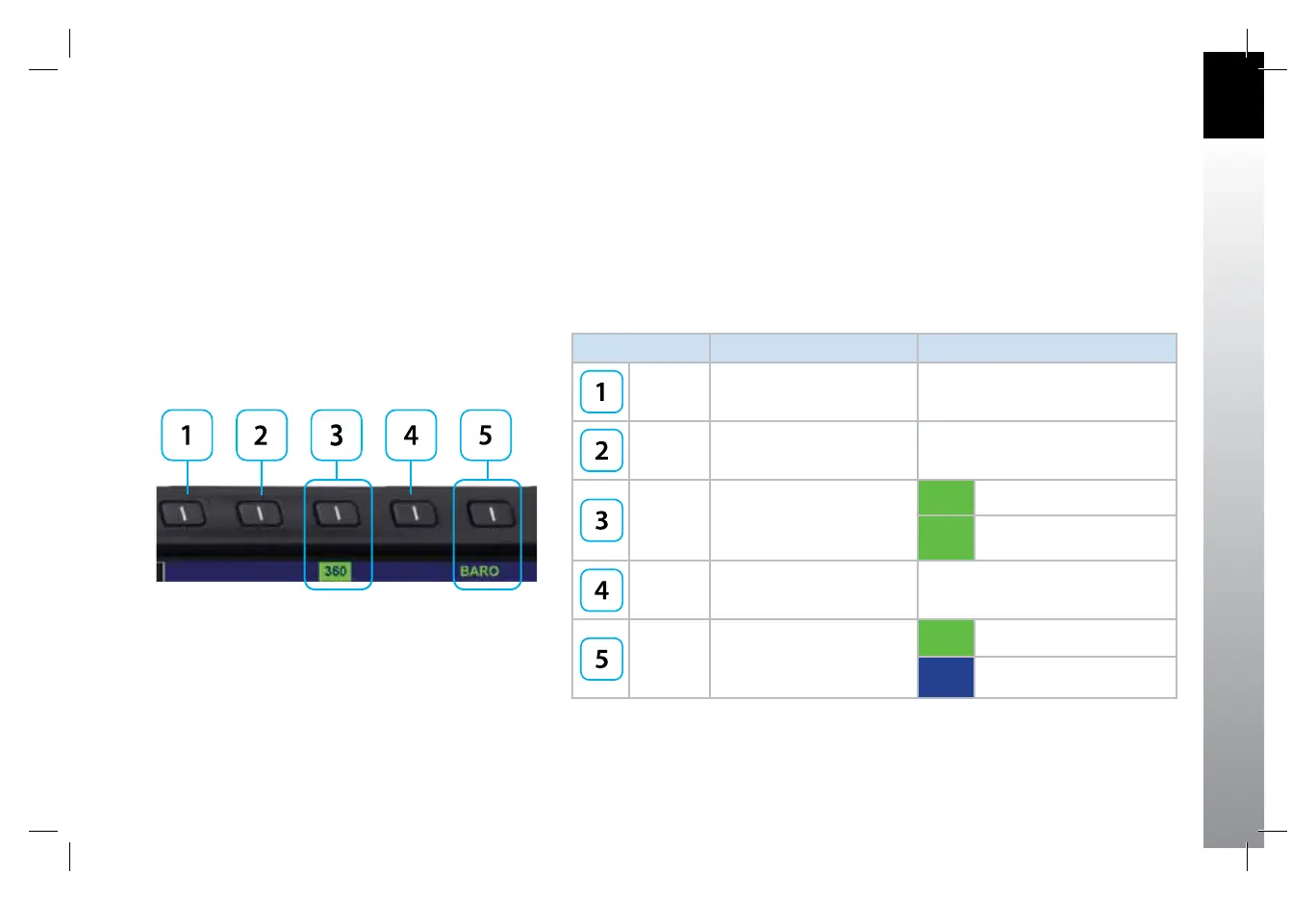
Each Hot Key provides instant access to the assigned command. Each press of a Hot Key
toggles between the settings that each key controls (see Table 2-3 and Figure 2-7).
HOT KEY DESCRIPTION OPTIONS
Not Used
Not Used
360 / ARC
Toggles between 360 and ARC
modes of Navigation Display
(see Section 4.4.1.)
360 360° Compass Mode
ARC ARC Compass Mode
Not Used
BARO
Toggles between BARO
adjustment on or o for
Barometric Pressure setting
BARO BARO adjustment on
BARO BARO adjustment o
Table 2-3
Hot Key Descriptions
Figure 2-7
Hot Key Menu 1 of 2
091-00027-001 Rev A EBD Pilots Guide V&H .indb 9 8/27/14 8:51 AM



 To Next Page