CHAPTER 2 CONTROLS AND DISPLAY
Page 2-24
091-00027-001 REV A Evolution Backup Display Pilot’s Guide
Page 2-25
091-00027-001 REV A
When connected to a GPS navigator, basic mapping can also be displayed under the
DG including GPS ight plan legs and waypoints, (and when connected to a compatible
GPS) Basemap data (airports, VORs, NDBs, and intersections).
2.3.4.1. Numerical Direction Indicator (Magnetic Compass)
The center of the Navigation Display is the Numerical Direction Indicator. Like a
magnetic compass, the NDI always shows the current magnetic heading of the aircraft.
This slaved NDI compensates both for the turning and acceleration errors exhibited by
wet compasses and for precession errors found in common Directional Gyros. The pilot
does not ever need to make adjustments to the NDI.
The EBD’s Direction Indicator is a slaved Directional Gyro (DG) with Heading Bug.
Compass Modes: 360º vs. ARC
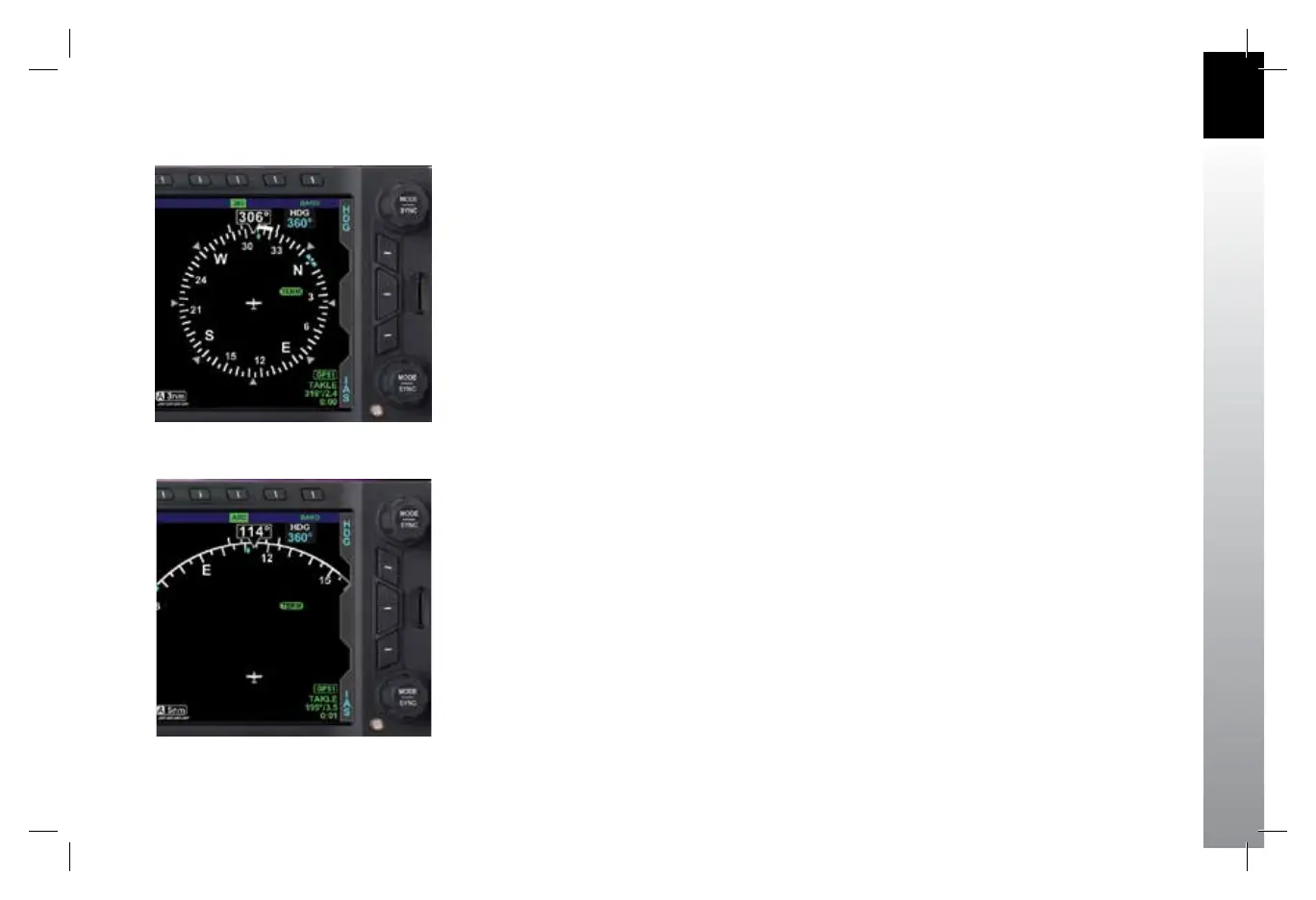
The NDI on the EBD can be presented in either a full 360º Compass Mode (shown in
Figure 2-22), or in a 100º ARC mode (Figure 2-23).
The 360° Compass Mode resembles the mechanical instrument, with the ownship
position in the center of the display.
The ARC Compass Mode provides an extended forward view with the ownship position
near the bottom of the Navigation Display. The ARC Compass is especially good for
displaying ight plan and basemap details.
The 360/ARC Hot Key is used to toggle the display between 360° and ARC Compass
Modes, with the current mode shown in green adjacent to the Hot Key.
Figure 2-22
360° Compass Mode
Figure 2-23
ARC CDI Compass
Mode with Basemap
091-00027-001 Rev A EBD Pilots Guide V&H .indb 25 8/27/14 8:51 AM



 To Next Page