CHAPTER 4 REFERENCE GUIDE
Page 4-20
091-00027-001 REV A Evolution Backup Display Pilot’s Guide
Page 4-21
091-00027-001 REV A
Evolution Backup Display Pilot’s Guide
4.3.2. Ground Speed
The Ground Speed (GS) comes from a congured GPS navigator and is digitally
displayed in the lower left corner of the Data Bar with a value range of 5–999 knots or
mph, using the same unit of measurement as the Airspeed Indicator.
4.3.3. Outside Air Temperature (when enabled)
The Outside Air Temperature (OAT) is displayed in the center of the Data Bar (Figure
4-36). The temperature is obtained from the temperature sensor located in the RSM.
Temperature sensor ranges from -55°C to +80°C (-67°F to +176°F).
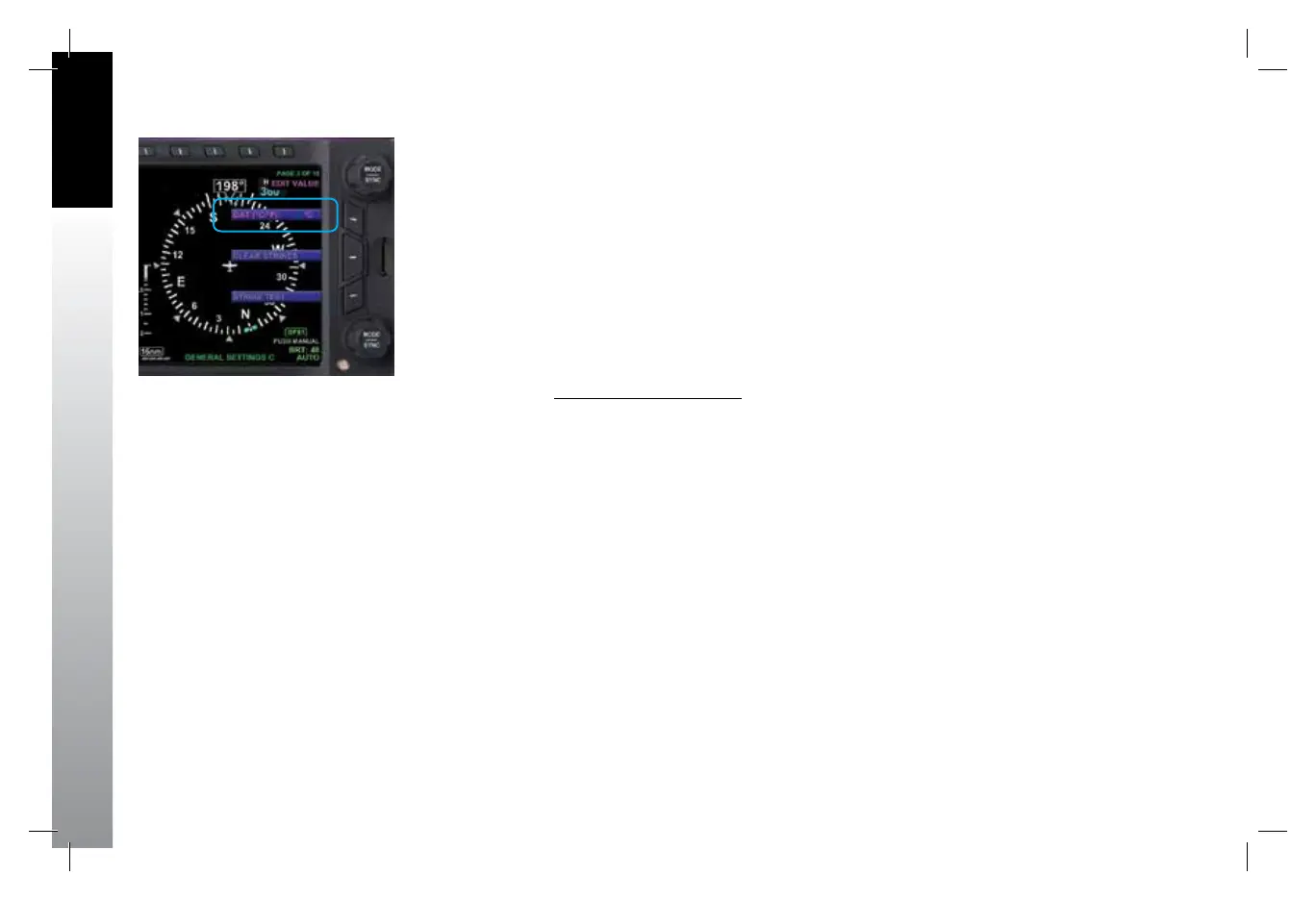
Set OAT Units of Measure
1. Press the MENU Button.
2. Rotate the Top Knob counterclockwise until GENERAL SETTINGS B page
displays.
3. Press the OAT Menu Key.
The Menu label turns magenta and the EDIT VALUE label displays above the Top Knob
(Figure 4-37).
4. Rotate the Top Knob to select either °C or °F (Figure 4-37).
5. Press the MENU Button to exit.
Figure 4-37
Select OAT Units of Measure
091-00027-001 Rev A EBD Pilots Guide V&H .indb 20 8/27/14 8:51 AM



 To Next Page