CHAPTER 6 EXPANDED EMERGENCY AND ABNORMAL PROCEDURES
Page 6-14
091-00027-001 REV A Evolution Backup Display Pilot’s Guide
Page 6-15
091-00027-001 REV A
Evolution Backup Display Pilot’s Guide
6.8. In-Flight AHRS Reset
In the unlikely event the EBD determines a potential degradation of attitude
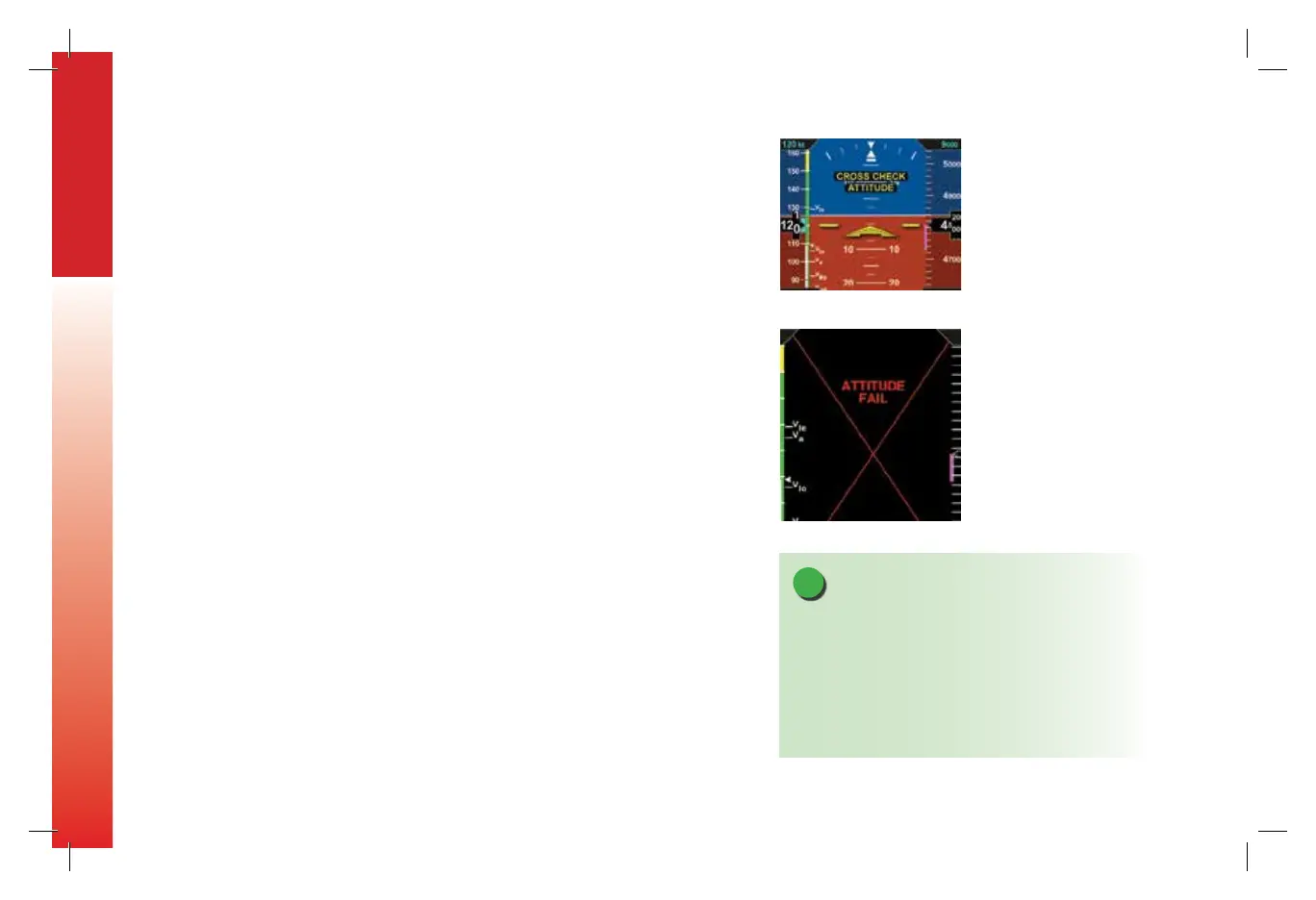
information, a warning annunciation, CROSS CHECK ATTITUDE, is shown (Figure 6-5).
If the attitude pitch or roll data become invalid, a red X and the textual annunciation
of ATTITUDE FAIL replaces the Attitude Indicator, and all aircraft roll, pitch, and
slip information is removed from the Attitude Display (Figure 6-6). Use alternate,
mechanical ight instruments for primary ight information and reset the EBD’s AHRS as
soon as possible.
During the In-Flight AHRS Reset, the aircraft should not be subjected to excessive turn
rates. Typical in-ight Resets will take approximately 30 seconds, but can take longer if
the reset is initiated while banked or maneuvering.
NOTE
When the EBD’s AHRS is reset in ight, it performs an
abbreviated initialization.
The AHRS Reset is considered complete when the EBD’s
attitude and heading is once again displayed, stable,
and correct with respect to the horizon or standby
attitude indicator.
Figure 6-5
Attitude Degraded Performance
Figure 6-6
Attitude Failure
091-00027-001 Rev A EBD Pilots Guide V&H .indb 14 8/27/14 8:51 AM



 To Next Page