CHAPTER 4 REFERENCE GUIDE
Page 4-12
091-00027-001 REV A Evolution Backup Display Pilot’s Guide
Page 4-13
091-00027-001 REV A
4.2.2.2. Selected Airspeed
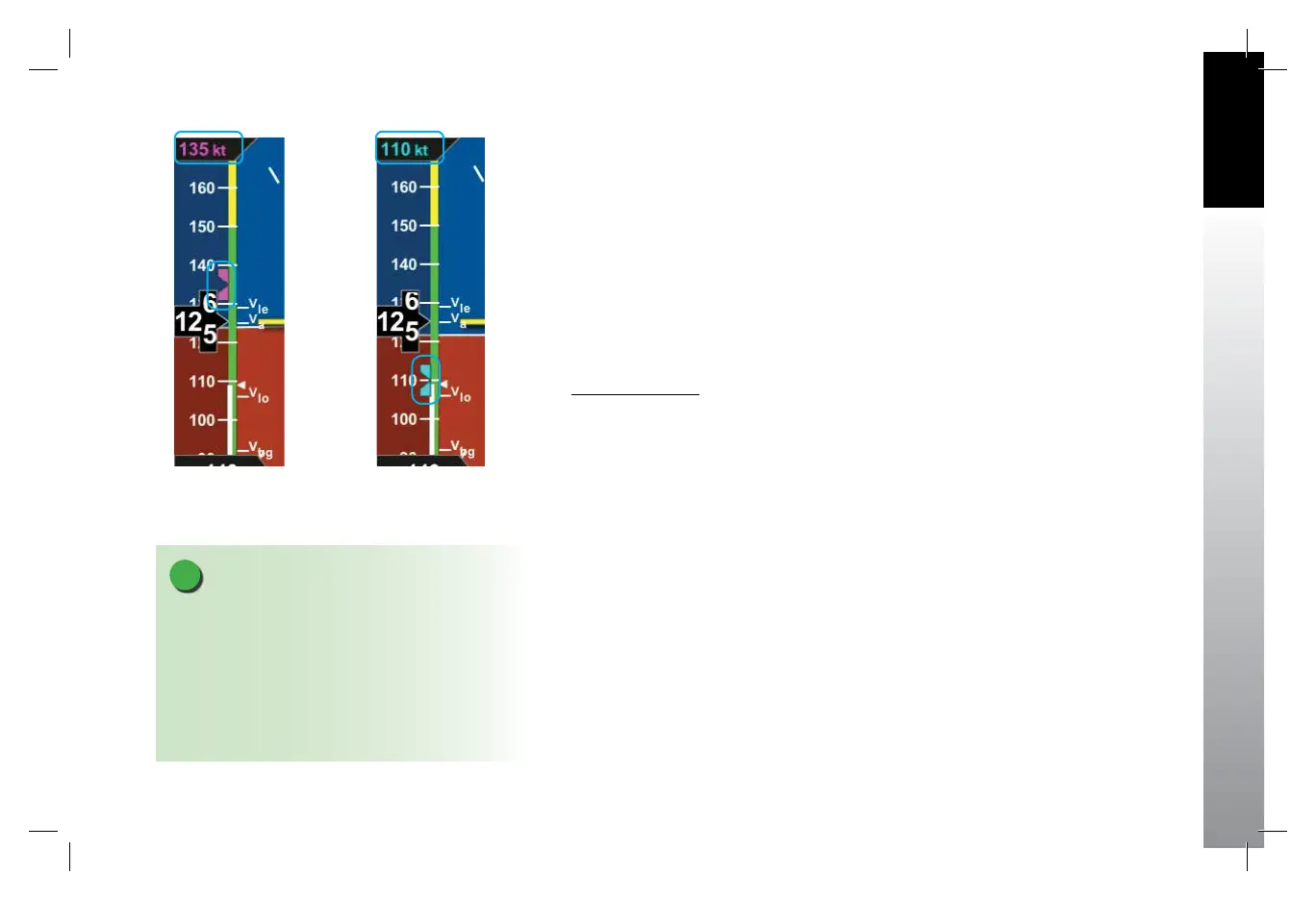
The Selected Airspeed Field value and associated Airspeed Bug are shown on the
Airspeed Tape. The Selected Airspeed Field value is shown at the top of the Airspeed
Tape. The Airspeed Bug is displayed next to the Airspeed Tape when the Selected
Airspeed value is within the visible range of the tape. The Selected Airspeed Field’s
default value is 20 knots Indicated Airspeed (IAS), or the value previously set. SYNCing
the IAS eld sets the Selected Airspeed Field value to the current indicated airspeed
(Section 2.2.1.3). Setting the Selected Airspeed Field to a value less than 20 disables
the Airspeed Bug and dashes the Selected Airspeed Field value.
Set Airspeed Bug
1. Press the Left Knob until IAS is shown above the Left Knob.
The Airspeed Field and Airspeed Bug appear in magenta - enabled for editing (Figure
4-10).
2. Rotate the Left Knob clockwise to increase, or counterclockwise to decrease
the airspeed value in the Selected Airspeed Field.
After 10 seconds of inactivity, label, eld and bug appear in cyan (Figure 4-11).
Figure 4-10
Airspeed Bug Selected to Edit
Figure 4-11
New Airspeed Selected
NOTE
A typical installation sets the Tapes (TPS) display
to UNLOCKED, allowing the pilot to display or
hide the Airspeed and Altitude Tapes as desired. If
the Airspeed and Altitude Tapes were LOCKED ON
during installation, the Tapes will remain on. If the
Airspeed and Altitude Tapes were LOCKED OFF during
installation, the Tapes will not display.
091-00027-001 Rev A EBD Pilots Guide V&H .indb 13 8/27/14 8:51 AM



 To Next Page