CHAPTER 5 CUSTOMIZING THE EVOLUTION BACKUP DISPLAY
Page 5-10
091-00027-001 REV A Evolution Backup Display Pilot’s Guide
Page 5-11
091-00027-001 REV A
5.2. Customizing Basemap Symbol Declutter Settings
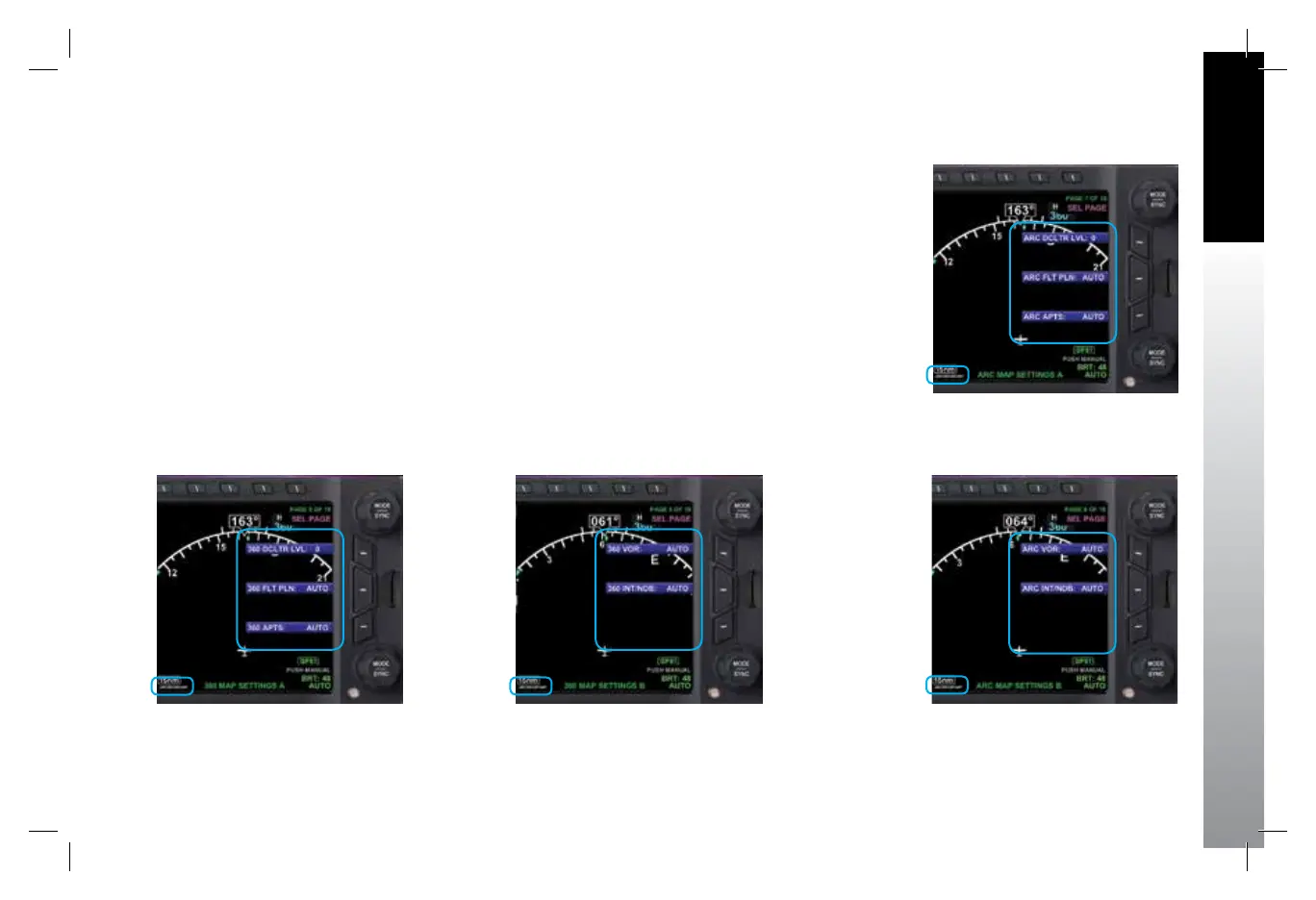
The pilot can customize the Basemap symbol declutter settings to Level 4, Level 3,
Level 2, Level 1, or Level 0 (OFF) by pressing the MENU Button and selecting the 360
MAP SETTINGS Menu page or the ARC MAP SETTINGS Menu page.
Each Compass Mode has its own Menu page for Map Setting basemap symbol
display.
• The 360 MAP SETTINGS Menu page oers Map Setting options for the 360°
Compass Mode (Figure 5-19 and 5-20).
• The ARC MAP SETTINGS Menu page oers Map Setting options for the ARC
Compass Mode (Figure 5-21 and 5-22).
Figure 5-19
360° MAP SETTINGS A
Figure 5-20
360° MAP SETTINGS b
Figure 5-21
ARC MAP SETTINGS A
Figure 5-22
ARC MAP SETTINGS B
091-00027-001 Rev A EBD Pilots Guide V&H .indb 11 8/27/14 8:51 AM



 To Next Page