CHAPTER 4 REFERENCE GUIDE
Page 4-24
091-00027-001 REV A Evolution Backup Display Pilot’s Guide
Page 4-25
091-00027-001 REV A
Evolution Backup Display Pilot’s Guide
Select Compass Type
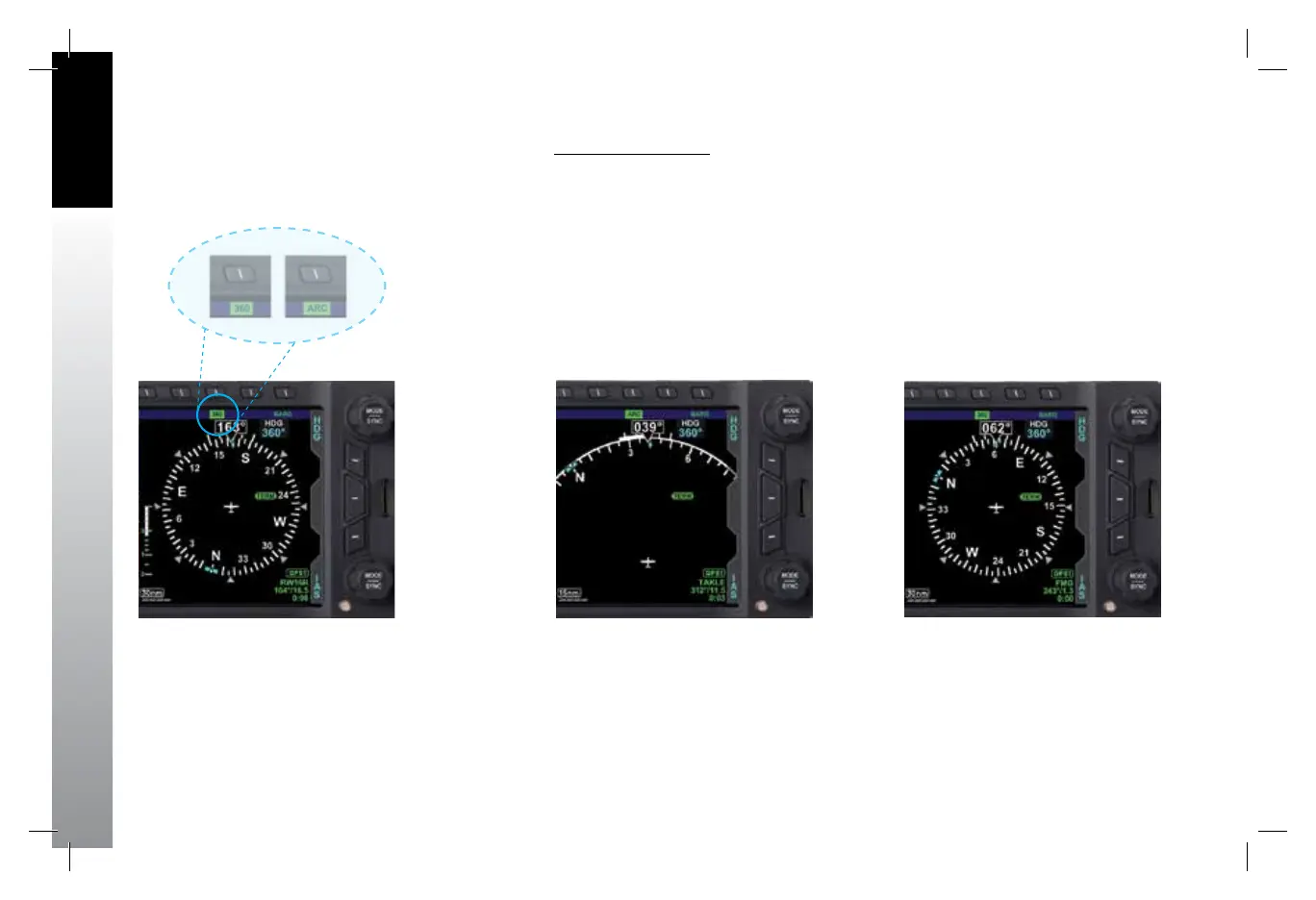
1. Press the 360/ARC Hot Key (Figure 4-46) to alternately select either the 360°
or ARC Compass Mode.
The Navigation Display changes and the Hot Key label reects the currently selected
Compass Mode (Figures 4-47 and 4-48).
Figure 4-46
360/ARC Hot Key
Figure 4-47
ARC CDI Compass Mode
Figure 4-48
360˚ Compass Mode
091-00027-001 Rev A EBD Pilots Guide V&H .indb 24 8/27/14 8:51 AM



 To Next Page