68
EN
Installation
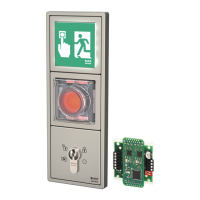
Connecting the fire protection module
In addition to the UII control module (“Electrical connection to UII control module”, page62), the fire
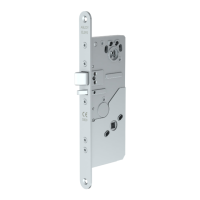
protection module can be used with the motorised multi-point lock 519.
The motorised multi-point lock 519 and the UII control module are connected to the fire protection
module.
In the event of a fire or power failure, the two modules ensure that the motorised multi-point lock 519
changes to locked status from whatever the status it was in and that the fire or smoke protection door can
fulfil its function. The panic function remains upheld.
For fire recognition, a potential-free contact of a customer-provided fire alarm system or a customer-pro-
vided smoke detector approved by inspection authorities can be connected at the fire alarm system
control input. Alternatively, the model effeff 60060 (visual smoke detector) or 60061 thermal-differential
indicator) can be connected to the smoke detector control input.
Attention!
Smoke protection doors must be correctly equipped for proper function: With smoke protection
doors, smoke detectors must be used for fire detection; otherwise the development of smoke would not
be recognised and indicated.
Control via the fire protection module
The fire protection module is required for use of the motorised multi-point lock 519 on a fire door. It is
connected to the UII control module and is designed as a short-term emergency power supply for locking
the motorised multi-point lock 519 a single time.
Then motorised unlocking is only possible after the fire alarm message has been reset (“Control via the UII
control module”, page63).
The fire alarm message takes place via the Smoke detector input or the Fire alarm system input at the UII.
A




 To Next Page