TECHNICIANS' manual32 of 104
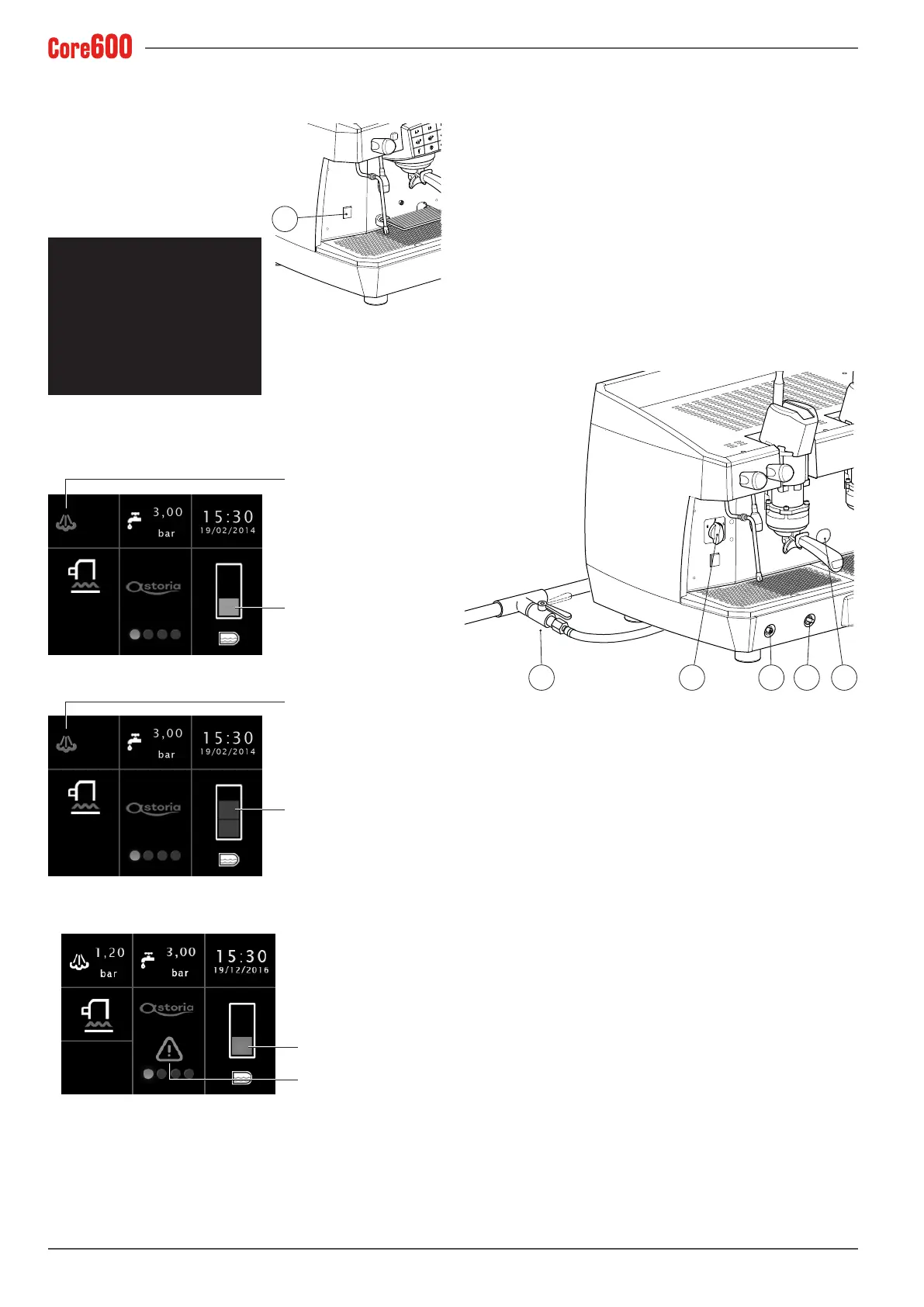
6.4.3 Electric heating for the DISPLAY
version
• Press the machine's main
switch (2).
• Wait another second or so for
the automatic test to be car-
ried out.
XPV35 XXXX
Controller Board
FW ver. 01.09
FW ver. 1.15
• Wait for the water in the heating unit to be automatically
relled,ifthisisnecessary.Thiswillbeshownonthedis-
play.
48
°C
Heating unit water
lling-up phase
Heating-up phase
• Wait a few moments for the machine to fully heat up.
53
°C
Heating unit water OK
Heating-up phase
• Ifthetimeoutintervenes,aredashingwarningwillap-
pear on the display.
Flashing
red colour
Flashing
yellow colour
2
6.4.4 Gas heating
(if a gas system has been installed)
• Turn the power switch (A) to position 1.
• Open the gas valve (B) on the mains.
• Hold down the (C) button and, at the same time, press
the ON button (D).Oncetheameignites,holddownthe
knob (C) for a few seconds, to allow the thermocouple to
activate correctly.
• Thencheck that theame hasignitedthrough thewin-
dow (E).
• Wait for the operating pressure shown on the pressure
gauge to reach the working value of 0.1-0.12 MPa (1-1.2
bar).
DAB C E
6.4.5 Electric + gas heating
(if a gas system has been installed)
• Proceed as indicated in the previous paragraph.
• Aftercheckingthattheamehasignited,turnthepower
switch (A) to position 2. In this way the heating unit's
heating element is powered and the operating pressure
will be reached more quickly.
• Wait for the operating pressure shown on the pressure
gauge to reach the working value of 0.1-0.12 MPa (1-1.2
bar).
6.4.6 Turning the machine off
Turn off the machine using the main switch or power switch.









 To Next Page