TECHNICIANS' manual 45 of 104
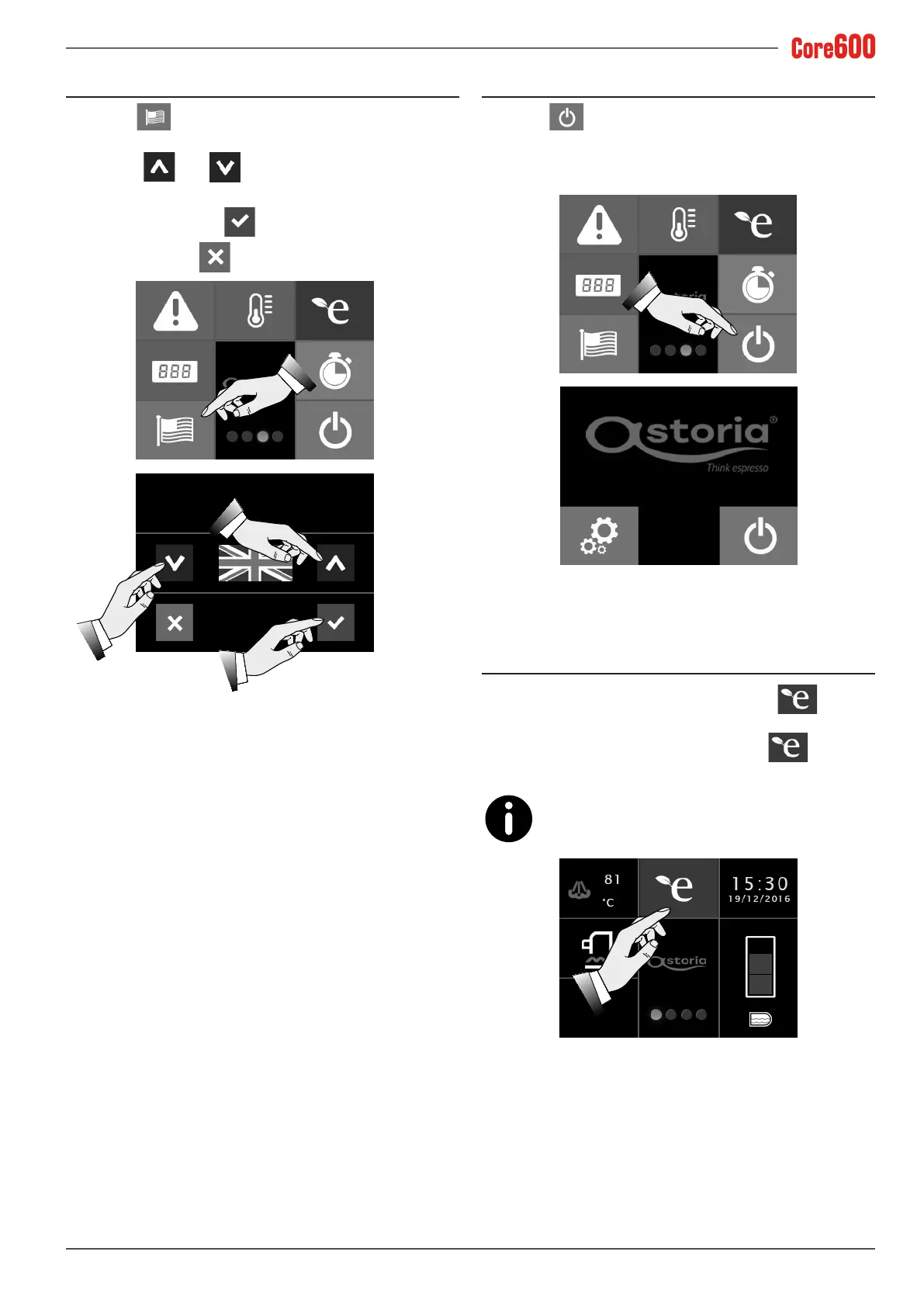
7.9 Language
Select the button to programme the language of the
display:
• Use the
and arrows to set the desired display
language.
• Toconrm,pressthe button;
• To exit, press the
button.
LANGUAGE
7.10 Machine standby and programming
Select the button to enter the machine’s programming
mode.
Only the Technician is authorised to perform this operation
viathespecicpassword.
7.11 Energy saving mode
When the energy saving mode is active, the icon will
appear on the display.
To stop the energy saving mode, press the
button or
any dispensing button.
For information on programming the energy sav-
ing mode, see para. 7.6.
10:56
12/07/2018









 To Next Page