TECHNICIANS' manual46 of 104
7.12 Software information
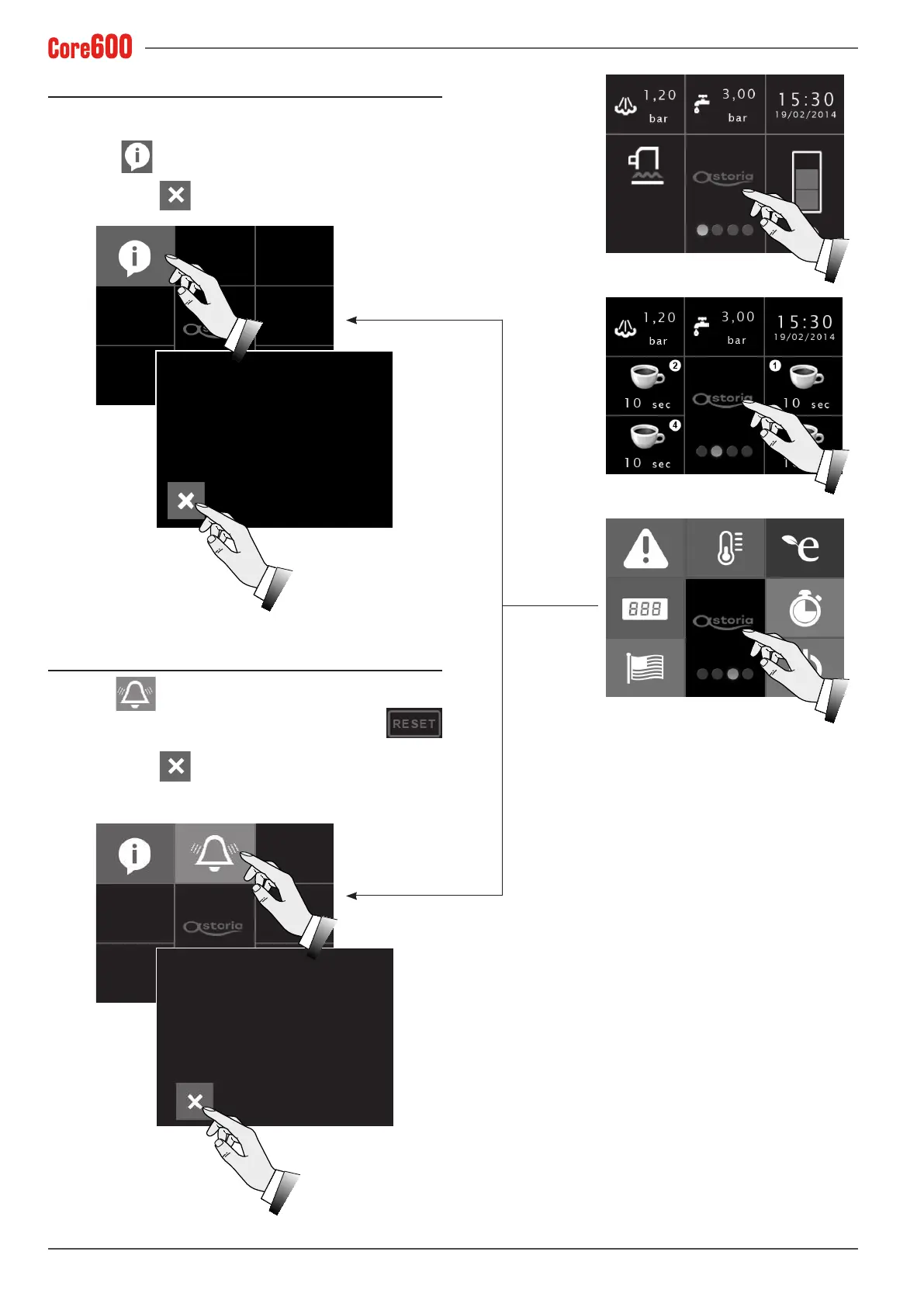
To view the data regarding the installed software, tap the dis-
play several times.
Select the
button and the information regarding the
software will be made available.
To exit, press the
button.
24/01/17 15:09:29
24/01/17 15:09:29
100% lter regeneration
1/1
90% lter regeneration
100%lterregeneration
1/1
90%lterregeneration
XPV35 FW Ver.:
Control Board FW Ver.:
01.09
1.15
7.13 Alarm history
Select the button to view the machine’s alarm history.
Only a Maintenance Technician can reset the data
byenteringthespecicpassword.
To exit, press the
button.









 To Next Page