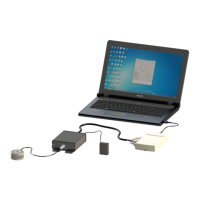
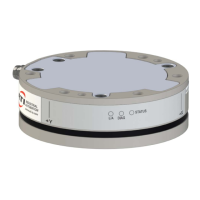
Manual, F/T Sensor, Data Acquisition (DAQ) Systems
Document #9620-05-DAQ.indd-20
Pinnacle Park • 1031 Goodworth Drive • Apex, NC 27539 • Tel: 919.772.0115 • Fax: 919.772.8259 • www.ati-ia.com • Email: info@ati-ia.com
4
3.4.2.1 Windows Demo (Visual Basic 6.0) ....................................................................22
3.4.2.2 LabVIEW Sample .............................................................................................22
3.4.3 Designing Your DAQ F/T Application ................................................................................23
3.4.3.1 Device Drivers for Your DAQ Device and Target Operating System.................23
3.4.3.2 ATI DAQ F/T Components or C Library ............................................................ 23
4. Installation .............................................................................................................................. 24
4.1 Installing a DAQ System with a Transducer, IFPS or PS Box, and DAQ Device ................... 24
4.2 Installing a DAQ System with Multiple Transducers, IFPSMC Box, and DAQ Device .......... 29
4.3 Installing a DAQ System with Multiple Transducers, IFPSMC Box,
Wired I/O Connections, and USB DAQ Device .........................................................................32
4.4 Install the F/T Demo Software ....................................................................................................34
4.5 Electrical Connection Information .............................................................................................36
4.5.1 Signals and Power ...........................................................................................................36
4.5.2 Electrical Specications ....................................................................................................37
4.5.2.1 Transducer Output Signals ............................................................................... 37
4.5.3 Transducer Signals ...........................................................................................................38
4.5.4 PS and IFPS Signals ........................................................................................................39
4.5.4.1 PS 20-pin Circular Connector ........................................................................... 39
4.5.4.2 PS and IFPS 26-pin High Density D-Subminiature Connector ......................... 39
4.5.5 DAQ Card Connections ....................................................................................................40
4.5.5.1 Standard DAQ Card Connections .....................................................................40
4.5.5.2 Custom DAQ Card Connections .......................................................................41
4.5.5.3 Using Unused DAQ Card Resources ...............................................................43
4.5.6 Transducer Connections on a Multi-Sensor IFPSMC Box ............................................... 43
4.5.6.1 Installing 12 Pin Jumpers on the Backplane to Make Unused
Transducer Signals Available to the User ......................................................... 45
4.5.6.2 Installing Additional IFPS Cards in an IFPSMC Box ......................................... 51
4.5.6.3 Power ................................................................................................................55
5. Operation ................................................................................................................................ 56
5.1 Writing DAQ F/T Application ...................................................................................................... 56
5.2 Data Collection Rates .................................................................................................................56
5.3 Multiple Calibrations ................................................................................................................... 56
5.4 Resolution ....................................................................................................................................56
5.5 Environmental .............................................................................................................................57
6. Maintenance ............................................................................................................................ 58
6.1 Periodic Inspection .....................................................................................................................58
6.2 Periodic Calibration ....................................................................................................................58
6.3 Multiple IFPSMC Box Recalibration ...........................................................................................58
6.3.1 Removing and Replacing the IFPS Card for Recalibration .............................................. 59



 To Next Page