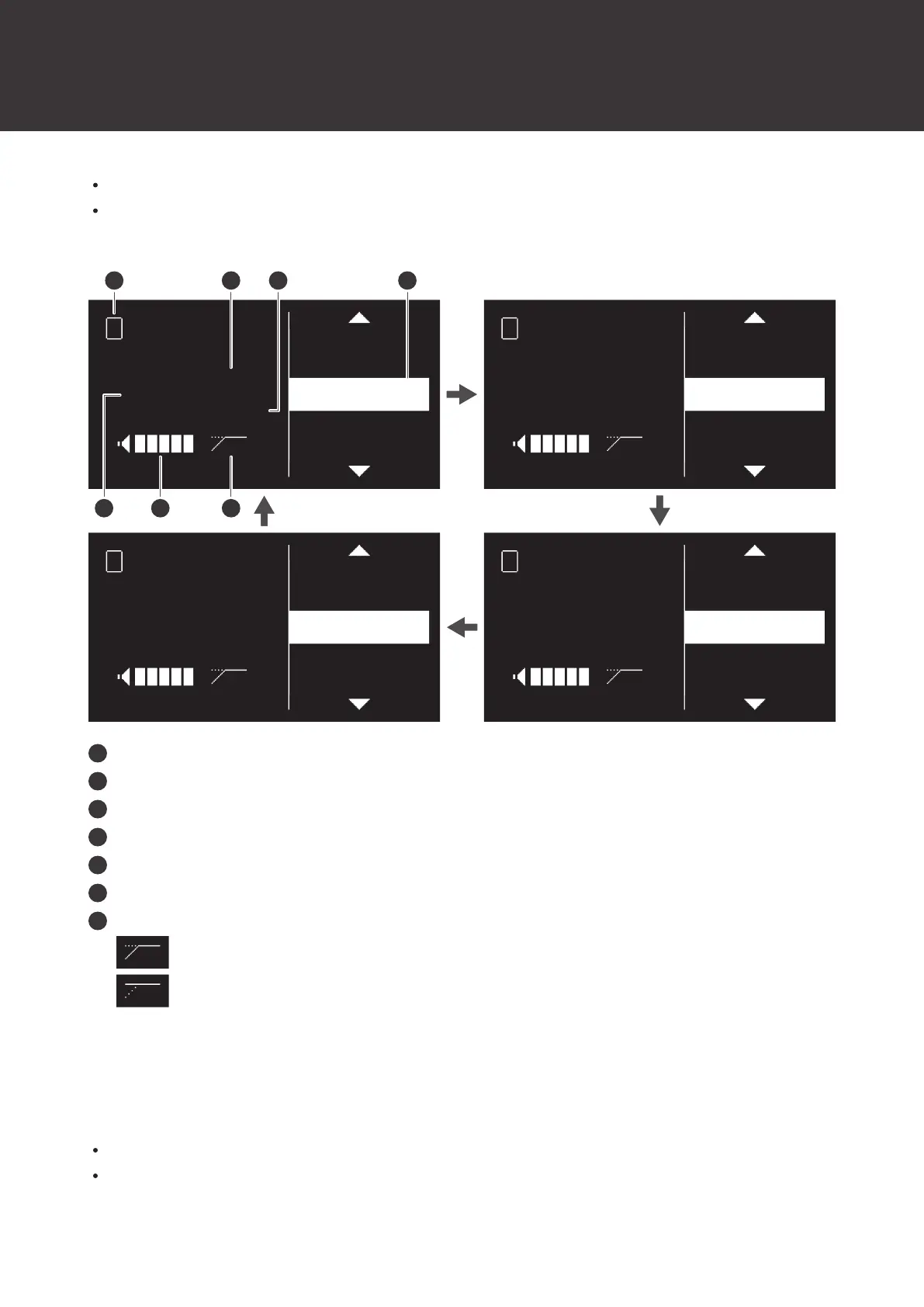
How to read the display
47
Each press of the CH MENU button switches the channel to set.
You can set up to two channels when the reception mode is “Standard” and up to four channels when the reception
mode is “HD mode”.
LINE / MIC
LEVEL
UTILITIES
IDENTIFY
PAIR
LINE
+20dB
ON
A 1
1
LINE / MIC
LEVEL
UTILITIES
IDENTIFY
PAIR
LINE
+20dB
ON
A 1
2
LINE / MIC
LEVEL
UTILITIES
IDENTIFY
PAIR
LINE
+20dB
ON
A 1
4
LINE / MIC
LEVEL
UTILITIES
IDENTIFY
PAIR
LINE
+20dB
ON
A 1
3
1
5 6 7
2 43
Channel
LINE/MIC status
Output level
Menu bar
Transmitter ID
AF status
HPF status
: The HPF is on.
: The HPF is off.
ATW-T1401/ATW-T1402/ATW-T1406/ATW-T1407
Shows the current status.
If no buttons are pressed for a period of 30seconds, the display will turn off.
When the display turns off, press the power button to turn it back on.













 To Next Page