Document No.: E4.08.09 E4.08.09 : AE_xx_000
Revision: 13 9 : 00
Page: 59 of 89
Copyright © 2019, Austro Engine GmbH
Dept.: Electric/Electronic
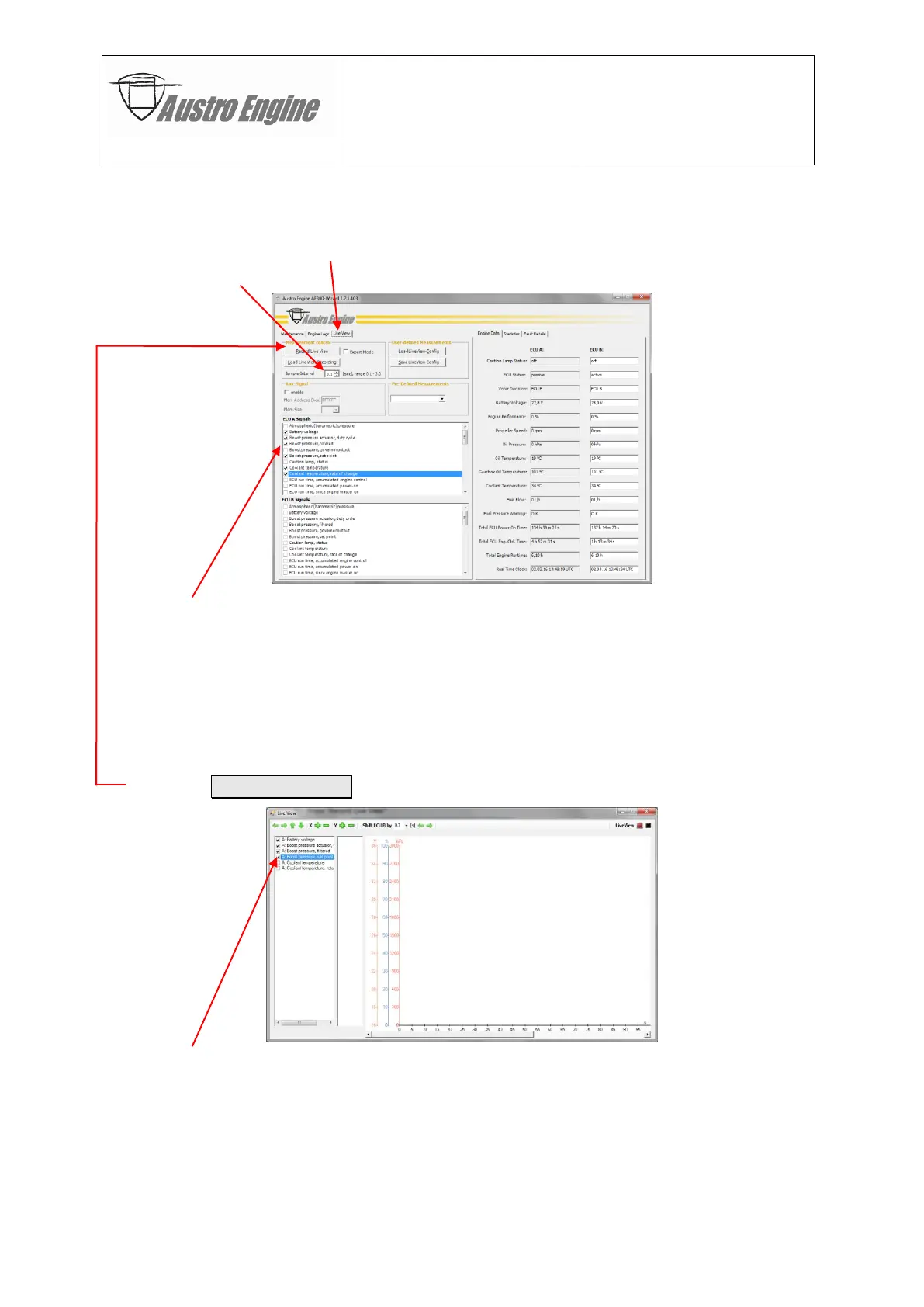
Steps:
1) Connect to ECU
2) Select «Live View» tab
3) Select sample interval (default = 0.1s)
4) Select up to 52 signals per ECU, e.g. ECU-A:
- Battery voltage
- Boost pressure actuator (BPA) duty cycle
- Boost pressure
- Boost pressure set point
- Coolant temperature
- Coolant temperature, rate of change
5) Press Record Live View button
6) Select the set of signals for real time display (
Note:
the “recording set” had been de-
termined by “Step 3) and signals in the “recording set” but not in the “display set”
are still recorded for later analysis):
- Battery voltage
- Boost pressure actuator (BPA) duty cycle
- Boost pressure
- Boost pressure set point


 To Next Page