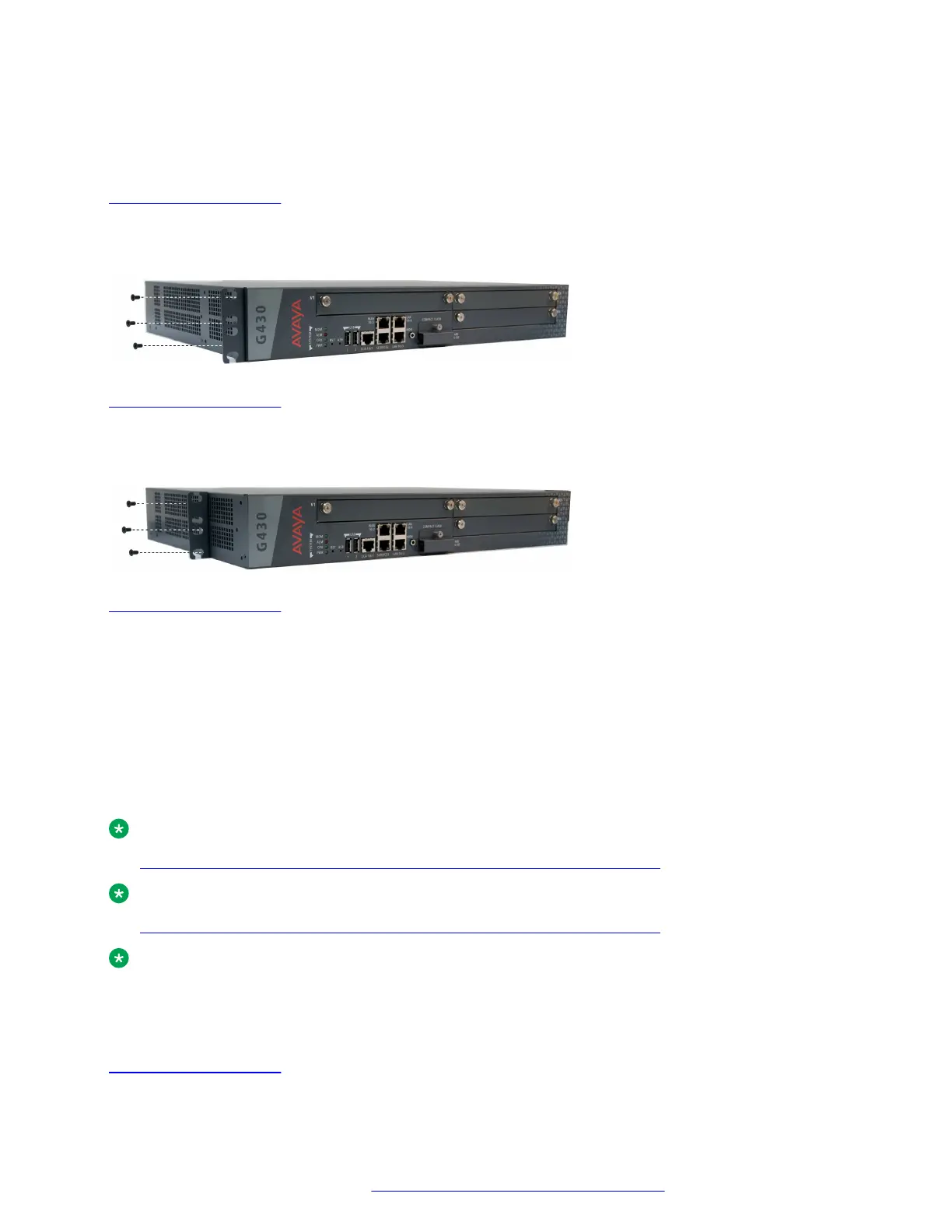
• To the middle of each side panel of the Branch Gateway for fastening the chassis to the rack at
the middle
Related links
Branch Gateway racks on page 22
Attaching a mounting bracket to the front of the Branch Gateway
About this task
Related links
Branch Gateway racks on page 22
Attaching a mounting bracket to the middle of the Branch Gateway
About this task
Related links
Branch Gateway racks on page 22
Brackets with cable guides
You can attach the mounting bracket with cable guides to the front of the Branch Gateway on one
side, as shown in the following figure. If you are fastening the chassis to the rack at the front, use
the mounting bracket with cable guides as one of the two front brackets. If you are fastening the
chassis to the rack at the middle, use the mounting bracket with cable guides at the front of the
chassis, in addition to the two regular mounting brackets on the sides of the chassis. In this case,
the mounting bracket with cable guides serves for cable management only — you do not fasten it to
the rack.
Note:
Connecting a DCP telephone to an MM712 or MM717 media module on page 48
Note:
Connecting a DCP telephone to an MM712 or MM717 media module on page 48
Note:
It is recommended to attached the mounting bracket with cable guides to the right side of the
rack, so as not to block your view of the system LEDs.
Related links
Branch Gateway racks on page 22
Branch Gateway installations
February 2017 Installation and Upgrades for the Avaya Branch Gateway G430 23
Comments on this document? infodev@avaya.com


 To Next Page