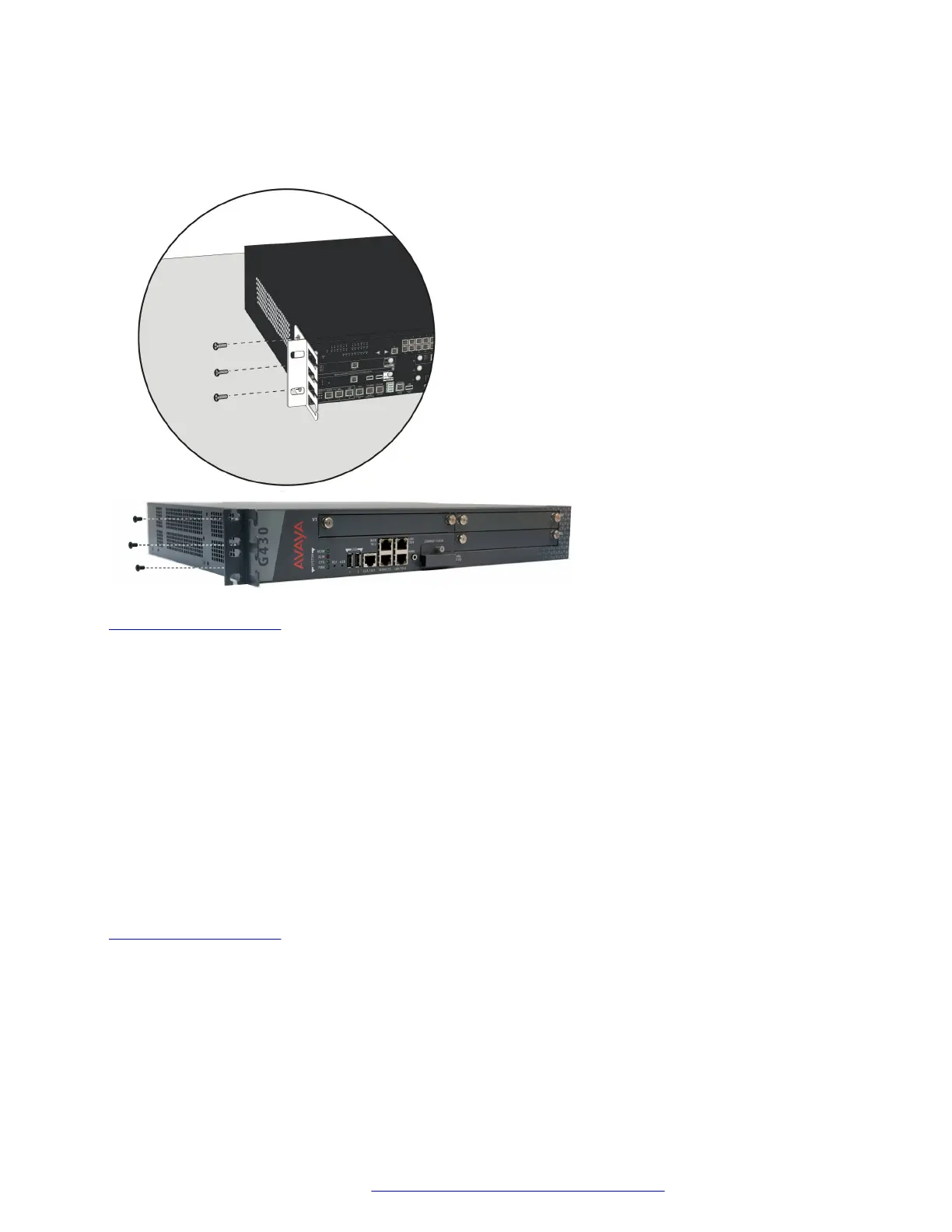
Attaching a mounting bracket with cable guides
About this task
Related links
Branch Gateway racks on page 22
Attaching each mounting bracket to the Branch Gateway
About this task
The Branch Gateway is held in place by mounting screws through the two mounting ears. Fill racks
from the bottom; that is, mount units in the lower positions first, to avoid balancing problems and
cabling complications.
Procedure
1. Position a bracket over the desired mounting position.
2. Affix the bracket to the chassis with three of the nine4-40 flat head screws provided.
3. Tighten with a screwdriver.
Related links
Branch Gateway racks on page 22
Before mounting the Branch Gateway
Procedure
1. Ensure that the rack is bolted to the floor and is earthquake-protected, if required.
If the rack is not securely fixed in place, do not proceed with the installation.
Installing the Branch Gateway and EM200
February 2017 Installation and Upgrades for the Avaya Branch Gateway G430 24
Comments on this document? infodev@avaya.com


 To Next Page