Examples of configuring DHCP client logging messages on page 208
Summary of DHCP client configuration CLI commands on page 208
DHCP client applications
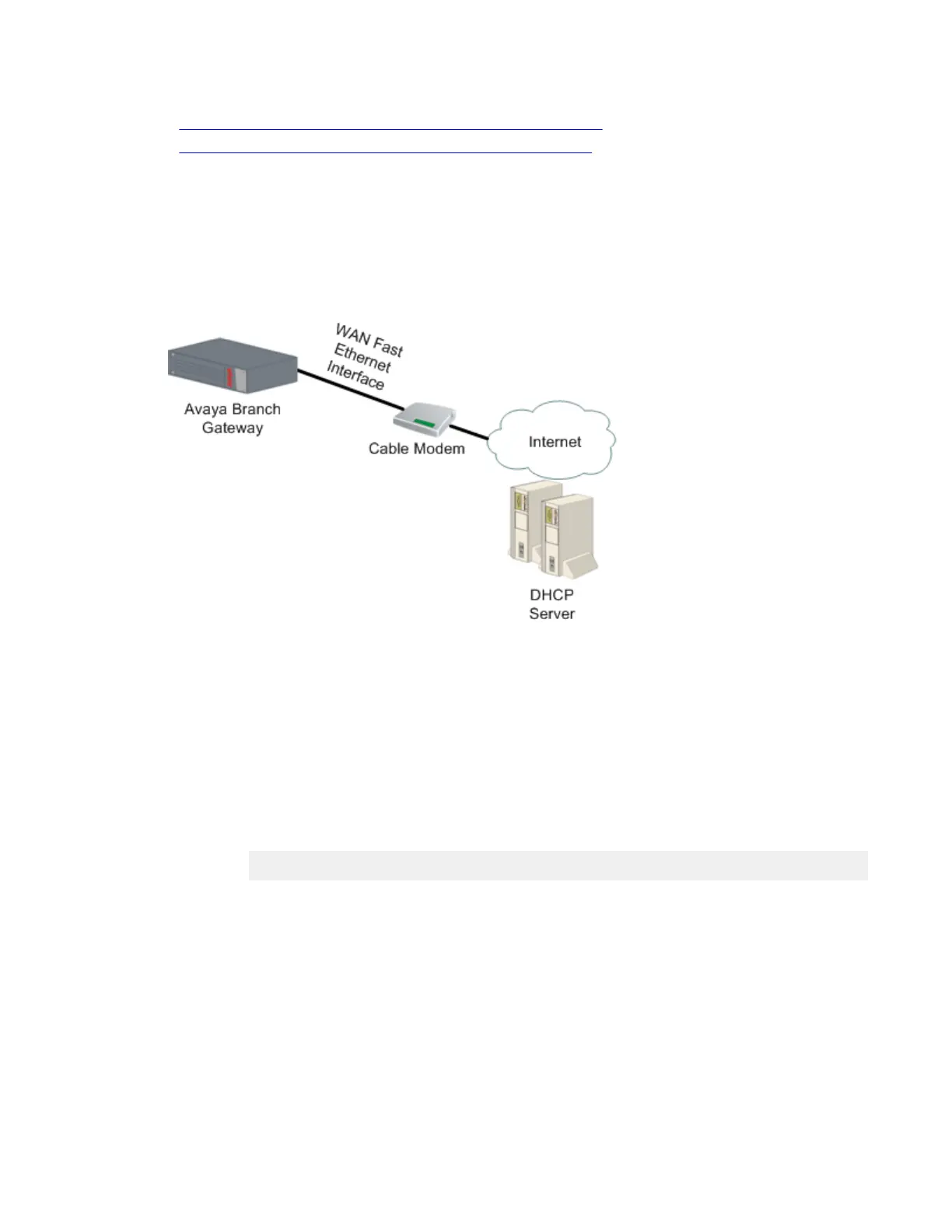
The typical application of DHCP client in the Branch Gateway involves requesting and receiving
an IP address from the service provider’s DHCP server, to enable a broadband Internet
connection via cable modem.
Figure 7: Fixed connection to broadband Internet using a Branch Gateway as DHCP client
Configuring the DHCP client
Procedure
1. Enter the context of the FastEthernet interface.
For example:
Gxxx-001# interface fastethernet 10/2
Gxxx-001(config-if:FastEthernet 10/2)#
2. Optionally, configure DHCP client parameters.
If you do not configure these parameters, their default values are used:
• Use the ip dhcp client client-id command to set the client identifier
for the DHCP client. By default, the client identifier is usually the MAC address
of the Branch Gateway FastEthernet interface.
• Use the ip dhcp client hostname command to set the hostname for the
DHCP client. By default, the DHCP client uses the Branch Gateway’s
hostname.
Switch Ethernet port configuration
Administering Avaya G430 Branch Gateway October 2013 205



 To Next Page