protocols (CHAP and PAP). Unlike other tunneling protocols such as L2TP and PPTP, PPPoE
works directly over Ethernet rather than IP.
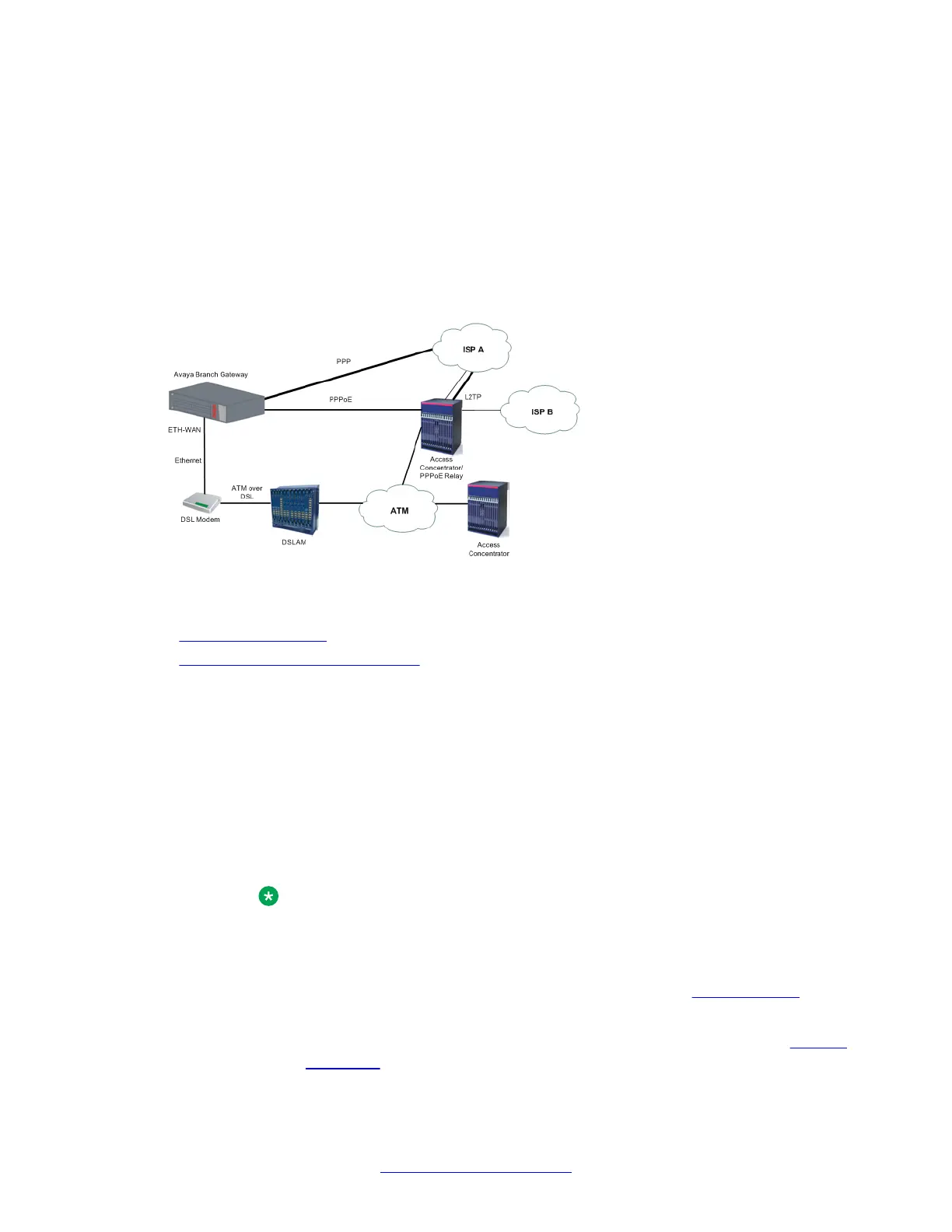
A typical broadband access network is based on ADSL modems configured as transparent
Ethernet bridges. ADSL modems use ATM protocol, and the transparent bridging is done to a
well known ATM VC. On the other side of the telephone line is a device called a DSLAM. The
DSLAM terminates the ADSL physical layer, collects the ATM cells from the various ADSL
subscribers, and places them on the SP ATM infrastructure. The Ethernet frames from the
customer’s host device can reach one or more access concentrators, which are the remote
access servers.
Figure 8: Typical PPPoE Network Topology
Related topics:
Configuring PPPoE on page 252
Summary of PPPoE commands on page 253
Configuring PPPoE
Procedure
1. Enter the FastEthernet interface context with the interface fastethernet
10/2 command.
2. Enter encapsulation pppoe to change the encapsulation to PPPoE.
You must change the encapsulation to PPPoE before configuring an IP address on
the interface.
Note:
You cannot use PPPoE if:
• An IP address must not be configured on the interface
• Dynamic CAC is not enabled on the interface. See Dynamic CAC on
page 280.
• The interface is not part of a primary-backup interface pair. See Backup
interfaces on page 256.
WAN interfaces
252 Administering Avaya G430 Branch Gateway October 2013
Comments? infodev@avaya.com



 To Next Page