IFD500 Series Pilot Guide
Map Subsystem 4-17
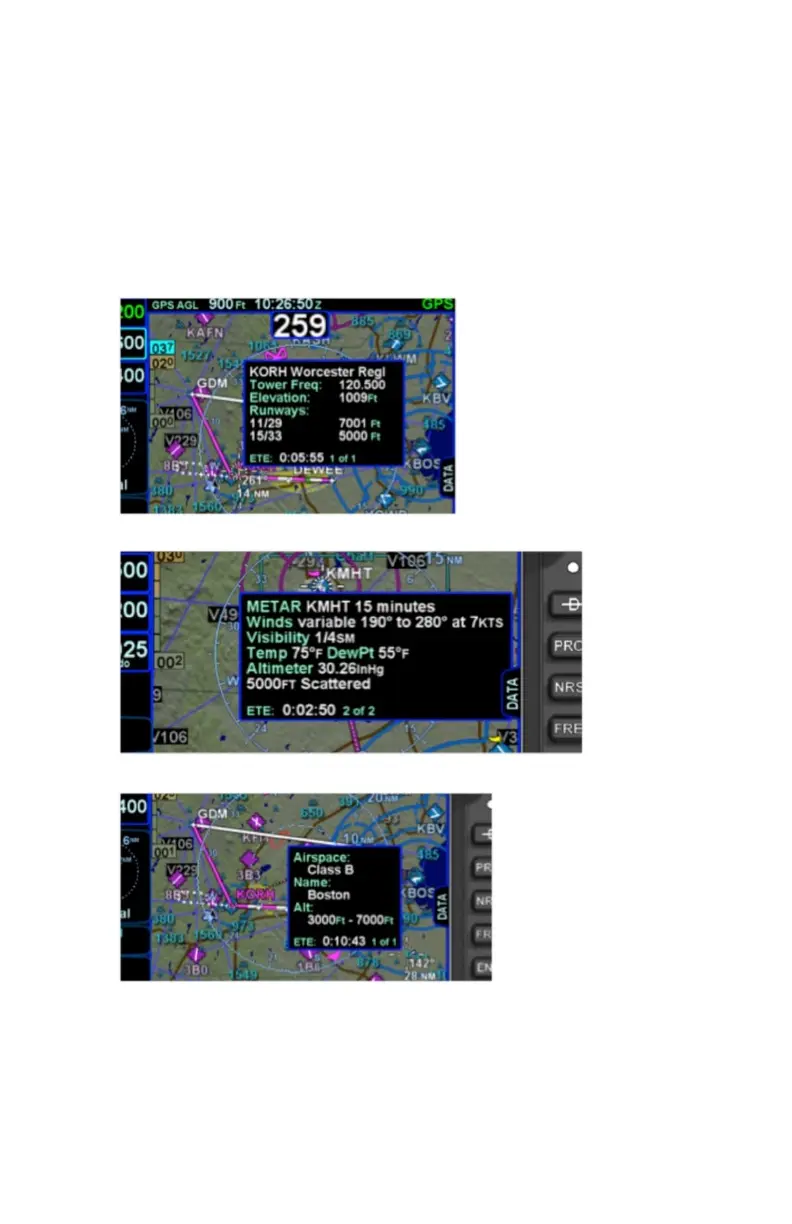
20 seconds and can also be dismissed by tapping somewhere else
on the display. A few examples are depicted in the images below.
Note that in every case, there is a page count in the bottom right
corner of each pop-up box. For those boxes that indicate more than
one page (e.g. VOR co-located with an airfield), touching the pop-up
box switches between the various pages of the pop-up box.
Map Popup Info Boxes
For those hotspots that are an airport and typically have METAR data
associated with them, a METAR page can be appended to the map
info popup boxes as shown in the middle example image above.



 To Next Page