IFD500 Series Pilot Guide
3-26 FMS Subsystem
Once a published hold has been inserted, when the FMS cursor
is on one of the hold parameters, the bottom LSK will display
“Standard Hold”. Pressing that LSK will change the parameters
to be standard (right turns, 1 min legs, and an inbound course
matching the course of the leg before the hold). If any of the
parameters are different from what is published, the LSK will then
display “Hold As Published” and pressing the LSK will restore the
original parameters. Note that this only applies to holds that are
inserted versus holds that are defined as a leg in a terminal area
procedure, the most common case being a course reversal on an
approach – for those holds, there’s no “Standard Hold” LSK since
it is unlikely this would be a desired course of action. If, however,
a hold parameter is manually changed, the “Hold As Published”
LSK does appear.
CIRCULAR ORBITS
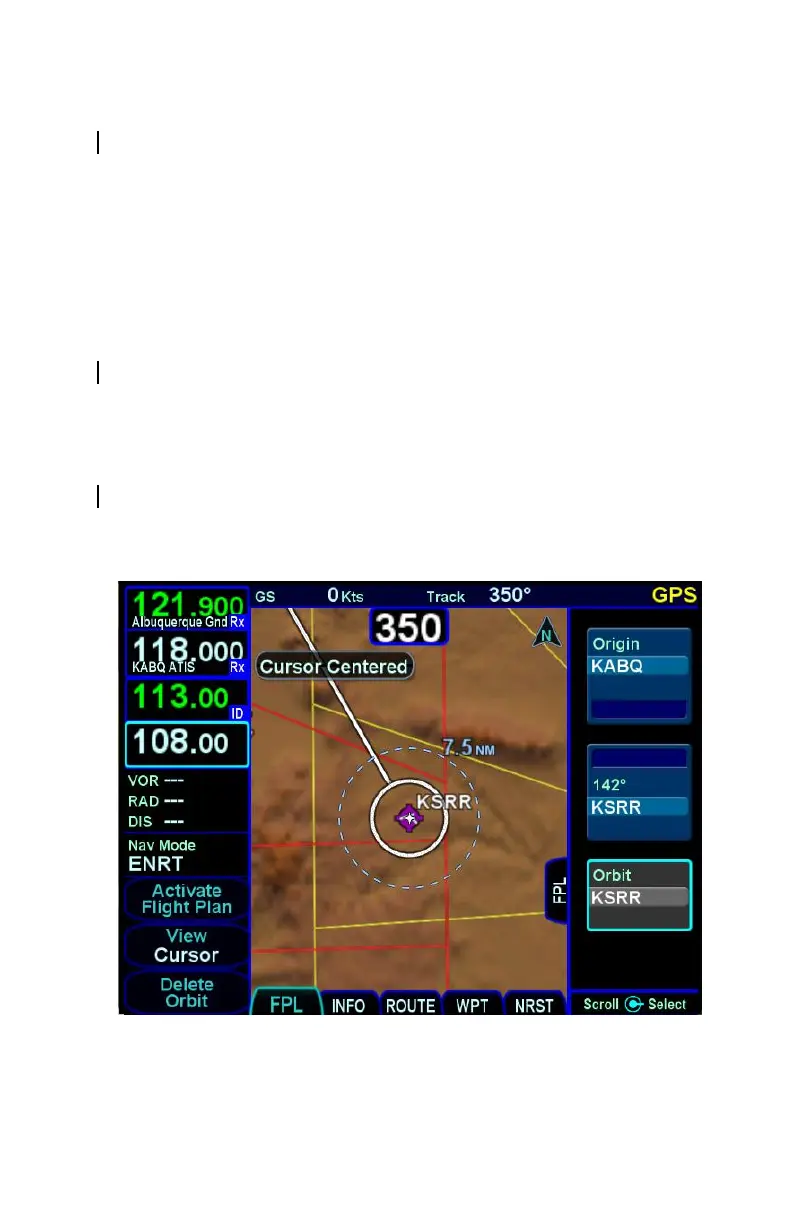
If the SAR option is enabled, then circular orbits can be added to
the plan.
Circular Orbit Depiction on Map



 To Next Page