IFD500 Series Pilot Guide
4-70 Map Subsystem
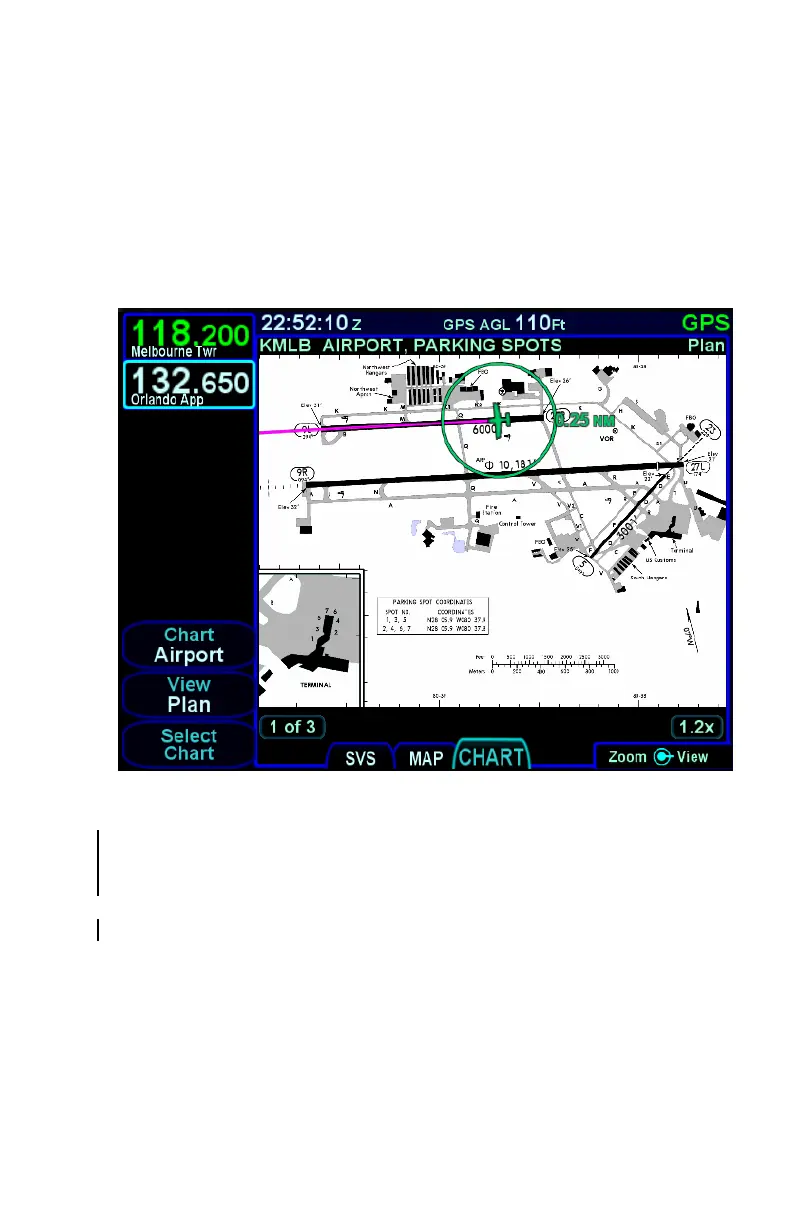
TAXI CHARTS/AIRPORT DIAGRAMS
If a published procedure was used via the Charts tab for the landing
airport, the display chart will automatically switch over to the airfield
diagram during post-landing roll out. Your ownship position on the
airfield diagram chart will be displayed as an aid in surface
navigation.
Airport Diagram
The charts can be pinch-zoomed and panned or knob zoomed to see
close ups of the airfield diagram. When the chart is zoomed and not
being manually panned, the chart will be centered on the aircraft.
If you did not select or use a published approach via Charts, the local
airfield diagram can still be accessed. Select the “CHART” tab of the
MAP page and then use the left-hand LSKs to select the desired
airfield diagram.



 To Next Page