IFD500 Series Pilot Guide
Map Subsystem 4-57
SYNTHETIC VISION (SVS) / TAWS TAB
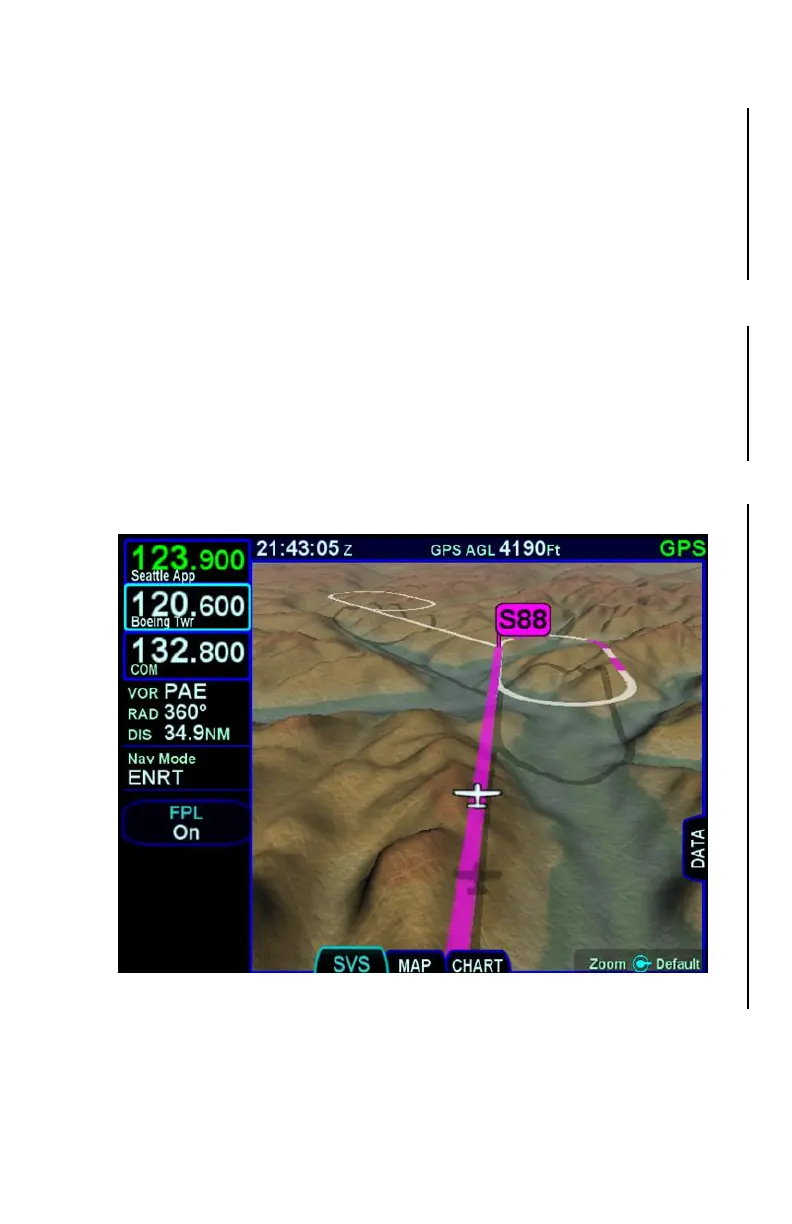
The leftmost tab on the MAP page provides a hybrid view of the
aircraft and flight plan from a virtual wingman flying above and
behind your present position. This is an “exocentric” view. When the
TAWS option is enabled, this tab will be titled “TAWS”. When the
TAWS option is not enabled, this tab will be titled “SVS”.
The aircraft ownship symbol is displayed just like the 2D map as well
as the shadow it casts on the ground. The ground shadow
represents the aircraft position over the ground.
The viewing position of the virtual wingman is directly above and
behind the displayed ownship symbol. Turning the bottom right knob
or pinch zooming the display will adjust the perceived distance above
and behind the ownship symbol. Pushing the knob restores the
default zoom value.
Map SVS - Zoomed out with Active Flight Plan and Waypoint
Any traffic in the scene will cast a shadow on the ground to help with
judging distance and relative closure rate.



 To Next Page