IFD500 Series Pilot Guide
System Overview 1-39
DIRECT-TO OPERATIONS
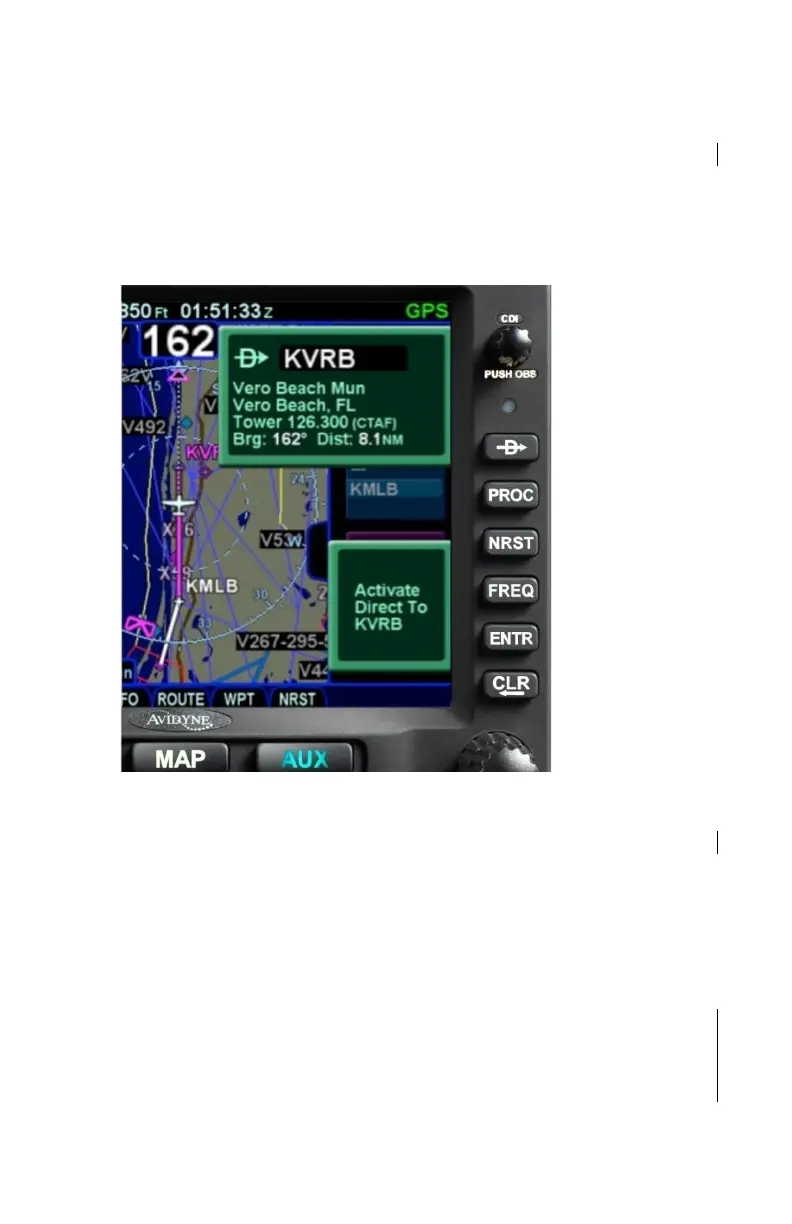
A dedicated Direct-To key is located along the right edge of the
IFD bezel. Pressing that button from any page will display a
green Direct-To dialog box that will be pre-populated with a
logical waypoint.
Direct-To Dialog and Confirmation Dialog Boxes
If that pre-populated waypoint is the desired waypoint, press the
“ENTR” key along the right edge of the bezel twice (Direct-To,
Enter, Enter) or touch the Activate dialog box that pops up on the
display to accept.
If a different waypoint is desired, there are a number of ways in
which the proper waypoint can be entered in that Direct-To dialog
box:
Turn the bottom right outer knob to populate the dialog
box with by scrolling through the waypoints in the flight
plan. This technique will only include waypoints within a
missed approach if the missed approach is enabled.



 To Next Page