IFD500 Series Pilot Guide
1-14 System Overview
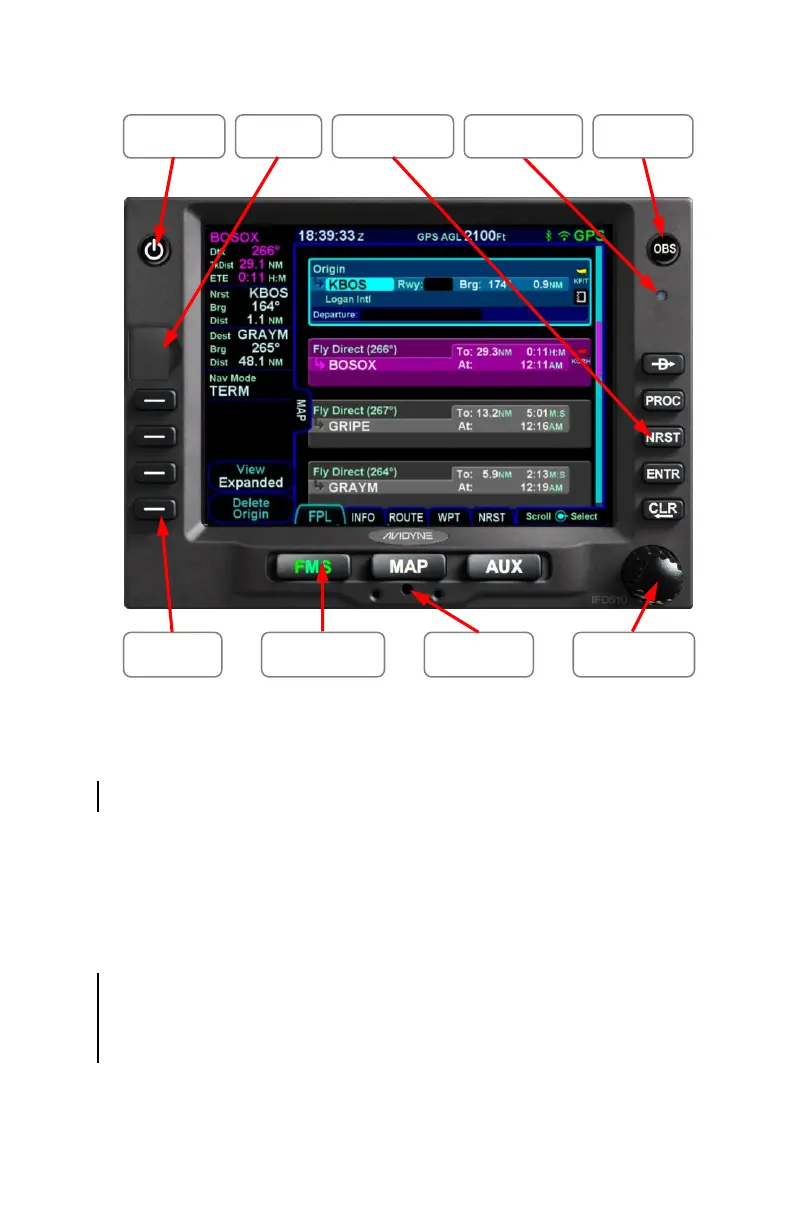
Starting in the top left corner and working counter-clockwise
around the bezel, the IFD has:
Volume/Power/Squelch knob † or Power button *
Frequency Swap dedicated button †
USB port for database updates, datalog downloads,
software updates and powering USB devices in-flight
Four (4) Line Select Keys (LSKs) that are page
dependent with soft key labels adjacent to each
Dual Concentric Rotary Knob as a means of manually
tuning communication and navigation frequencies †
Page keys along the bottom
Mechanical cam latch access hole for installation
Dual Concentric Rotary Knob that is page dependent
Page Function
Keys
Cam Latch
Line Select
Keys
Dedicated
Function Keys
Context
Sensitive Knob
Power
Button
GPS/OBS
Button
Ambient Light
Sensor
USB Port



 To Next Page