IFD500 Series Pilot Guide
Aux Subsystem 5-63
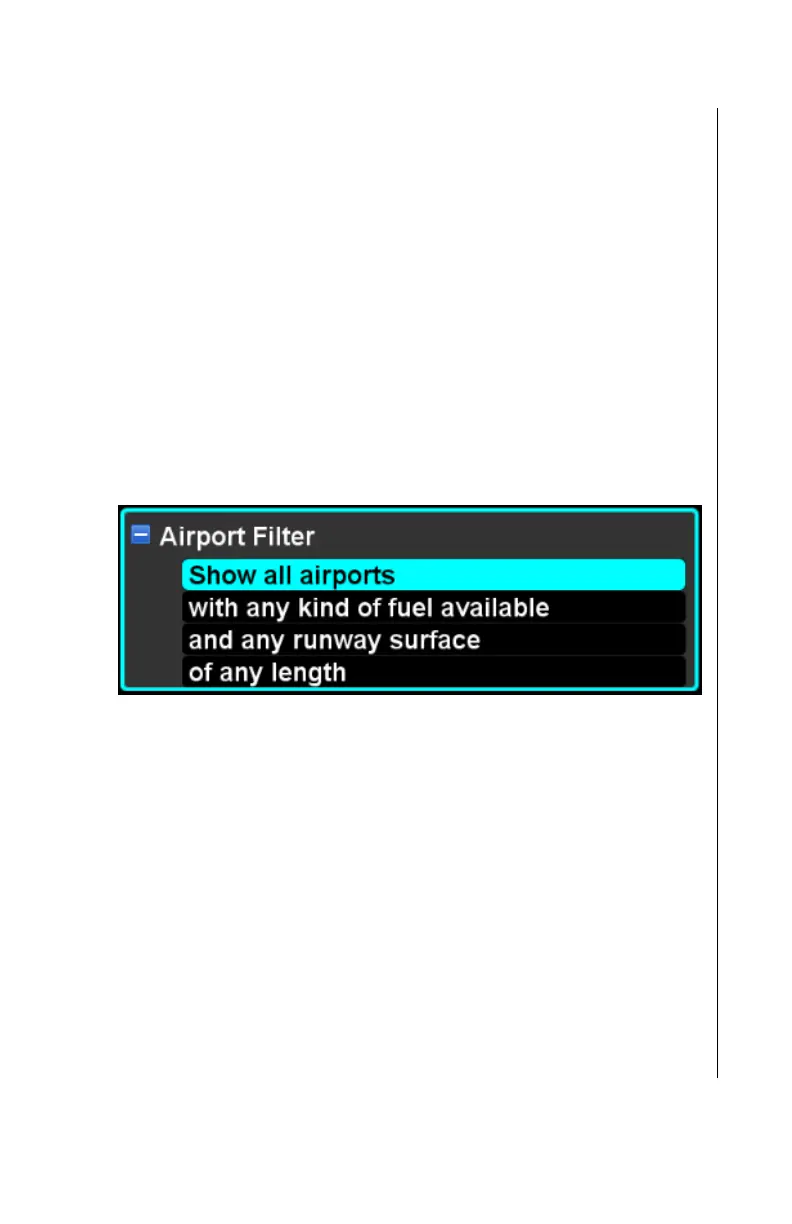
Airport Filter
Many of the airports in the navigation database may not be
suitable for use by a particular aircraft or a particular mission.
There may be several reasons that an airport would be unusable
including not having a runway with sufficient length and not
having suitable fuel available. The airport filter item provides a
means to define criteria which must be met in order for an airport
to be depicted on the map.
The airport filter item consists of four criteria - tower, fuel, runway
surface, and runway length. The criteria are arranged in order
and worded such that the filter reads like a sentence, in order to
provide clarity about what effect the filter will have.
Only an airport that meets all of the filter criteria will be displayed
on the map.
Each of the settings is edited using the typical controls for
enumerated items once the filter item has been expanded.
Tower Filter
The tower criterion defines whether the filter should accept only
towered airports, only non-towered airports, or any airport
regardless of whether it is towered. The factory default setting is
to accept any airport regardless of whether it is towered.
Fuel Filter
The fuel criterion defines whether the filter should accept only
those airports that have 100L fuel available, only those airports
that have Jet-A fuel available, or any airport regardless of
whether fuel is available or what kind of fuel is available. The



 To Next Page