32 Operation conditions and prestarting procedures
BALTECH VP-3470
Operation manual
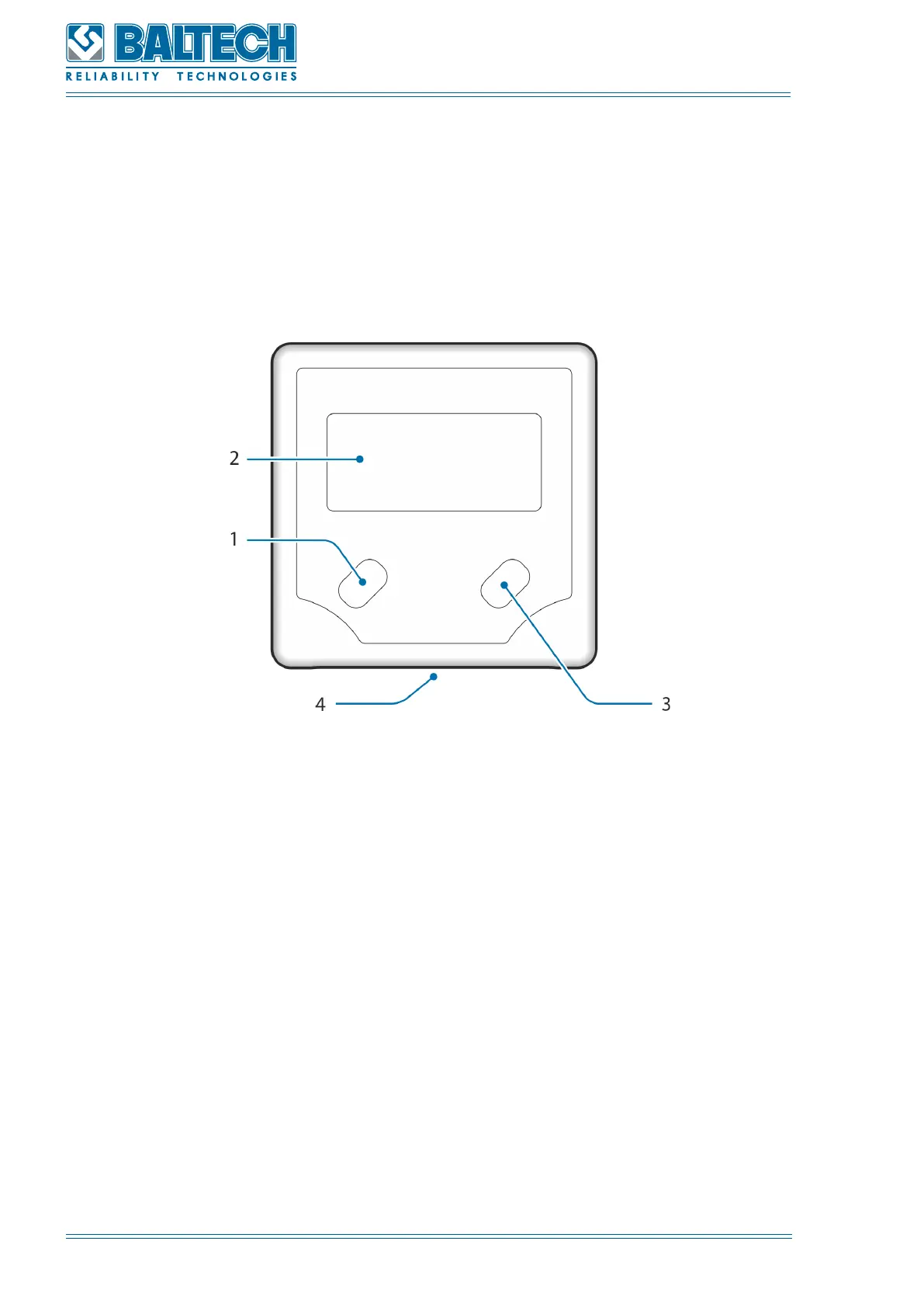
5.3.3. Digital angle gauge
The maximum delivery set of BALTECH VP-3470 contains a digital angle gauge,
which allows measuring angle of rotation of the parts with a horizontal axis of
rotation. The appearance of the angle gauge and its control elements are shown
on the Figure 11.
Figure 11. Angle gauge
1. On\off button
2. LCD display
3. Zero button
4. Magnet base
How to use the angle gauge for detection of the installation place of the correction
weights:
1. After the installation place of the correction weight is calculated and determined it
is necessary to turn the correction weight in such a way that the installation place of
the trial weight (zero angle) is in the location convenient for installing the correction
weight.
2. Mark the position of the test weight on the stationary part of the machine using
a chalk or marker.



 To Next Page