R5917517 /00 ClickShare CB Core, CB Pro28
4.3.2 Connecting the display
About display connections
There are two ways to connect a display to the Base Unit:
• HDMI
• USB-C
Both connections support up to 4K video output.
It is not possible to attach two displays at the same time!
HDMI connection
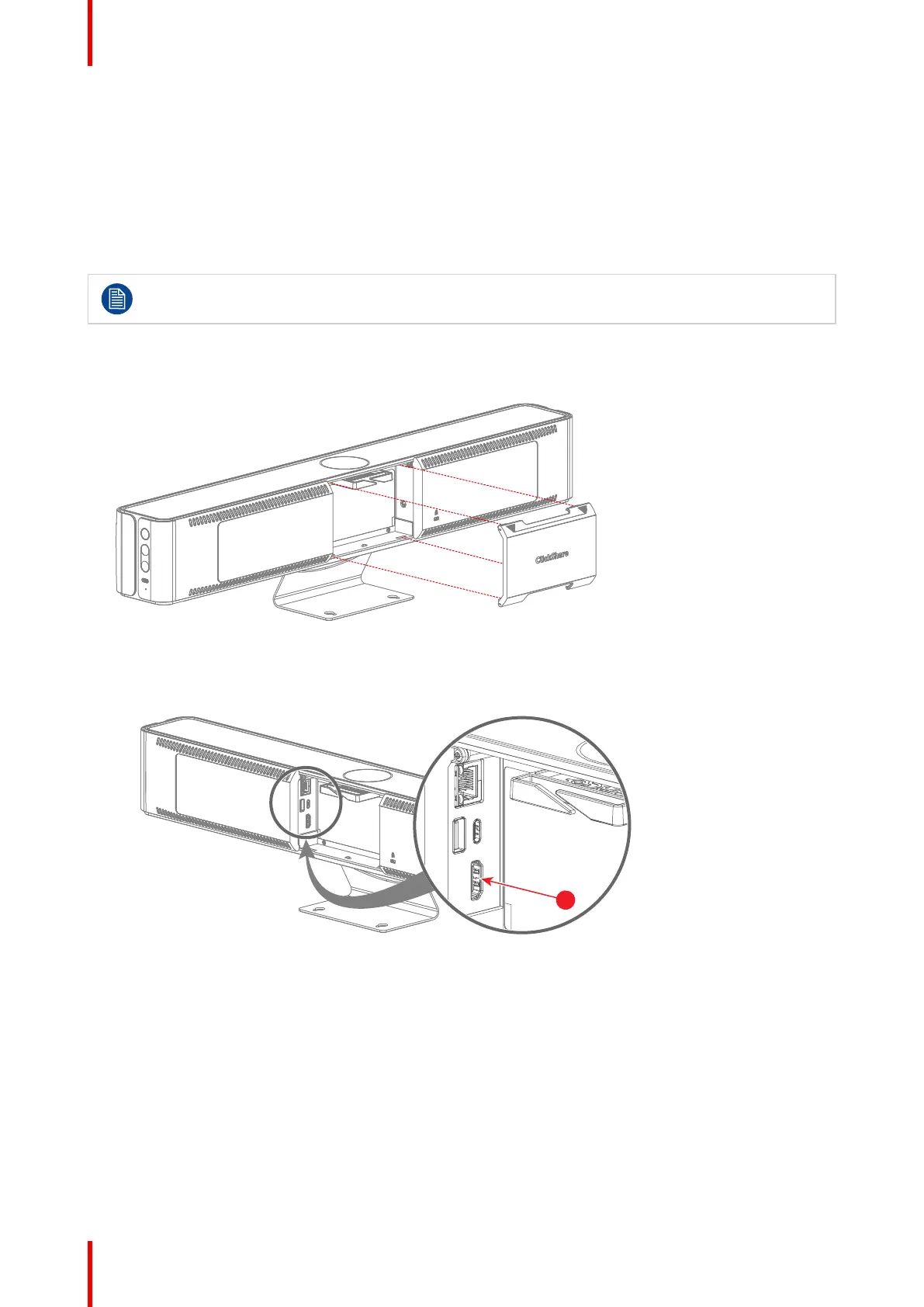
1. Remove the cable cover at the back of the Base Unit.
Image 4–12 Cable cover removal
2. Connect an “HDMI” cable from the “HDMI” port of the Base Unit to the “HDMI in” port of the display.
(reference 1)
• For CB Core:
Image 4–13 Where to connect the HDMI cable
1 HDMI cable
• For CB Pro:
Installing CB Core, CB Pro


 To Next Page