System manual Coronis 5MP 91
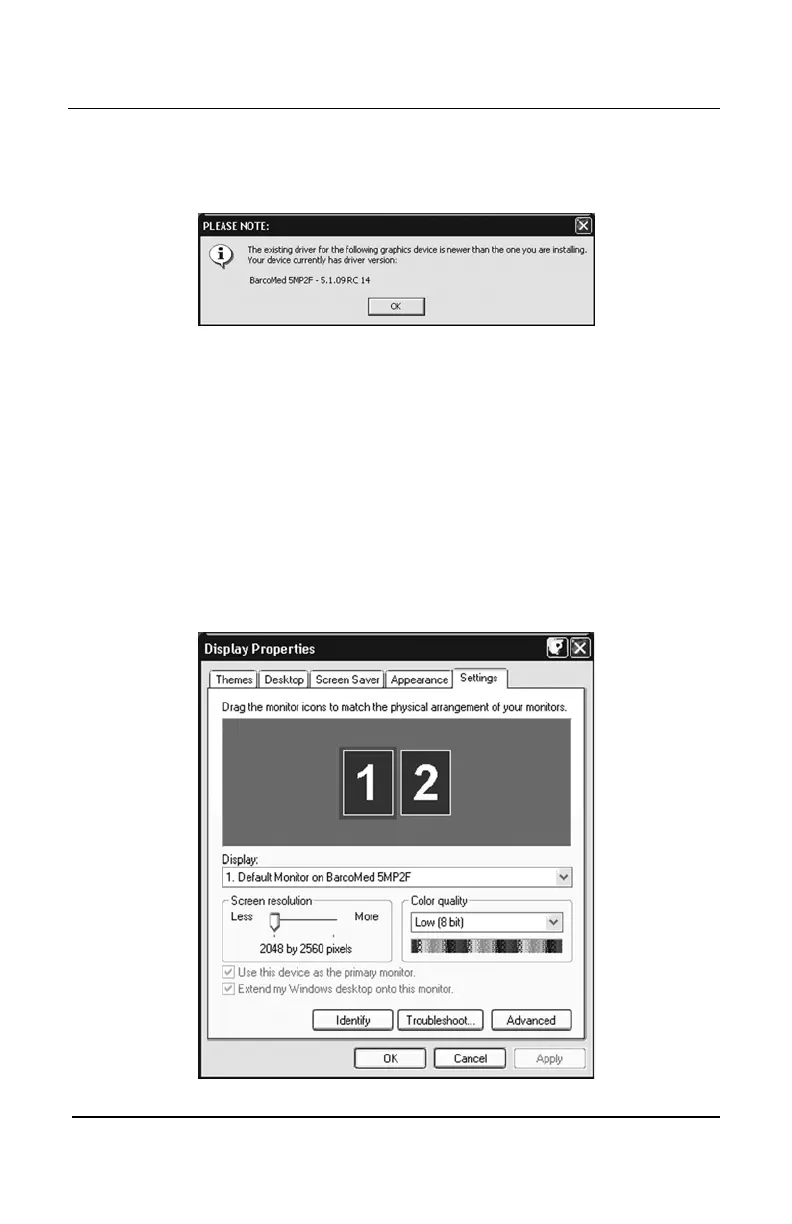
are installing, the above message will appear as a warning (figure 66).
If you choose to continue, your existing driver will be replaced.
Click
“OK” “OK”
“OK” “OK”
“OK” to continue.
Figure 66
If you want to change your selection, click
“OK”“OK”
“OK”“OK”
“OK” to continue and
then click
“Back”“Back”
“Back”“Back”
“Back” on the next screen.
12. Your selection on the screen shown in figure 69 will determine if
DualView is enabled or not. DualView allows a dual head display
controller to display two separate desktops, one for each display
instead of a single virtual desktop that spans across both displays.
DualView is a feature that is automatically supported by Windows
XP. However, BARCO has provided a means for you to disable
this functionality while running Windows XP. Figures 67 and 68 on
the next page shows the difference between running without and
with DualView enabled under Windows XP.
Figure 67: DualView Enabled
BarcoMed software driver installation


 To Next Page