10. Removal and installation of the projector covers
10.2 Removal of the rear cover
Necessary tools
Flat screwdriver
How to remove
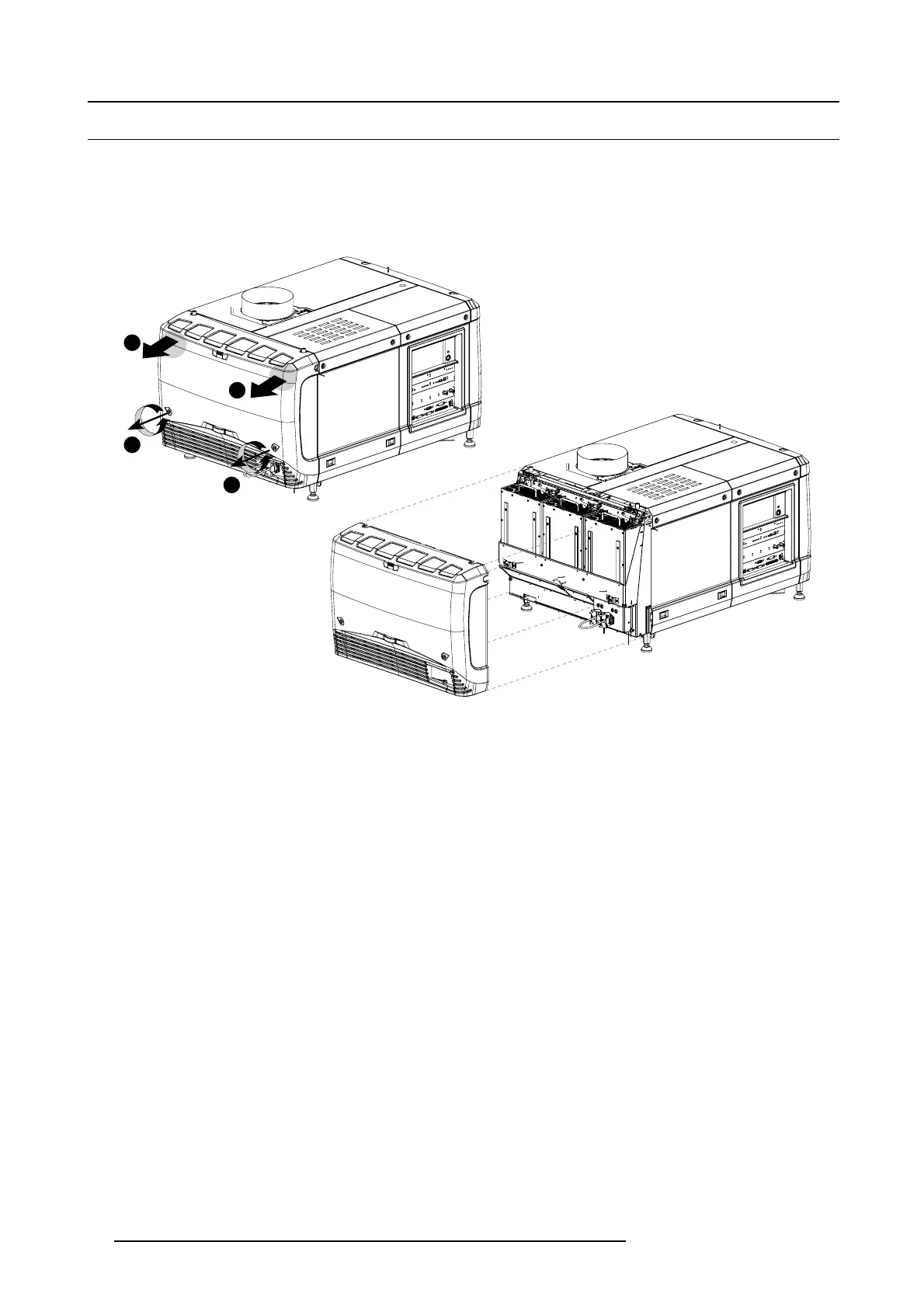
1. R elease both captive screws almost at the bottom of the rear cover using a flat screw drive r (1 ).
1
1
2
2
Image 10-5
Rear housing removal
2. R emove the rear cover of the projector doing the following:
a) gen tly p ull out the top covers of the rear c over (2).
b) then move the rear cover away from the projector.
96
R59770491 DP2K-32B 30/04/2010



 To Next Page