3. Physical installation
3.4 Power input setup
About the power input
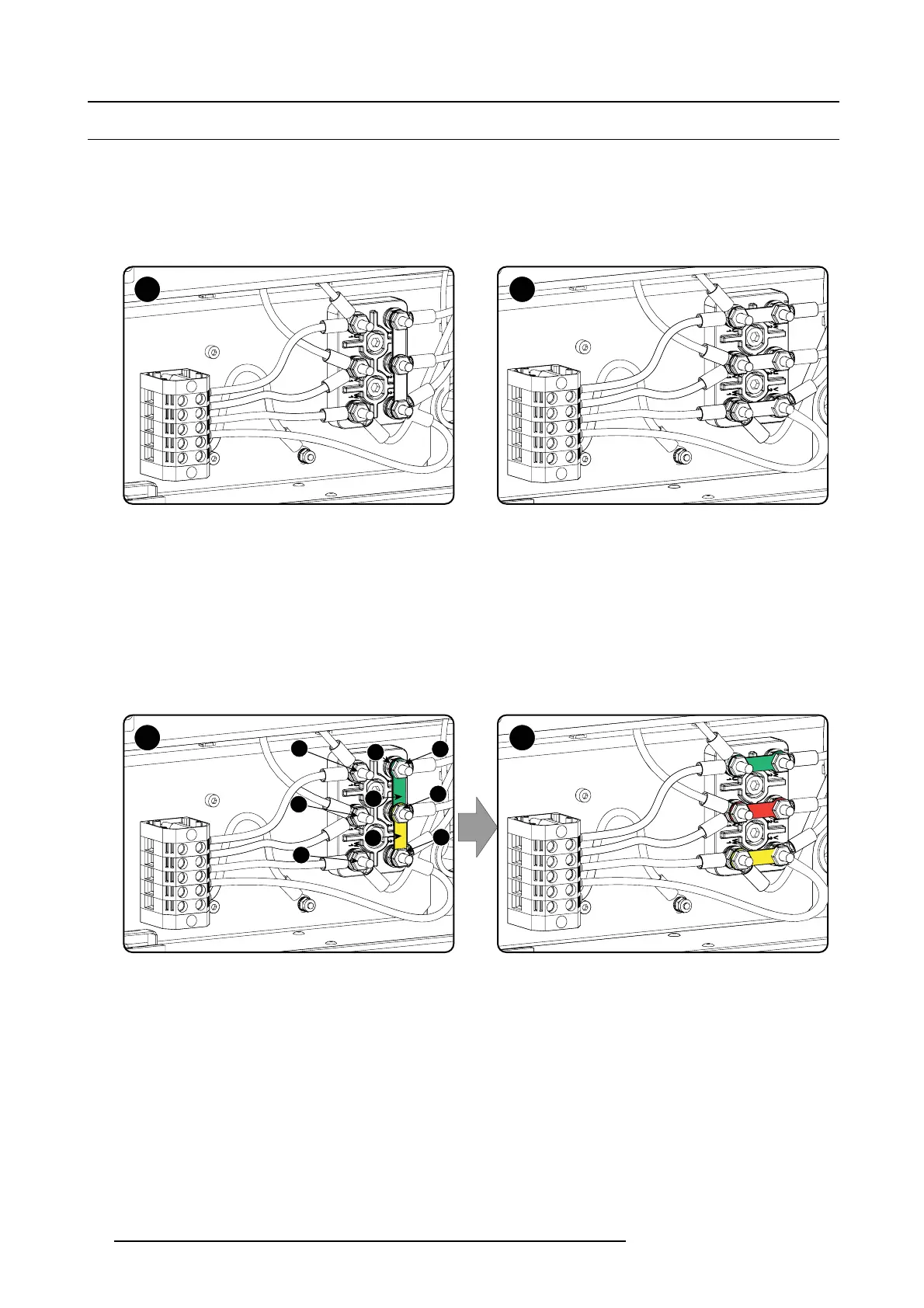
The projector power input c an be configured for a power supply of 230/400V 3W+N+PE (Υ-connection) or for 208V 3W+PE (Δ-con-
nection). Before operating the projector, place the links in the correct po sition depen ding on the local power supply.
For a 3W+N+PE system, 400V is m easured between the lines, 230V is m easured between the lines and the neutral.
For a 3W+PE system, 208V is meas ured between the lines.
A B
Image 3-9
Υ-Δ connection
A Υ connection
B Δ connection
Necessary tools
• Flat screw driver
• Wrench10mm
• Torque wrench 10 mm
HowtoswitchfromaΥ-connection to Δ-connection
1. Loosen the 6 top nuts on the Υ/Δ con figuration block. (1 to 6)
Y Δ
1
2
3
4
5
6
B
A
C
Image 3-10
Υ to Δ connection
2. Take off the mounted lins (A , B and C). Two links abov e each other or mounted between the upper and middle pin (A, B) and one
link between the middle p in and lower pin (C).
3. M ount the links horizontally on the pins.
4. Turn a nut on each pin and secure wit
h a torque w rench set to 7.5 Nm.
HowtoswitchfromaΔ-connection
to Υ-connection
1. Loosen the top n uts o n the Υ/Δ configuration block (1 to 6).
24
R59770491 DP2K-32B 30/04/2010



 To Next Page