6. Input & communication
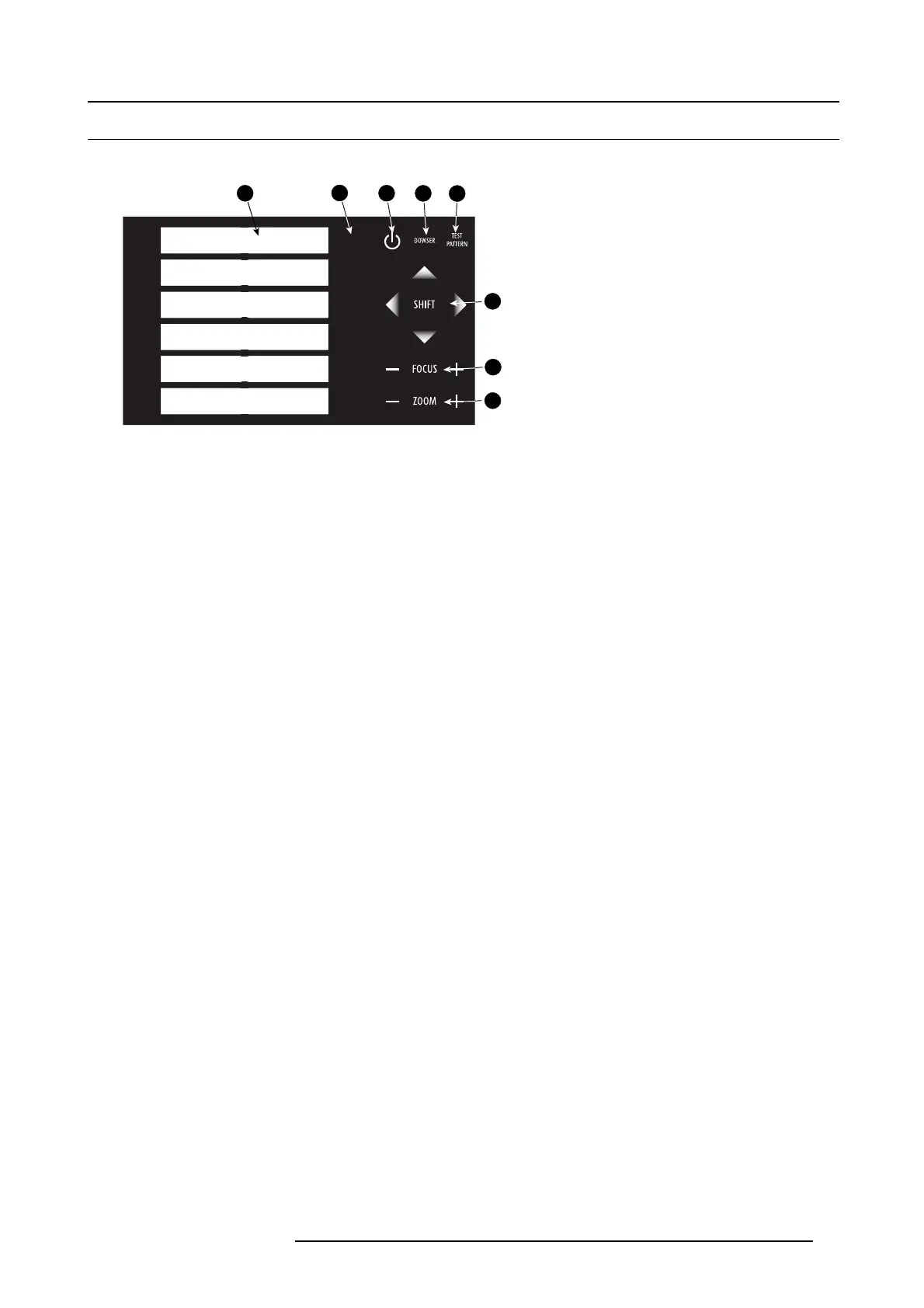
6.2 Local keypad of the D P2K-32B projector
Identification of the keys
1
2
3
4
5
6
2
1
3
4
5
6
7
8
Image 6-2
Local keypad
1 Mar ker area for macro name
2 N um eric keyboard
3 Standby key
4 D owser open/close switch
5
Test pattern toggle switch
6 Lens shift up/down, left/right
7
Lens focus
8 Lens zoom
Numeric keys
All the numer ic keys (2) of the local keypad have a blue backlight during norm al operation. When the authorization process is
activated with the security key, the backlight co lor of the num eric keys 1 to 6 c hanges to orange. Each key can be linked to a mac ro
which allows you to setup the projector to your requirements with one push of a button. Note that each numeric key has a marker
area (1) where you can write down the nam e of the m acro.
Standby key
Standby key (3) switches ON or OFF the lamp and lamp electronics. The lamp c ooling fans remain ac tive for a bout 5 m inute s. The
speed of the other fans is reduced. The backlight color of the standby key remains red in standby mode and changes to green in
operation m ode.
Dowser key
The dowser key (4) opens or closes the dowser. The backlight color of the dowser key is green when the dowser is open and r ed
when the dows er is closed.
Test pattern key
The test pattern key (5) gives you direct access to the internal test patterns of the projector.
Shift keys
The shift keys ( 6) allow you to shift the lens up/down or left/right.
Focus keys
The focus keys (7) allow you t
o focus the projected imag e on the screen.
Zoom keys
The zoom key s (8) allow you to zoom in or ou t the pro jected image on the screen.
R59770491 DP2K-32B 30/04/2010
65



 To Next Page