5. Lenses & lens holder
5.5 Lens removal
How to remove a lens
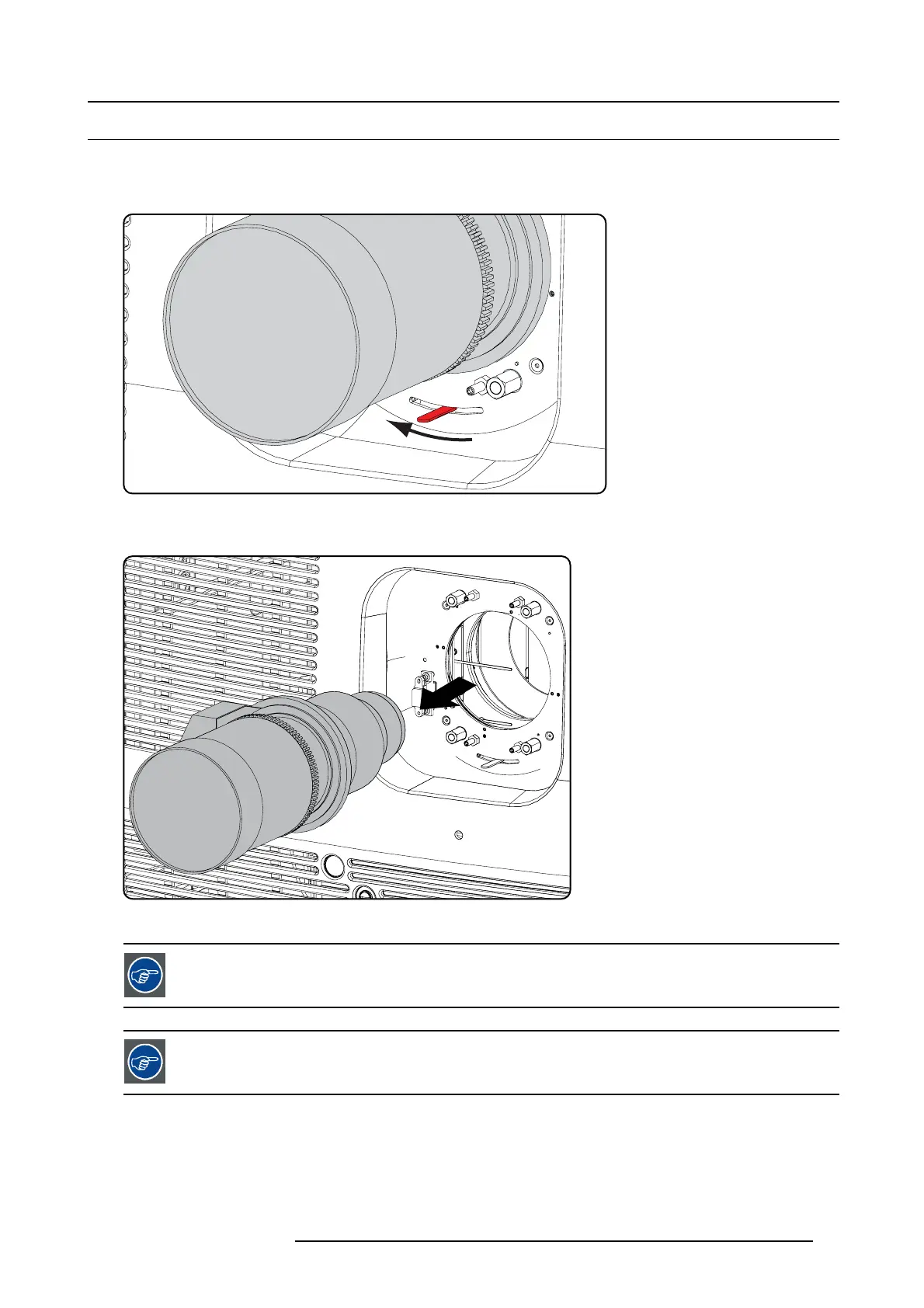
1. Support the lens with one hand while you unlock the lens holder by sliding the lock handle towards the “unlocked” position as
illustrated.
Image 5-10
Unlock lens
2. Gently pull the lens out of the lens holder.
Image 5-11
Remove lens
It’s recomm e nded to place the Lens caps of the original Lens packaging, back on both sides o f the removed
Lens to protect the optics of the Lens.
It’s recommended to p lace the foam ru bber o f the original projector packag ing, back in the Lens o pening to
prevent intrusion of dust. Note that this foam rubber is p acked in a plastic b ag to prevent the dust, em itted by
the foam, from ente r ing the p rojecto r.
R59770491 DP2K-32B 30/04/2010 57



 To Next Page