3. Physical installation
3.5 Connecting the projector with the power net
WARNING: The total electrical installation should be p rotected by an appropriate rated and readily accessi-
ble disconnect switch, circuit breakers and ground fault current interrupters. The installation shall be done
according to the local electrical installation codes.
WARNING: M ake sure that the voltage range o f projector matches w ith the voltage of the local power net.
CAUTION: The cross-sectional area of the conductors in the Power Supply Cord shall be not less than 4 mm
2
or AWG 10
Necessary tools
• Flat torque screw dr iver 4 mm
• Adjustable w rench
Necessary parts
•Certified power cable min. 4.0 mm², 10AWG. 500V (for 3W+N+P E), cable diam eter between 11mm and 21 mm or
•Certified power cab le min. 4.0 m m², 10AWG 300V (for 3W+PE) cable diameter between 11m m and 21 mm
• Circuit breaker maximum 40A
How to connect
1. R emove the back cover.
2. R emove the power input c over.
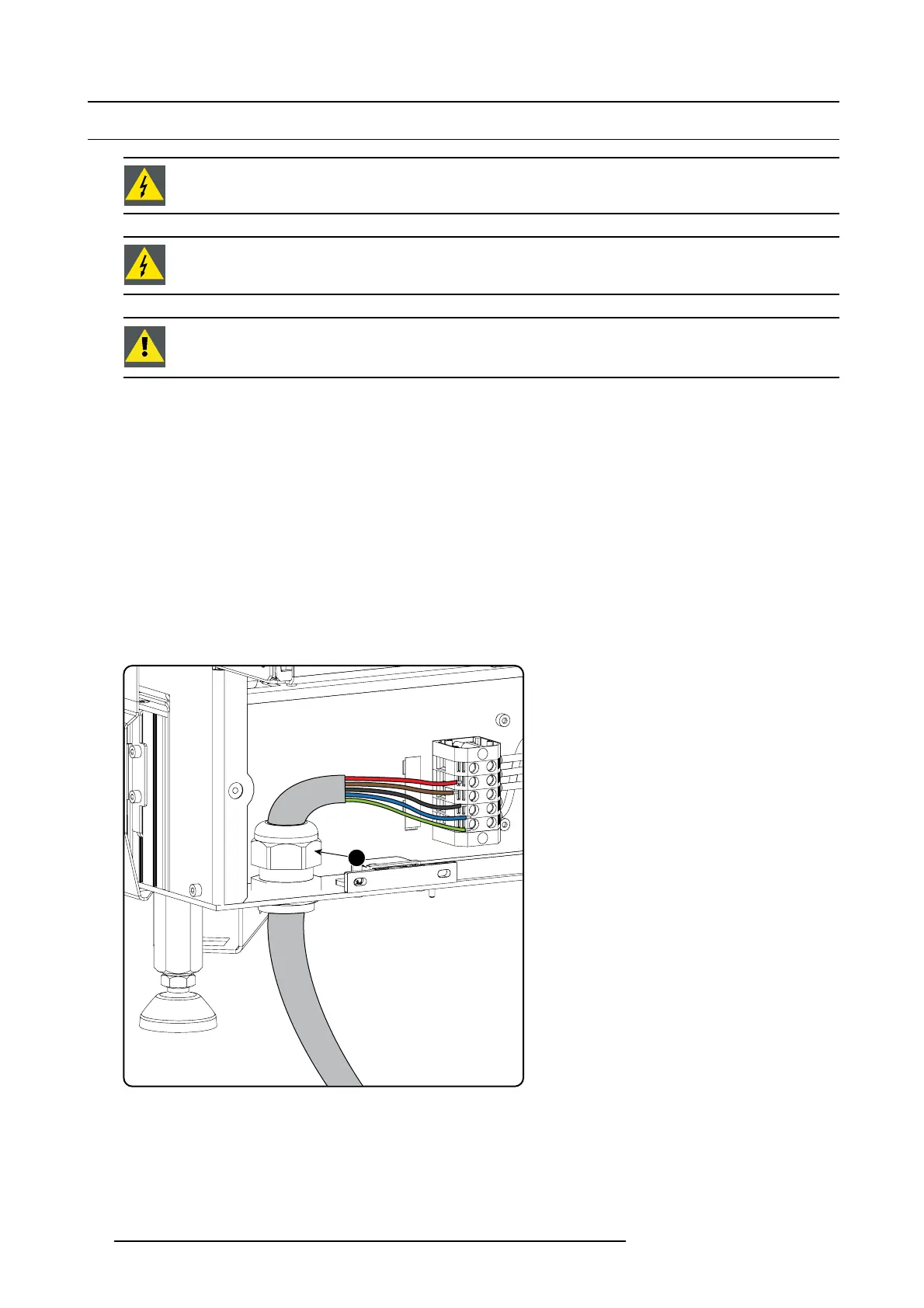
3. Loosen the cable g land fixation ring (1 ).
Note: The cable gland ( 1) is specified for cables with a diameter between 11mm and 21m m.
1
Image 3-12
Power cable connection
4. Push the s tripped pow er supply cable through the cable gland. W he n using a flexible power cord, make sure that each conductor
end is provided with an end s leeve.
Fix the cable in the cable gland by s ecuring ring 1 w ith an adjustable wrench.
5. C onnect the power cord with the terminal barrier s trip. Use a flat torque screw driver set to 2Nm.
Always connect th e ground wire (PE) with the c onnector indicated with PE on the terminal bar rier s trip.
26
R59770491 DP2K-32B 30/04/2010



 To Next Page