9. Projector registration
9.4 Update registration of an existing projector
When should it be used ?
An update of the registration of an existing projector should be done in e.g. one of the following ca ses:
• relocation of the projector
• new owner
• new contact person
• and when any of the registered data is changed.
How to update
1. First get a new certificate file. See "Dow nload the c ertificate file", page 85.
2. Go to Barco’s Partnerzone on h
ttps://secure.barco.com/digitalci nema/.
3. Login into the partnerzone.
Click Register DC pro jector and select Update DC projector.
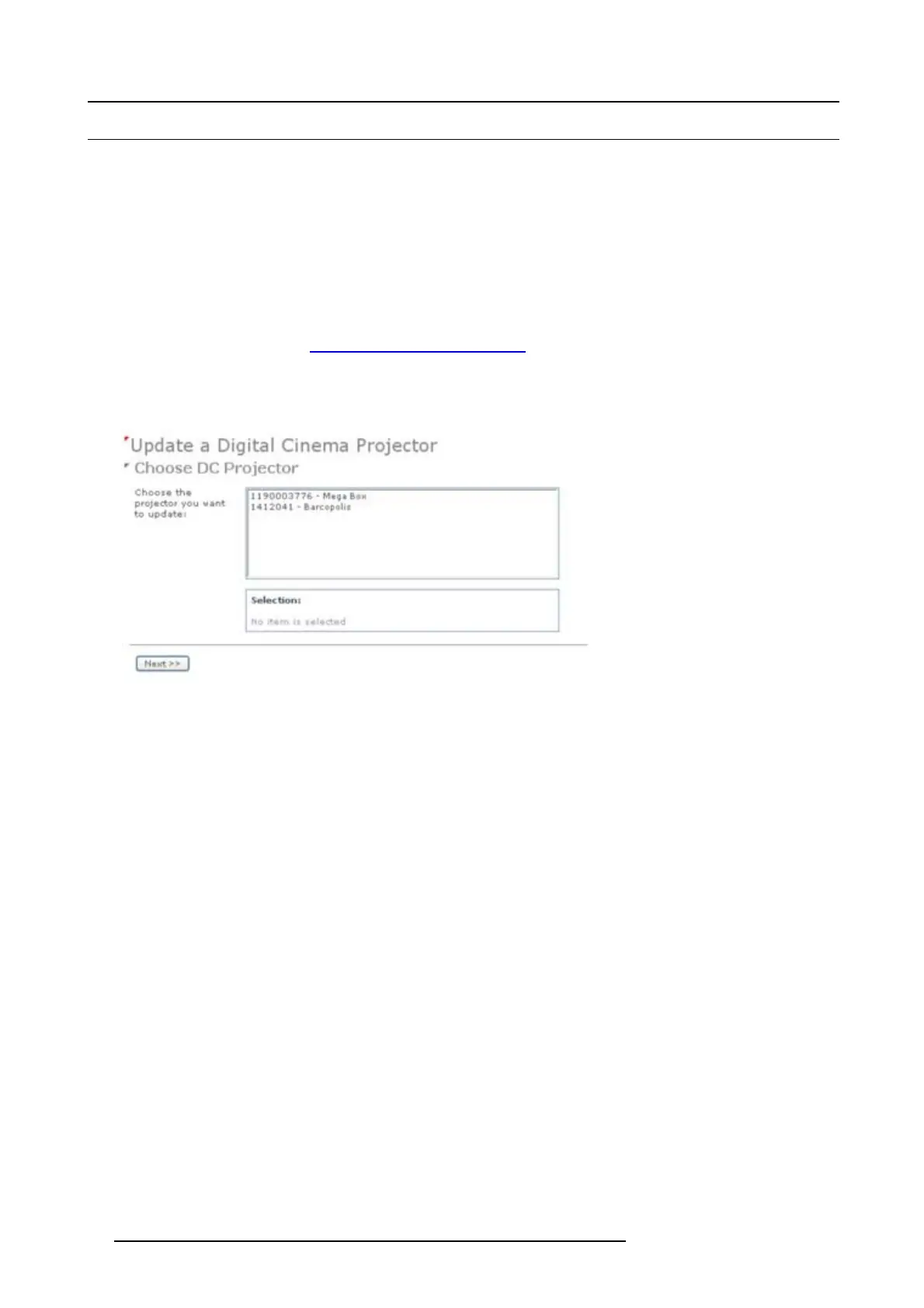
The update page is displayed with your registered projectors.
Image 9-11
Select projector to update
4. Select the projector for which the registration must be updated.
The installation address is displayed in Selection
Click >> Next to continue.
5. Browse to locate the certificate file. Select the file and click Open.
The file is filled out next to XML file. Click >> Next to co ntinue. From now on the procedure is equal to those of the registration
of a new projector. Follow the steps as given in the wizard.
92
R59770491 DP2K-32B 30/04/2010


 To Next Page