10. Removal and installation of the projector covers
10. REMOVAL AND INS TA LLATION OF THE PROJECTOR
COVERS
WARNING: All procedures in this chapter may only be performed by “qualified service technicians” .
WARNING: Disconnect the power to the circuit main terminals an d unplug the pow er cord at UPS INLET,
unless otherw ise specified in the procedu re.
Overview
• Rem oval of the lamp cover
• Rem oval of the rear c over
• Rem oval of the input c over
• Rem oval of the front c over
• Rem oval of the side cover
• Installation of the front cover
• Installation of the input cover
• Installation of the lamp cover
• Installation of the rear cover
• Installation of the side cover
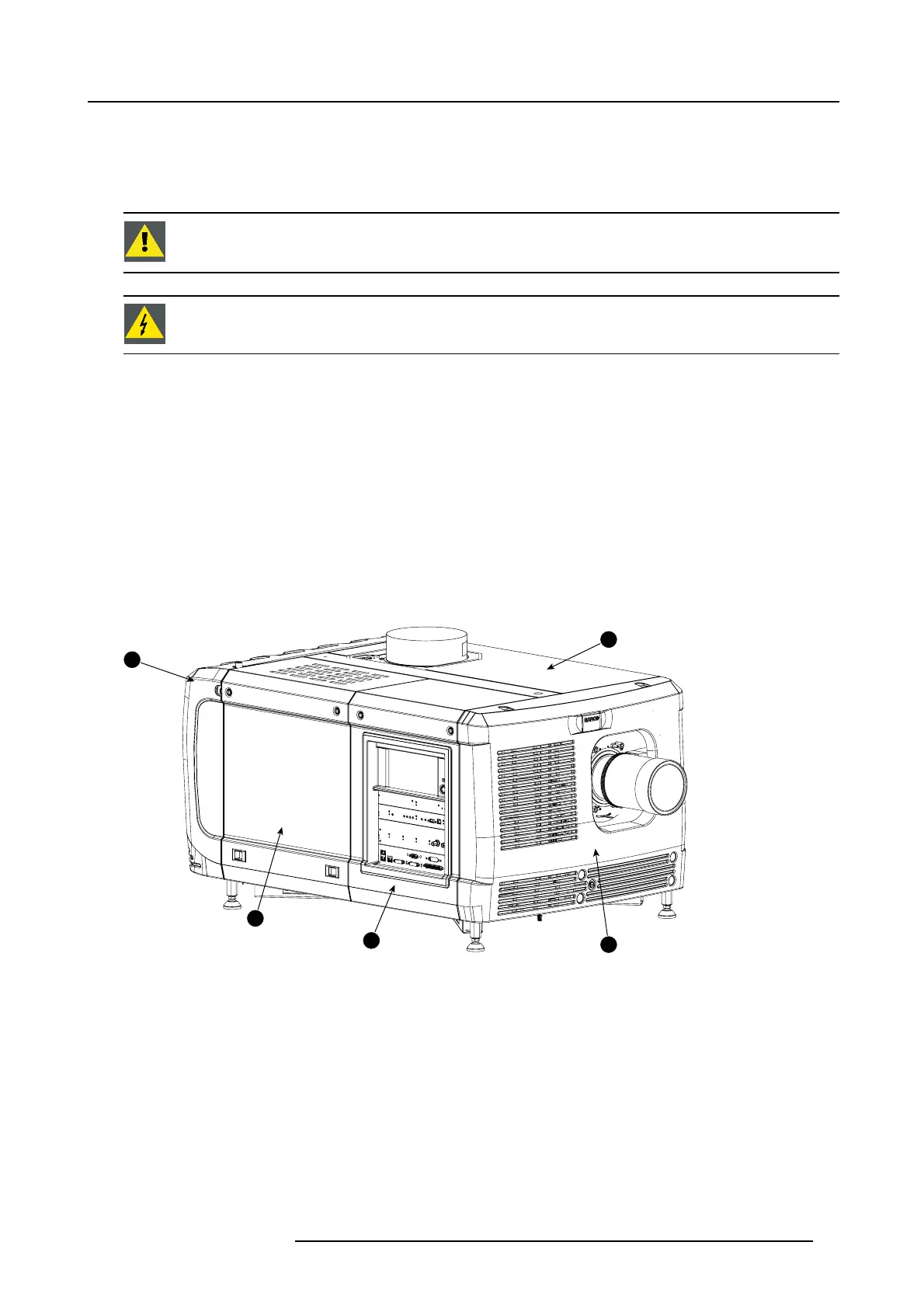
Location of the covers
1
2
3
4
5
Image 10-1
Location of the covers
1 Lamp cover
2 Input cover
3 Front cover
4
Side cover
5
Rear co ver
All cover can be individually remov ed.
R59770491 DP2K-32B 30/04/2010
93



 To Next Page