5. Lenses & lens holder
1
F
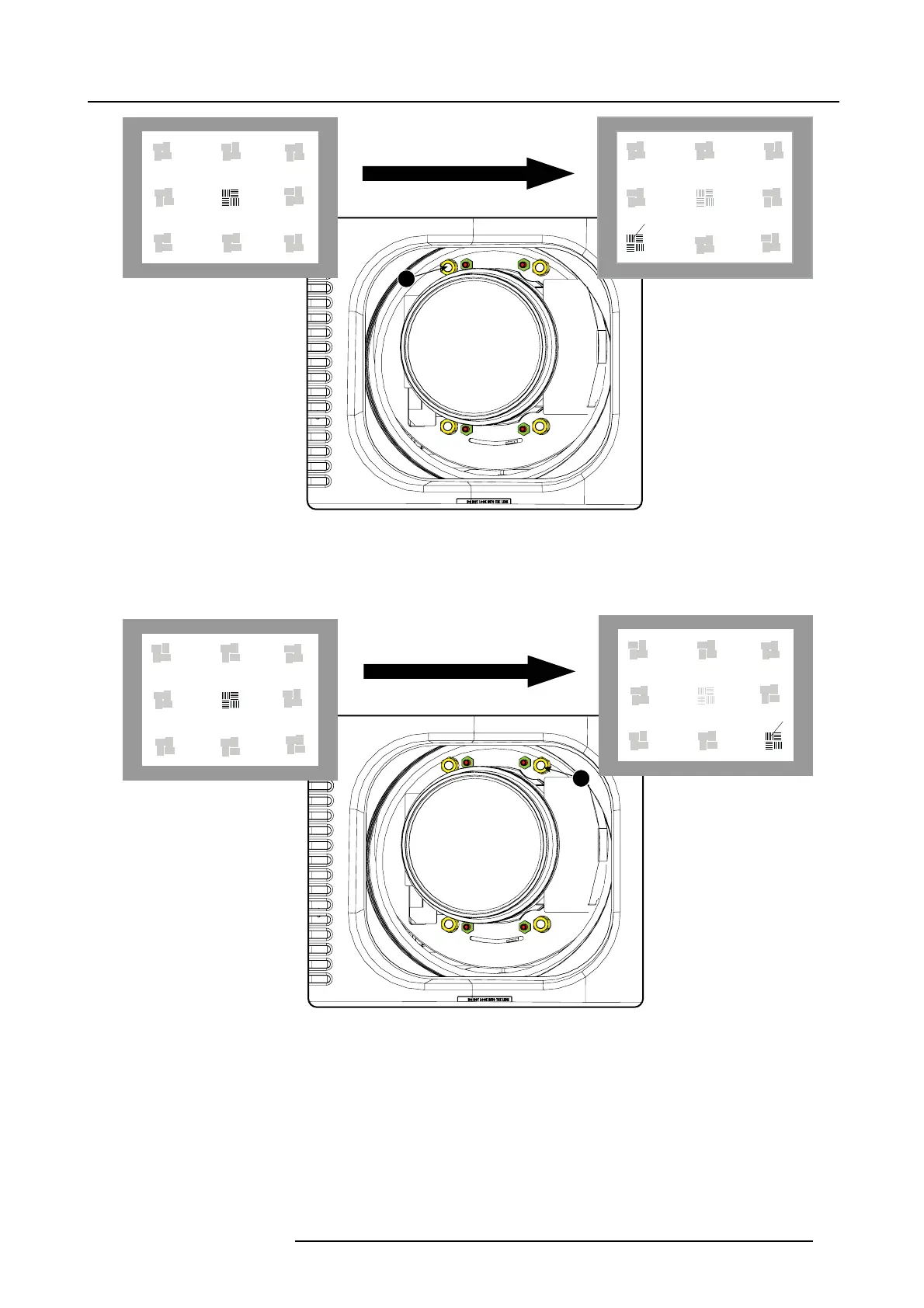
Image 5-18
Left bottom focusing
8. C ontinue with the right bottom corner. With a white paper, s tart at the screen and bring t he paper forward. Can you focus the
image on the paper?
If yes, The focus plane is b e fore the screen, adjust nut 2 by turning clockwise un til the image is focused on the s creen.
If no, the focus plane is behind the screen, adjust nut 2 by tuning counter c lockwise until the image is focused on the screen .
2
F
Image 5-19
Right bottom focusing
9. C ontinue with the right upper c orner. W ith a white paper, start at the screen and bring the paper forward. Can you focus the
image on the paper?
If yes, The focus plane is b e fore the screen, adjust nut 3 by turning clockwise un til the image is focused on the s creen.
If no, the focus plane is behind the screen, adjust nut 3 by tuning counter c lockwise until the image is focused on the screen .
R59770491 DP2K-32B 30/04/2010
61



 To Next Page