7. Communicator Touch Panel
W
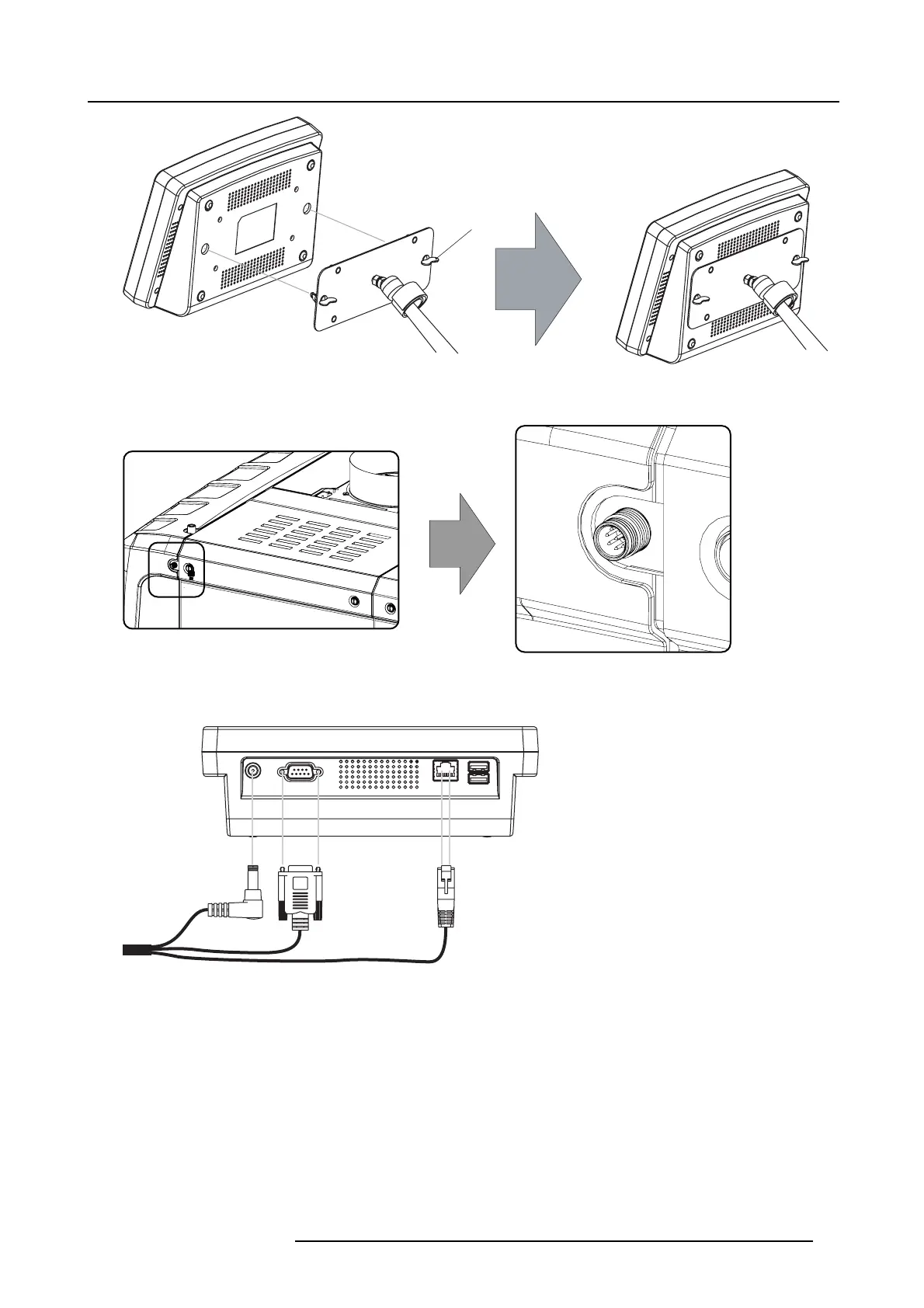
Image 7-6
Mount touch panel
4. C onnect the circular plug of the multi c able with the circular s ocket at th e rear side of the DP2K -32B projector.
Image 7-7
5. Attach the multi cable to t he swivel arm using the two Velcro strips.
6. C onnect the DC plug, the RJ 45 E thernet plug and the D-SUB plug into their respective sock ets on the touch panel interface.
Image 7-8
Connections
R59770491 DP2K-32B 30/04/2010 77



 To Next Page