Code: IU.01.09.0007
Version / Revision: 6.001
Page: 70 de 143
Ultrasonic washer
Model: E0201
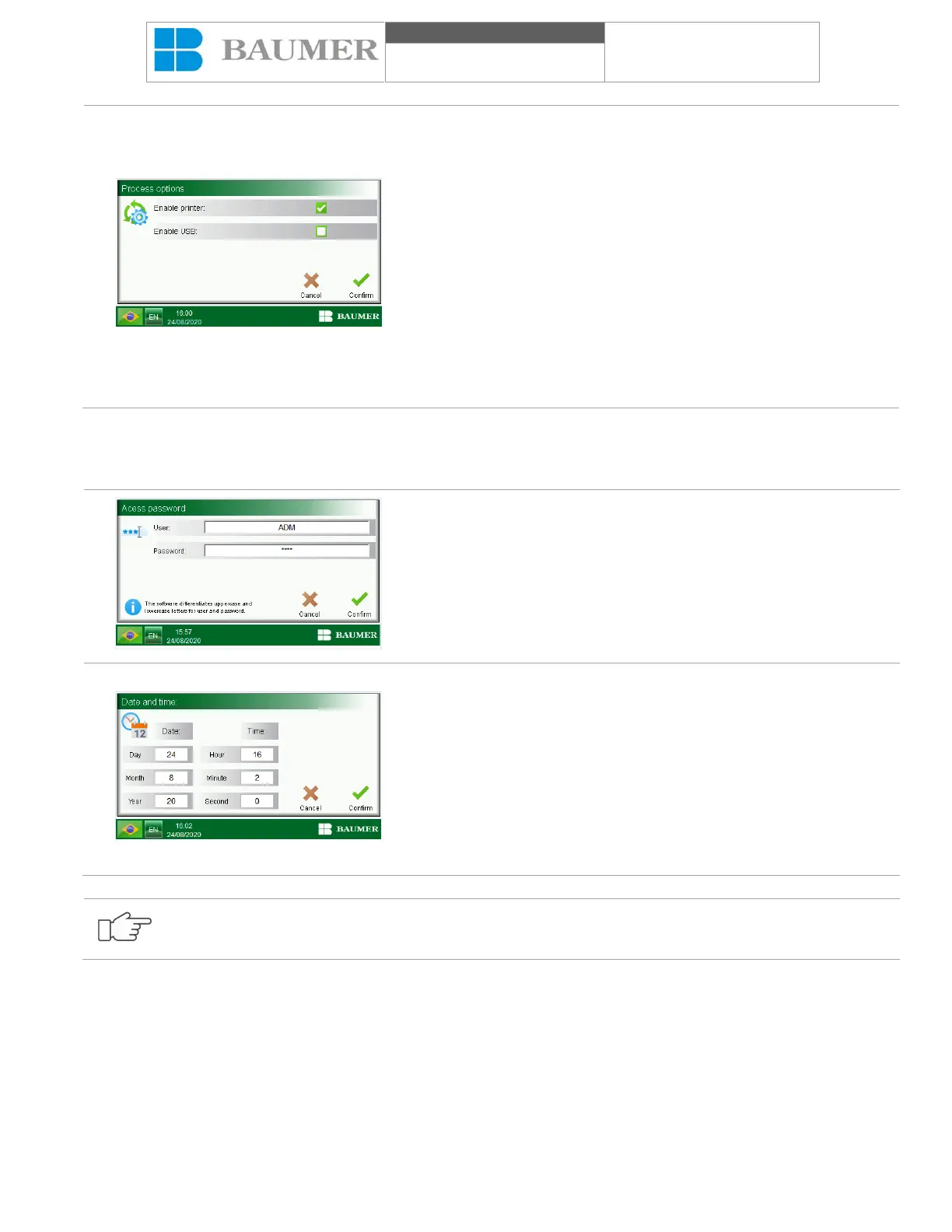
The "Enable printer" field enables or disables the printer.
The symbol indicating that it is enabled is this:
The symbol indicating that you are disabled is this:
The "Enable USB" field activates or deactivates the USB output to
store the cycle data in the USB memory.
The symbol indicating that it is enabled is this:
The symbol indicating that you are disabled is this:
Note: The data will only be registered if the pen drive is connected to
the equipment.
The button "Confirm" confirms the actions or changes made.
The "Cancel" text button cancels the actions or changes made.
11.5 Change close at time
To configure the closing time, start the Ultrasonic washer and proceed as follows:
In the "Home screen", press the button "Screen options".
In the display "Screen options", by pressing "Date and time", a display
will open asking for the inclusion of a user and password that allows
the "Supervision and programming" level.
Open the "Date and time":
• Values "Day", "Month", "Year", "Hour", "Minute" and "Second" allows
you to define the new time and time for the sterilizer. When playing
the fields mentioned, an alphanumeric keyboard on the display is
changed to enter the value according to the limits of each field. No
values will be accepted for the range defined for each field;
• The icon "Confirm" confirms the actions or changes made and
returns to the previous display;
The text “Cancel” cancels the actions or changes made and returns
to the previous display.
The date and time values must always be correct, since what will be printed depends on these data.


 To Next Page